
NEWS
New WhatsApp Scam Alert: Beware of .EXE and .DLL Files That Could Compromise Your Chats and Contacts
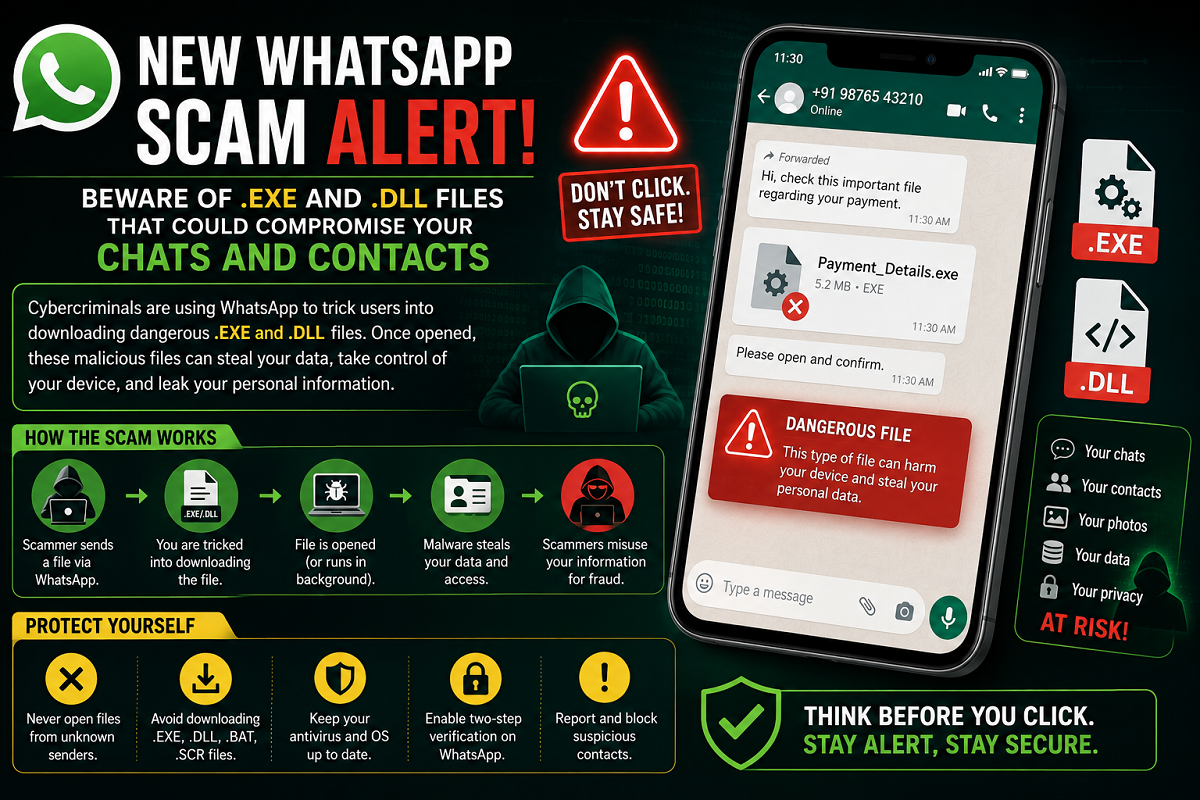
Cyber Experts Warn Users Against Opening Suspicious "View Details" Files Shared on WhatsApp
A new WhatsApp scam is making the rounds, with cybercriminals using malicious .exe and .dll files to target unsuspecting users. Security experts have warned that these files are often disguised as legitimate documents, invoices, or "View Details" attachments. Opening or installing them could expose sensitive information stored on your device, including WhatsApp chats, contacts, and other personal data.
The warning comes as cyber fraudsters continue to adopt more sophisticated techniques to trick users into installing malware. Instead of relying only on OTP scams or phishing links, attackers are now using executable files that can infect a device once they are downloaded and run.
How the New WhatsApp Scam Works
According to cybersecurity alerts, scammers send files through WhatsApp that appear to contain important information. These attachments may carry names such as:
- View Details
- Invoice
- Payment Receipt
- Document
- Account Information
However, the actual file extension is often .exe or .dll, which are executable file formats commonly used by Windows operating systems.
If a user downloads and opens these files on a compatible device, malicious software may be installed without the user's knowledge. This malware can potentially give attackers unauthorized access to sensitive information.
What Information Could Be at Risk?
Once malware is installed, cybercriminals may attempt to collect data stored on the infected device. Depending on the type of malware involved, attackers could gain access to:
- WhatsApp chat history
- Contact lists
- Device information
- Saved login sessions
- Personal documents
- Other sensitive data stored on the device
In some cases, compromised WhatsApp accounts may be misused to send fraudulent messages to friends and family, asking for money or sharing malicious links.
Cyber Safety Advisory
India's Cyber Dost initiative under the Indian Cyber Crime Coordination Centre (I4C) has previously cautioned users about evolving cyber threats and advised them to avoid downloading suspicious attachments received through messaging platforms.
Cybersecurity experts recommend treating unexpected executable files as potentially dangerous, especially when they arrive from unknown numbers or unexpected contacts.
How to Stay Safe
To reduce the risk of falling victim to such scams, users should follow these safety practices:
- Never open .exe or .dll files received through WhatsApp unless you are absolutely certain of their authenticity.
- Be cautious of files labeled as invoices, payment details, or urgent documents from unknown senders.
- Verify with the sender through another trusted communication channel before downloading any unexpected attachment.
- Keep your smartphone and computer operating systems updated with the latest security patches.
- Install reputable antivirus or security software on devices that support executable files.
Enable WhatsApp Security Features
WhatsApp also provides several built-in security options that can help protect your account:
Turn On Two-Step Verification
Enabling Two-Step Verification adds an extra layer of security by requiring a six-digit PIN whenever your WhatsApp account is registered on a new device.
Review Linked Devices
Regularly check the Linked Devices section within WhatsApp to ensure there are no unauthorized active sessions connected to your account.
Keep Your App Updated
Installing the latest version of WhatsApp ensures you receive important security updates and bug fixes released by the company.
What Should You Do If You Opened a Suspicious File?
If you accidentally download or run a suspicious executable file, act quickly:
- Disconnect the affected device from the internet if possible.
- Run a complete malware scan using trusted security software.
- Log out of any suspicious linked WhatsApp sessions.
- Change passwords for important online accounts if you suspect your device has been compromised.
- Inform your contacts that they should ignore any unusual messages received from your account.
- Report the incident through the National Cyber Crime Helpline (1930) or the official cybercrime reporting portal if you suspect fraud or unauthorized access.
Final Take
Cybercriminals are continuously developing new ways to exploit messaging platforms, and the latest WhatsApp executable file scam is another reminder to remain cautious online. Files ending in .exe or .dll should never be opened unless their source is fully verified, as they may contain malware capable of compromising your device and personal information.
Practicing safe browsing habits, enabling WhatsApp's security features, and staying alert to suspicious attachments can significantly reduce the risk of becoming a victim of cyber fraud.





