
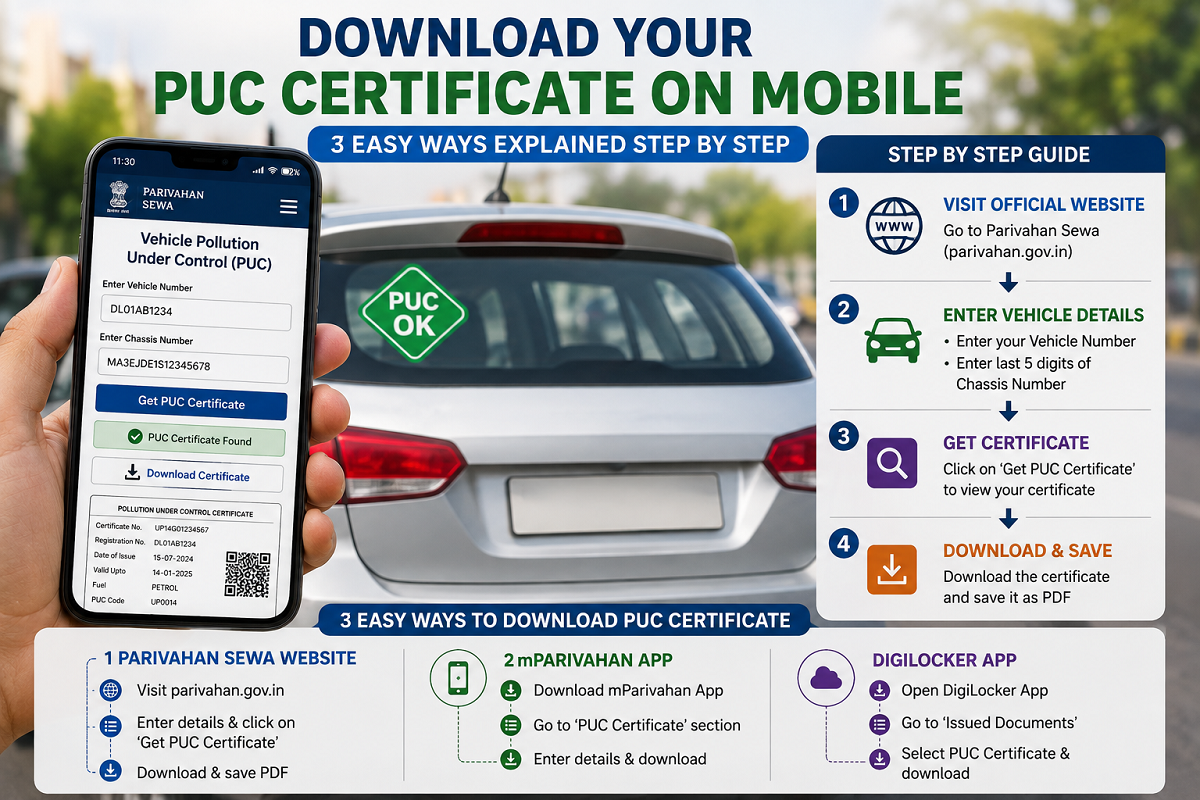
Losing your Pollution Under Control (PUC) Certificate no longer means visiting a pollution testing centre for a duplicate copy. Vehicle owners in India can now download their PUC certificate directly on their smartphone using official government platforms in just a few minutes.
Whether you prefer using the Parivahan Portal, DigiLocker, or the mParivahan app, all three methods allow you to access and save your digital PUC certificate from home. Keeping a digital copy is useful during traffic inspections and ensures you always have access to your document whenever required.
Why You Should Keep a Digital PUC Certificate
The Pollution Under Control (PUC) certificate confirms that your vehicle meets the prescribed emission standards. It is one of the mandatory documents motorists are required to carry while driving.
A digital copy stored on your mobile phone helps you:
- Access the certificate anytime
- Avoid losing the original document
- Present a valid copy during vehicle inspections
- Download a fresh copy whenever required
With government-backed digital platforms, retrieving the certificate has become quick and convenient.
Method 1: Download PUC Certificate from the Parivahan Portal
The Parivahan Portal, operated by the Ministry of Road Transport and Highways (MoRTH), allows vehicle owners to download their PUC certificate online.
Steps to Download
- Visit the official Parivahan PUC Portal.
- Select PUC Certificate from the homepage menu.
- Enter your vehicle registration number.
- Provide the last five digits of the chassis number (available on your Registration Certificate).
- Complete the CAPTCHA verification.
- Click PUC Details.
- Your PUC certificate information will appear on the screen.
- Select Print to save or download the certificate as a PDF.
This method is one of the fastest ways to retrieve your certificate without installing any mobile application.
Method 2: Download PUC Certificate Through DigiLocker
DigiLocker is another official platform where digitally issued government documents are stored securely. Documents available through DigiLocker are legally recognized and can be presented wherever digital records are accepted.
Steps to Download
- Open the DigiLocker mobile app or website.
- Log in using your registered account.
- Use the Search or Explore section.
- Search for Ministry of Road Transport and Highways (MoRTH).
- Select Pollution Under Control (PUC) Certificate from the available services.
- Enter your vehicle registration number.
- Provide the last five digits of the chassis number.
- Click Get Document.
The certificate will appear under the Issued Documents section, where it can be viewed or downloaded as a PDF whenever needed.
Method 3: Download PUC Certificate Using the mParivahan App
The mParivahan mobile application offers another convenient option for storing vehicle documents digitally.
Steps to Follow
- Download and install the mParivahan app.
- Sign in using your registered mobile number.
- From the home screen, choose Virtual RC.
- Enter your vehicle registration number.
- Provide:
- Last five digits of the chassis number
- Last five digits of the engine number
- Tap Add to Dashboard.
- Your Virtual Registration Certificate (Virtual RC) will be added to the dashboard.
- Open the Virtual RC to view the PUC Status and certificate validity.
- Select View/Download PUC to save the certificate on your smartphone.
This method is particularly useful for users who prefer keeping all vehicle-related documents in one place.
Information You May Need
Before downloading your PUC certificate, keep the following details ready:
- Vehicle Registration Number
- Last five digits of the Chassis Number
- Last five digits of the Engine Number (required for mParivahan)
- Registered mobile number (for app login where applicable)
Having these details available will make the process faster.
Benefits of Keeping a Digital PUC Certificate
Downloading your PUC certificate electronically offers several advantages:
- Easy access during traffic checks
- Reduced risk of losing paper documents
- Quick retrieval whenever required
- Secure storage on official government platforms
- Convenient sharing or printing when necessary
Digital documents also reduce paperwork and help vehicle owners manage important records more efficiently.
A Simple Way to Access Your Vehicle Documents
Whether you use the Parivahan Portal, DigiLocker, or the mParivahan app, downloading your PUC certificate is a straightforward process that takes only a few minutes. Instead of visiting a pollution testing centre for a duplicate copy, vehicle owners can retrieve their certificate anytime using official government platforms.
Keeping a digital PUC certificate on your smartphone ensures that you are always prepared during inspections and have quick access to one of the essential documents required for your vehicle.





