
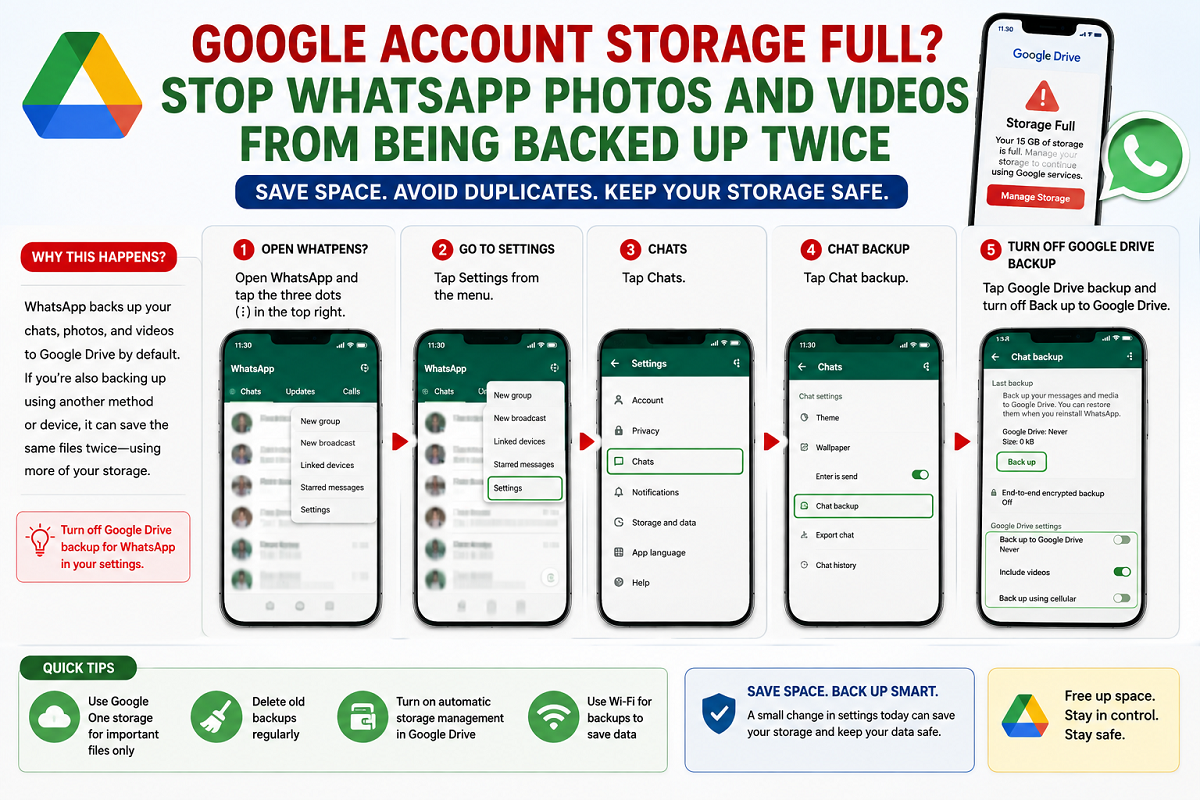
Running out of Google storage is a common problem for Android users, and one of the biggest reasons is duplicate backups of WhatsApp photos and videos. Many users unknowingly allow the same media files to be stored twice in their Google account—once through WhatsApp backup in Google Drive and again through Google Photos device folder backup.
As Google now counts Android device backups toward your Google Account storage limit, reviewing your backup settings has become more important than ever. Fortunately, you don't need to disable WhatsApp backups entirely. A simple change in Google Photos settings can help free up valuable cloud storage while keeping your chats and important data protected.
Why WhatsApp Media Uses Extra Google Storage
Whenever you receive or download photos and videos on WhatsApp, they are stored on your phone. If Google Photos is configured to back up your device folders, those media files are uploaded to Google Photos.
At the same time, WhatsApp also includes media files in its own cloud backup stored in Google Drive. As a result, identical photos and videos may occupy storage twice within your Google account.
Over time, this duplicate backup can consume several gigabytes of cloud storage, especially if you frequently share high-resolution images and videos.
You Don't Need to Disable WhatsApp Backup
Many users assume they must turn off WhatsApp backup completely to save storage space. However, doing so could put chat history and important conversations at risk.
A better solution is to stop Google Photos from backing up the WhatsApp media folder while allowing WhatsApp to continue creating its regular chat backup.
This prevents duplicate copies of the same media from being uploaded while ensuring your chats remain protected.
How to Stop Google Photos from Backing Up WhatsApp Media
Follow these steps on your Android phone:
- Open the Google Photos app.
- Tap your profile picture in the top-right corner.
- Select Photos Settings.
- Tap Backup.
- Scroll down and choose Back up device folders.
- Locate the WhatsApp folder.
- Turn off the backup toggle for the WhatsApp folder.
After disabling this setting, Google Photos will no longer upload WhatsApp photos and videos, reducing unnecessary cloud storage usage.
Other Ways to Save Google Storage
Besides disabling duplicate backups, you can optimize your Google storage by adjusting a few additional settings.
Reduce WhatsApp Backup Size
Open WhatsApp and review your backup preferences. If possible, exclude videos from cloud backups since they usually consume the largest amount of storage.
Change Backup Frequency
Instead of backing up continuously, choose a less frequent backup schedule that suits your usage. This helps reduce unnecessary data transfers and storage consumption.
Remove Old Backups
If you have outdated or unused backups, you can manage and delete them using the Google One backup management tools. Removing obsolete backups can immediately free up cloud storage.
Review Device Backup Settings
Since Android device backups now count toward your Google storage quota, regularly check which folders and apps are being backed up. Disabling unnecessary backups can significantly reduce storage usage.
Why Managing Google Storage Matters
Google provides limited free cloud storage that is shared across multiple services, including:
- Google Drive
- Gmail
- Google Photos
- Android device backups
When storage becomes full, users may face issues such as:
- Inability to back up new photos
- Gmail not receiving new emails
- Backup failures
- Limited synchronization across devices
Managing duplicate files and unnecessary backups helps prevent these problems while extending available storage.
A Simple Setting That Can Save Gigabytes
If your Google Account storage is filling up quickly, duplicate WhatsApp media backups could be one of the hidden reasons. Instead of turning off WhatsApp backup completely, simply disable the WhatsApp device folder backup in Google Photos.
This small change prevents duplicate uploads, keeps your chat backups intact, and helps you make better use of your available Google storage without paying for additional cloud space.





