
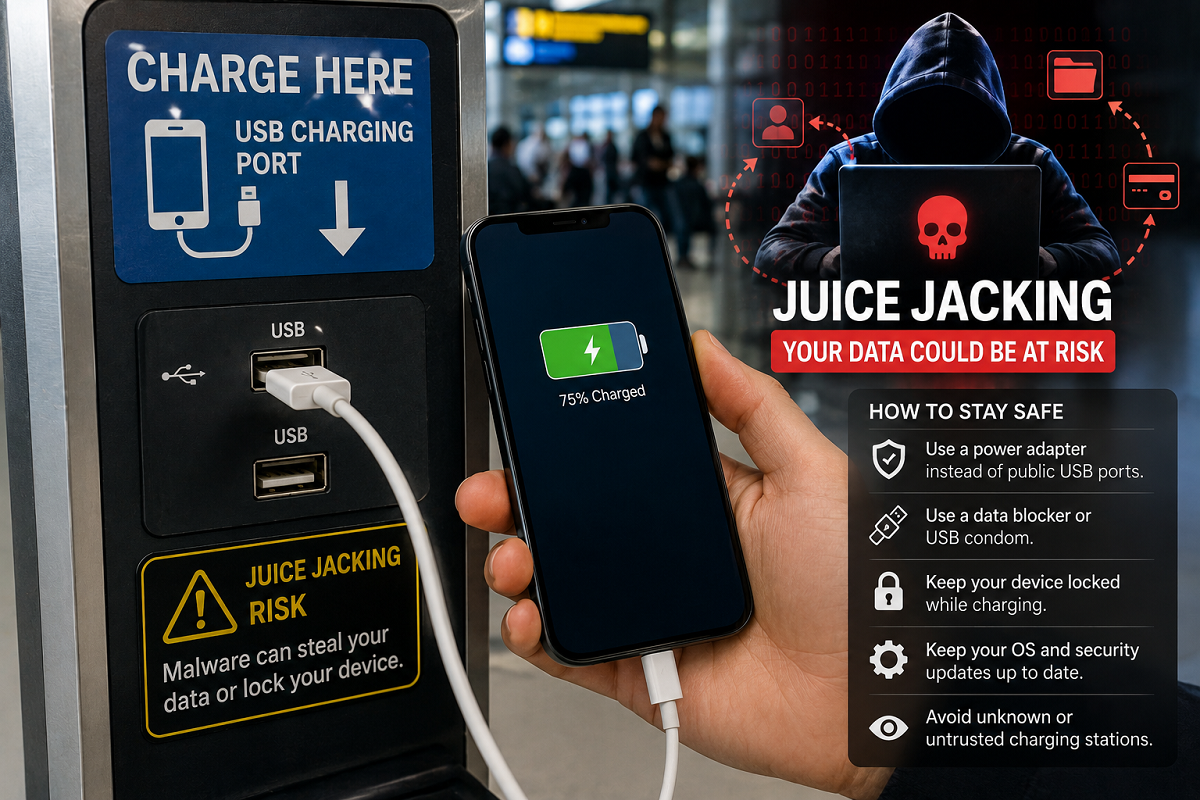
A low smartphone battery while travelling can quickly become a problem. Airports, railway stations, metro stations, bus terminals, hotels, shopping centres and other public places often provide charging points where travellers can plug in their smartphones or tablets.
The convenience can be tempting, particularly when your battery is almost dead and you still need your phone for tickets, maps, UPI payments or communication.
However, cybersecurity experts have long warned users to be cautious when connecting devices to unfamiliar USB charging ports. One potential threat associated with compromised charging infrastructure is commonly known as juice jacking.
The concern arises because a standard USB connection can potentially carry both electrical power and data. If a charging station, cable or connected system has been maliciously modified, connecting your unlocked device could expose it to security risks in certain circumstances.
This doesn't mean that every USB charging station at an airport or railway station is dangerous. But understanding the potential risk—and knowing safer alternatives—can help protect your smartphone and personal information.
What Is Juice Jacking?
Juice jacking is a term used to describe a potential cyberattack involving a compromised USB charging connection.
When you connect your smartphone to a USB port, the cable may be capable of more than simply charging the battery. Depending on the cable, device and connection mode, USB can also be used for transferring data.
Attackers may attempt to exploit that capability through a malicious or compromised charging setup.
The exact risk varies depending on the smartphone, operating system and security protections enabled. Modern phones generally include safeguards that can restrict data access unless the user explicitly authorises it, but users should still avoid granting unnecessary permissions when connecting to an unfamiliar device or port.
Why Can Public USB Charging Ports Be Risky?
The key issue isn't electricity itself. It is the potential data connection created through USB.
If you plug your smartphone directly into an unfamiliar USB port, you may not know what equipment is connected behind it.
A malicious charging setup could potentially attempt to establish a data connection with the device.
For this reason, plugging your own charging adapter into a normal electrical outlet is generally preferable to connecting your smartphone directly to an unknown USB data port.
Don't Panic: Every Public Charger Isn't a Scam
It is important not to exaggerate the threat.
Seeing a USB charging port at an airport does not mean that hackers are waiting behind it to empty your bank account.
The actual feasibility of an attack depends on multiple technical factors, including the device, operating-system protections, whether the phone is locked, what permissions the user grants and how the charging equipment has been configured.
Still, cybersecurity is often about reducing unnecessary exposure.
If you can charge through your own trusted adapter or power bank instead, there is little reason to take the additional risk of connecting directly to an unfamiliar USB port.
Use Your Own Wall Charger Whenever Possible
One of the simplest ways to reduce the risk is to carry your own charging adapter and cable.
If you find a regular electrical wall outlet, plug your adapter into the socket and connect the phone to your own charger.
In this setup, your smartphone isn't directly connected to an unknown USB host.
For frequent travellers, keeping a compact charger and trusted cable in a backpack or handbag can be a useful habit.
Make sure the charger itself is from a reputable manufacturer and is appropriate for your device.
A Power Bank Can Be a Safer Travel Option
A charged power bank can be extremely useful when you're travelling.
Instead of searching for an available USB charging station at an airport, railway station or bus terminal, you can recharge your smartphone directly from your own power bank.
This also allows you to keep the phone with you rather than leaving it attached to a public charging point.
Before travelling, make it a habit to charge both your phone and power bank.
Use a Charge-Only Cable or USB Data Blocker
Another option is a charge-only USB cable designed without active data-transfer connections.
Because such cables are intended to provide power rather than data communication, they can reduce exposure to data-based attacks.
USB data blockers—sometimes informally called "USB condoms"—can serve a similar purpose by blocking data lines while allowing electrical power to pass through.
However, consumers should choose reputable accessories rather than relying on unknown or poorly manufactured adapters.
Be Careful If Your Phone Asks for Data Access
Suppose you connect your phone to a charging point and suddenly see a prompt asking whether you want to transfer files, trust a connected device or allow data access.
Don't automatically tap Allow.
If your only intention is to charge the battery, there should generally be no reason to authorise file transfer or give an unfamiliar connected system access to your device.
Select a charging-only option where available, or disconnect the cable if the prompt seems suspicious.
Also keep your smartphone locked while charging when you don't need to use it.
Keep Your Smartphone Software Updated
Operating-system updates often include important security improvements.
Using an outdated Android or iOS version can potentially leave known vulnerabilities unpatched.
Regularly check for software and security updates provided by your smartphone manufacturer.
Applications should also be kept updated, particularly banking, payment and security-sensitive apps.
Updates cannot eliminate every cyber threat, but they are an important part of maintaining device security.
Protect Your Banking and UPI Apps
If your smartphone contains UPI applications, mobile banking apps or digital wallets, additional account security is essential.
Use a strong screen lock and enable biometric authentication where appropriate.
Never store your UPI PIN, banking password or other financial credentials in an unsecured note or message on the device.
More importantly, remember that legitimate banking or UPI processes should not require you to reveal your PIN or OTP to another person.
If your phone behaves unusually after connecting to an unknown USB port, disconnect it and review the device for unexpected apps, unusual permissions or other suspicious activity.
What Should You Do If You Suspect Something Is Wrong?
If you believe your phone may have been exposed to a suspicious USB connection, disconnect it immediately.
Don't approve unexpected data-transfer or trust requests.
Check for unfamiliar applications and review important account activity. If you notice unauthorised financial transactions, contact your bank or payment provider immediately through official channels.
Change important passwords from a trusted device if you believe account credentials may have been compromised.
The Safest Charging Habit While Travelling
Public charging facilities can be convenient, but connecting your phone directly to an unknown USB port isn't always necessary.
When possible, use your own trusted wall charger and cable. A personal power bank is another convenient alternative, particularly during long journeys.
If you must use a public USB connection, avoid granting data-access permissions and consider using a reputable charge-only cable or data blocker.
Most importantly, don't assume that plugging into a public USB port will automatically lead to your bank account being emptied. Juice jacking is a potential cybersecurity risk, not a guaranteed consequence of using a public charger.
A few simple precautions can help you keep your smartphone powered up while reducing unnecessary exposure to potentially compromised charging equipment.





