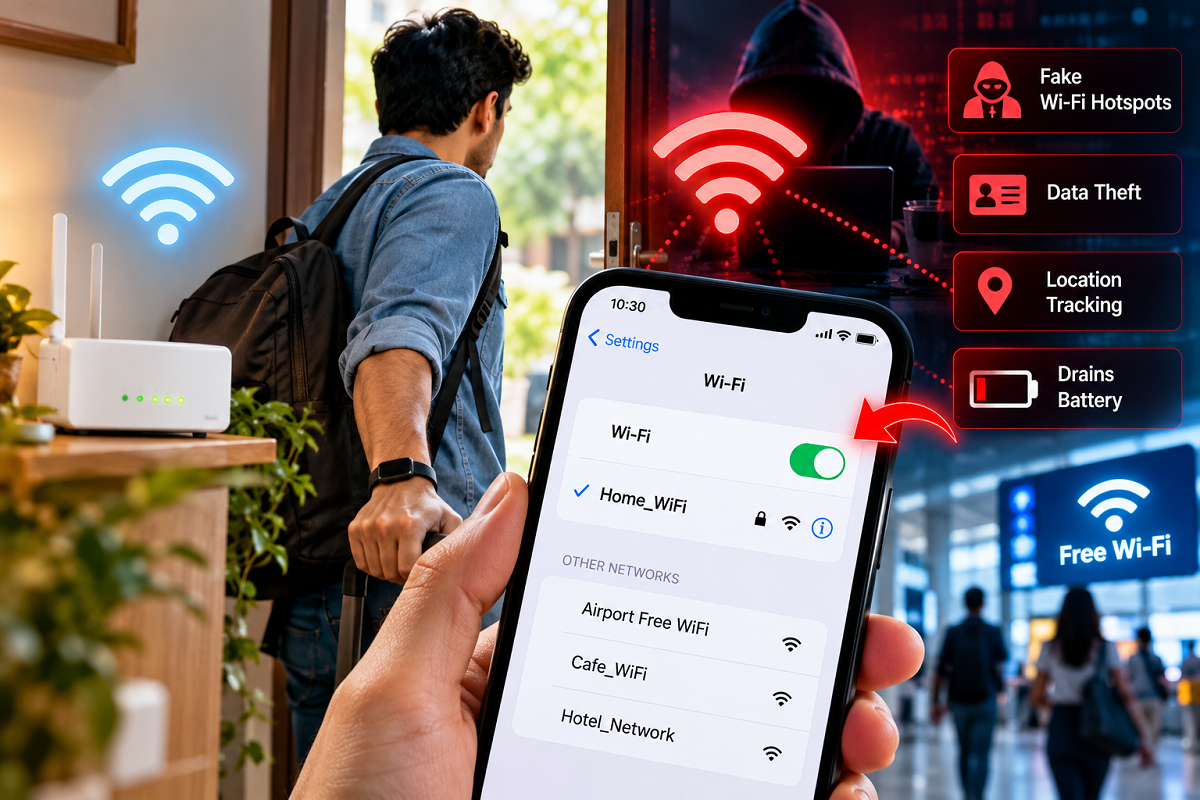
Wi-Fi Security Tips 2026: Most smartphone users keep their Wi-Fi switched on throughout the day, even when they are travelling, shopping or spending time away from home. While this habit may seem harmless, it can sometimes create unnecessary privacy and security risks.
Smartphones contain a significant amount of personal information, including photographs, private conversations, email accounts, banking applications and access to important online services.
Protecting this information has become increasingly important as cybercriminals develop new ways to target unsuspecting internet users.
Although leaving Wi-Fi enabled does not automatically make a smartphone unsafe, certain settings can allow devices to search for nearby networks or reconnect to previously saved connections.
This can increase exposure to untrusted wireless networks, particularly in public places.
Here are five important things smartphone users should understand about Wi-Fi security and how to protect their devices.
1. Your Smartphone May Automatically Connect to Saved Wi-Fi Networks
One of the main reasons to review your Wi-Fi settings is the automatic connection feature.
When Wi-Fi is enabled, smartphones can scan for nearby wireless networks and reconnect to networks that have already been saved.
This feature is convenient at home, in the office or at other familiar locations.
However, problems may arise when a device connects to a network that is no longer trustworthy.
For example, a previously used public Wi-Fi network may have weak security settings, or an attacker may create another network with a similar name.
Depending on the device and its security protections, automatic connection settings could increase the possibility of connecting to an unintended network.
Modern Android and iPhone devices include safeguards designed to reduce these risks, but users should still review their saved network settings.
What should you do?
Disable automatic joining for unfamiliar or untrusted Wi-Fi networks. You can also remove old public networks from your phone's saved connections.
If you do not need Wi-Fi while travelling, switching it off can provide an additional precaution.
2. Fake Public Wi-Fi Hotspots Can Put Your Information at Risk
Public Wi-Fi networks are widely available in airports, railway stations, shopping centres, hotels and cafés.
These services can be useful, especially when mobile data connectivity is limited.
However, cybercriminals sometimes create fraudulent wireless hotspots that imitate legitimate networks.
This technique is commonly associated with so-called evil twin attacks.
For example, a café may offer a network named "Cafe_Free_WiFi," while an attacker creates another hotspot with a nearly identical name.
A customer may accidentally connect to the imitation network, believing it belongs to the business.
Attackers may then attempt to direct users to deceptive login pages or other malicious websites.
It is important to understand that simply connecting to public Wi-Fi does not mean all your passwords and messages become visible.
Modern encrypted websites and applications provide important protections.
Nevertheless, fake login pages, unsafe downloads and other forms of deception can still create risks.
What should you do?
Confirm the official network name with the business or service provider before connecting.
Avoid entering passwords or verification codes into unexpected login pages.
For sensitive transactions, a trusted mobile data connection may be preferable to an unfamiliar public hotspot.
3. Leaving Wi-Fi Enabled Can Raise Privacy Concerns
Smartphones regularly interact with wireless technologies to identify available networks and support connectivity features.
In some environments, Wi-Fi-related signals have been used for analytics, such as estimating visitor movement or measuring activity in public spaces.
This has raised concerns about location privacy and device tracking.
However, modern smartphones use privacy protections, including randomised hardware addresses in many Wi-Fi-related operations, to make certain forms of tracking more difficult.
These protections have improved significantly over time.
As a result, keeping Wi-Fi enabled does not automatically mean someone can continuously track your movements.
Still, reducing unnecessary wireless scanning may help limit some forms of data exposure.
Users who are particularly concerned about privacy can review Wi-Fi scanning and location-related settings on their devices.
What should you do?
Check which applications have location permissions and remove access where it is unnecessary.
You can also review whether Wi-Fi scanning is enabled for location services, depending on your smartphone model.
Remember that switching off Wi-Fi through a quick-settings control may not disable every background scanning or connectivity feature on every device.
4. Wi-Fi Scanning May Use Some Battery Power
Battery life is another reason some users prefer switching off Wi-Fi when they are away from home.
When Wi-Fi is enabled, a smartphone may periodically scan for nearby networks.
These activities consume some energy.
However, the amount of battery power used depends on the device, operating system, signal conditions and network settings.
On modern smartphones, the battery impact of Wi-Fi scanning is often relatively small.
In fact, when connected to a reliable Wi-Fi network, a phone may sometimes use less power for internet activity than it would over a weak mobile data connection.
Therefore, switching off Wi-Fi does not guarantee a noticeable improvement in battery life for every user.
The benefit is more likely to depend on how the device is being used and whether it is repeatedly searching for connections.
What should you do?
If you are travelling for a long period and do not expect to use Wi-Fi, consider disabling it.
You can also review background activity, screen brightness and other settings that may have a greater impact on battery consumption.
5. Automatic Wi-Fi Connections Should Be Managed Carefully
Many smartphones offer settings that make wireless connectivity more convenient.
These can include automatic connection to saved networks, network recommendations and switching between available connections.
While useful, such features should be configured carefully.
For example, a phone that automatically joins an unfamiliar public network may expose the user to unnecessary security risks.
A safer approach is to allow automatic connections for trusted networks while requiring manual approval for others.
Users should also periodically review their saved Wi-Fi network lists.
Networks used only once during a hotel stay, airport visit or shopping trip may no longer need to remain saved.
Removing these connections can reduce the chance of unintended reconnections.
How to Turn Off Wi-Fi on Android Phones
Android users can usually disable Wi-Fi through the Quick Settings panel or the main Settings application.
Follow these steps:
- Swipe down from the top of the screen to open Quick Settings.
- Find the Wi-Fi or Internet control.
- Switch Wi-Fi off when you do not need it.
- Open Settings and navigate to the Wi-Fi or Network section to review saved networks.
- Disable automatic connection for networks you do not trust.
The exact menu names may differ between Samsung, Xiaomi, OnePlus, Vivo, Oppo and other Android devices.
Some Android phones also provide separate options for Wi-Fi scanning under location-related settings.
How to Manage Wi-Fi Settings on an iPhone
iPhone users can manage wireless connections through the Settings application.
Open Settings > Wi-Fi and turn Wi-Fi off if you do not need it.
You can also tap the information button beside a saved network to review available options.
For networks you no longer use, select the option to forget the network.
Users should be aware that tapping the Wi-Fi icon in the iPhone Control Centre generally disconnects the device from nearby Wi-Fi networks rather than completely disabling Wi-Fi.
To switch Wi-Fi off more fully, use the Settings application.
Is It Safe to Use Public Wi-Fi for Online Banking?
Public Wi-Fi is not automatically dangerous, and modern banking applications typically use encrypted connections.
However, unfamiliar networks may create additional opportunities for phishing and other deceptive activity.
If you need to access banking services while travelling, using a trusted mobile data connection can be a sensible precaution.
Never enter banking credentials into a page that appears unexpectedly after connecting to Wi-Fi.
Always use your bank's official application or verified website.
It is also important to enable available account security protections and keep banking applications updated.
If you notice suspicious account activity, contact your bank immediately through its official customer support channels.
Important Smartphone Security Tips Everyone Should Follow
In addition to managing Wi-Fi connections, users can improve mobile security by adopting a few simple habits.
Keep your operating system updated: Security updates help address vulnerabilities discovered in smartphone software.
Avoid unknown Wi-Fi networks: Do not connect to unfamiliar hotspots simply because they offer free internet.
Remove old saved networks: Delete connections that are no longer needed.
Use strong device security: Enable a secure screen lock and available biometric authentication.
Review app permissions: Avoid giving applications unnecessary access to sensitive information.
Use official applications: Download apps through trusted sources and verify their developers.
Be alert to phishing: Never share passwords, one-time verification codes or banking details through suspicious pages.
These precautions can help reduce the risk of cybercrime regardless of whether Wi-Fi is enabled.
Should You Always Switch Off Wi-Fi Before Leaving Home?
Switching off Wi-Fi before leaving home can be a useful precaution, but it is not a mandatory security requirement for every smartphone user.
Modern devices include protections that make wireless connections safer than they were in the past.
The more important step is to manage automatic connections and avoid joining networks that cannot be trusted.
For example, a phone with Wi-Fi enabled but automatic joining disabled for unfamiliar networks may present less risk than a phone that regularly connects to unknown hotspots.
Similarly, keeping software updated and avoiding fraudulent login pages are essential security measures.
Users should therefore focus on sensible wireless settings rather than assuming that leaving Wi-Fi on will automatically compromise their data.
Final Thoughts
Wi-Fi has made internet access easier and more convenient, but smartphone users should understand the potential risks associated with unfamiliar wireless networks.
Automatic reconnections, fraudulent public hotspots and unnecessary network scanning can create privacy or security concerns in certain situations.
Switching off Wi-Fi when it is not required may reduce some exposure, but modern smartphone protections and responsible connection habits are equally important.
The key takeaway: You do not need to panic if you forget to turn off Wi-Fi before leaving home. However, disabling automatic connections to untrusted networks, keeping your phone updated and avoiding suspicious hotspots can help protect your personal information.