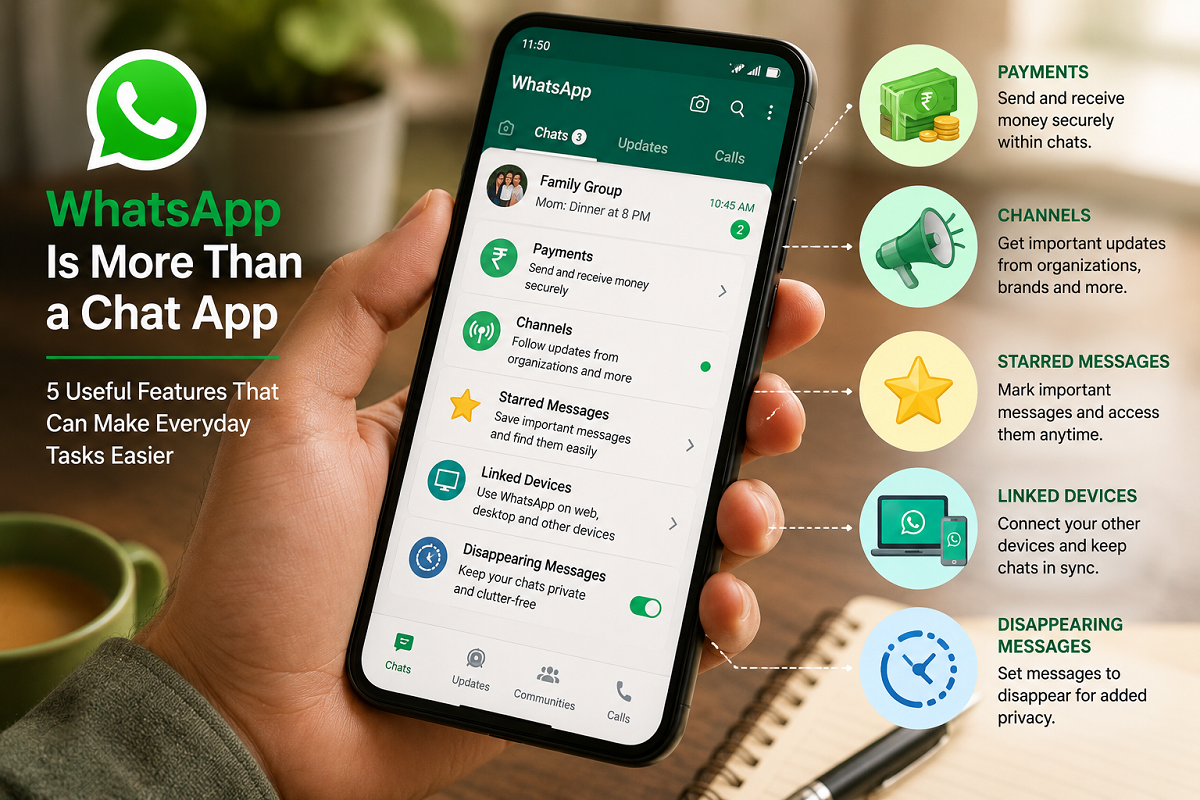
WhatsApp Useful Features: Most people open WhatsApp to send messages, make calls or share photos and videos. However, the app has expanded far beyond basic communication. Features such as digital payments, AI assistance, large-file sharing, Channels and personal messaging can make it useful for several everyday tasks.
WhatsApp has gradually evolved into a broader communication platform. Depending on the features available in your region and account, you can use it to make payments, interact with AI, transfer documents, follow updates and even keep reminders or notes for yourself.
Here are five WhatsApp features worth knowing.
1. Make UPI Payments Directly Through WhatsApp
One of WhatsApp's most practical features for users in India is integrated payments.
WhatsApp Payments works with India's Unified Payments Interface (UPI), allowing eligible users to link a supported bank account and send or receive money without leaving their conversations.
Once the payment feature is configured, users can make payments to eligible contacts and, where supported, scan UPI QR codes.
This can be particularly convenient when a payment is connected to a conversation. For instance, if friends are discussing how to split a restaurant bill, an eligible user may be able to make the payment from within the same app rather than switching between multiple applications.
Users should still verify the recipient's name and payment details carefully before authorising any UPI transaction.
2. Access Meta AI Inside WhatsApp
Artificial intelligence has also become part of the WhatsApp experience for many users.
Meta offers Meta AI across its services, including WhatsApp in supported markets and accounts.
Users can interact with the AI conversationally and ask it for assistance with a variety of everyday tasks. For example, it may help brainstorm ideas, explain a topic, create a basic travel plan, suggest captions or draft written content.
Depending on the AI features available, users may also have access to image-generation capabilities.
However, AI-generated information should not automatically be treated as verified. Important financial, medical, legal or other high-stakes information should be checked against reliable sources before acting on it.
3. Share Large Files of Up to 2GB
WhatsApp can also be useful when you need to transfer a relatively large document or media file.
The platform supports sharing files of up to 2GB, making it possible to send larger presentations, documents, videos and other files that may be inconvenient to transfer through some traditional messaging methods.
If maintaining media quality matters, users can explore the available HD or document-sharing options rather than relying only on standard photo or video compression.
There is an important distinction, however: WhatsApp should not be considered a replacement for a proper cloud backup service.
While files may remain accessible in chats depending on your device, account and backup configuration, important documents should ideally have a separate reliable backup rather than being stored only inside WhatsApp.
4. Follow News and Updates Through WhatsApp Channels
WhatsApp Channels provide another way to use the platform beyond private conversations.
Channels allow organisations, creators, public figures and other publishers to distribute updates to followers.
Users can search for Channels related to subjects they are interested in and follow them to receive updates within WhatsApp.
This could include news organisations, sports updates, brands, entertainment publishers or other sources available through the feature.
For people who do not want to constantly switch between several apps, Channels can provide a convenient way to keep selected updates in one place.
At the same time, users should be selective about the Channels they follow. Information circulating through messaging platforms can be misleading, so important claims should be verified through trustworthy sources.
5. Turn WhatsApp Into Your Personal Notes Space
One of the simplest WhatsApp tricks does not require any complicated setup.
WhatsApp offers a Message Yourself feature that allows you to open a chat with your own account.
This self-chat can function as a convenient temporary notes space.
For example, you can send yourself shopping lists, reminders, addresses, links, photographs, voice notes, documents or quick ideas that you want to revisit later.
Using Message Yourself is generally simpler than the older workaround of creating a group, adding another participant and later removing them.
You can also pin important messages or use WhatsApp's search tools to locate previously saved information.
Again, this is most useful for convenience rather than long-term storage. Critical documents and irreplaceable files should have a proper backup elsewhere.
These Features Can Reduce the Need to Switch Between Apps
The biggest advantage of these WhatsApp tools is convenience.
Someone could receive a message, send a payment, ask an AI assistant for help, transfer a document, check a Channel and save a reminder—all without moving far from an app they already use frequently.
Not every feature will be useful to everyone, and availability can vary by country, device, app version and account. Keeping WhatsApp updated can help ensure that newly available features appear when they are rolled out to your account.
Keep Security in Mind While Using These Tools
As WhatsApp handles more than ordinary conversations, security becomes increasingly important.
Never share your OTP, UPI PIN, banking password or device verification code with another person. Be cautious of QR codes and payment requests received from unknown accounts, and verify unexpected requests for money even when they appear to come from someone you know.
Users can also review WhatsApp's privacy and security settings and consider enabling two-step verification for additional account protection.
Final Takeaway
WhatsApp is no longer limited to sending texts, photos and making calls. UPI payments, Meta AI, large-file sharing, Channels and Message Yourself can turn it into a multipurpose tool for everyday digital activities.
The most useful feature may actually be one of the simplest: Message Yourself. Instead of creating a separate private group, you can send notes, links, documents and reminders directly to your own WhatsApp chat.
Combined with payments, AI and Channels, these capabilities show how WhatsApp has gradually developed from a straightforward messenger into a much broader everyday digital platform.