In today’s digital world, laptops and desktop PCs have become essential for work, gaming, studies, editing, entertainment, and daily productivity. However, many systems gradually become slower over time, leading users to consider storage upgrades like SSDs or HDDs.
The biggest confusion for many buyers is whether they should choose an SSD or an HDD.
Both storage technologies serve different purposes, and the better option depends largely on a user’s budget, performance needs, and storage requirements.
Here’s a detailed comparison to help users understand which storage solution suits them best in 2026.
Why SSDs Have Become the Preferred Choice
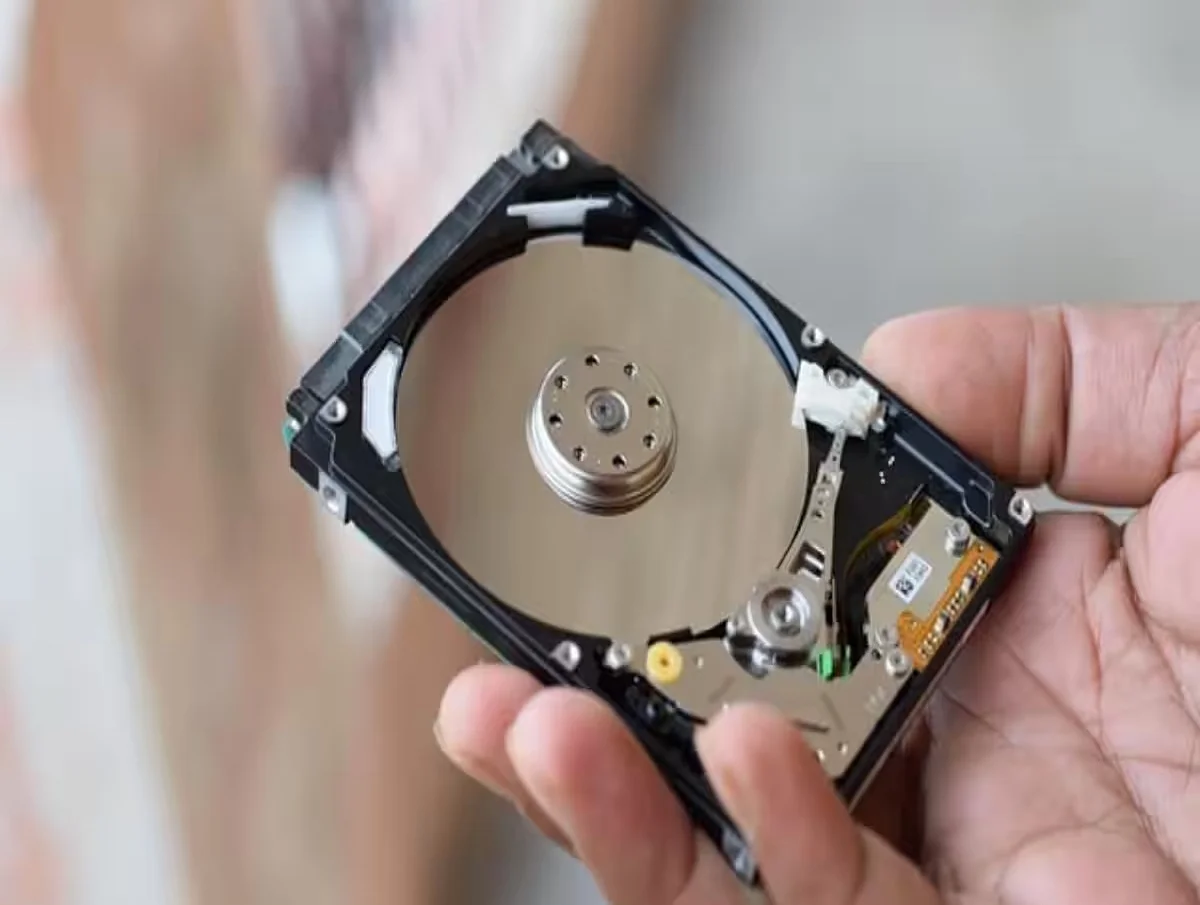
Solid State Drive (SSD) technology has now become the standard storage option in most modern laptops and premium PCs.
The biggest advantage of SSDs is their extremely fast speed.
Unlike traditional hard drives, SSDs do not use spinning disks or mechanical moving parts. Instead, they rely on flash memory technology, which allows data to be accessed much faster.
This results in:
- Faster boot times
- Quicker app launches
- Smoother multitasking
- Better gaming performance
- Faster file transfers
Experts say even older computers can feel significantly faster after upgrading from an HDD to an SSD.
NVMe SSDs Offer Extremely High Speeds
Modern NVMe SSDs are even faster than traditional SATA SSDs.
High-end NVMe drives can deliver read speeds exceeding:
- 5000 MB/s
This level of speed is especially beneficial for:
- Gamers
- Video editors
- Graphic designers
- Programmers
- Heavy multitasking users
Large software applications and games load much more quickly on SSD-based systems.
Why HDDs Are Still Relevant
Despite the growing popularity of SSDs, Hard Disk Drive (HDD) storage still remains important, especially for users who need large storage capacity at lower prices.
HDDs continue to offer:
- Higher storage at cheaper rates
- Better value for bulk data storage
- Affordable backup solutions
In India, approximate prices currently remain around:
- 1TB HDD: ₹3,800–₹4,500
- 1TB SATA SSD: ₹4,300–₹5,500
- Premium NVMe SSDs: ₹6,000+
This pricing difference becomes more noticeable at larger capacities such as 2TB or 4TB storage.
SSDs Are Better for Gaming and Laptops
One major advantage of SSDs is durability.
Because SSDs have no moving mechanical parts, they are:
- More shock resistant
- Less vulnerable to accidental drops
- More reliable during travel
This is one reason why:
- Ultrabooks
- Gaming laptops
- Premium notebooks
now almost completely rely on SSD storage.
Faster game loading times and reduced lag also make SSDs highly popular among gamers.
HDDs Are Better for Large Data Storage
HDDs still remain practical for users who mainly store:
- Movies
- Photos
- Videos
- Backups
- Archives
- Office documents
For users prioritizing capacity over speed, HDDs continue to offer cost-effective storage solutions.
Many professionals even combine both technologies:
- SSD for Windows and applications
- HDD for bulk file storage
This hybrid setup balances both performance and affordability.
Which Option Should You Choose?
Choose an SSD If You Want:
- Faster laptop performance
- Better gaming experience
- Quick startup speeds
- Smooth multitasking
- Video editing efficiency
- Office productivity improvements
SSDs are ideal for students, professionals, gamers, and content creators.
Choose an HDD If You Want:
- Cheap large-capacity storage
- Backup drives
- Media archives
- Movie collections
- Budget-friendly storage upgrades
HDDs remain useful for users focused mainly on storage quantity.
Battery Life and Noise Differences
SSDs also consume less power compared to HDDs.
This means laptops with SSDs often provide:
- Better battery backup
- Lower heat generation
- Silent operation
HDDs, on the other hand, may produce:
- Mechanical noise
- Vibrations
- Slightly higher power consumption
because of their spinning disks.
Are SSDs Worth the Higher Price?
Technology experts generally believe SSDs provide the biggest performance upgrade users can make to an old computer.
Even a basic SATA SSD can dramatically improve system responsiveness compared to traditional HDD storage.
Although SSDs cost more per GB, many users consider the performance benefits worth the investment.
Future of PC Storage
The global computer industry is increasingly shifting toward SSD-only systems as flash storage prices gradually fall.
Many modern thin laptops no longer even include HDD slots because SSDs are:
- Smaller
- Faster
- Lighter
- More power-efficient
However, HDDs are still expected to remain relevant for large-scale storage and backup purposes for several more years.
Final Verdict
There is no single “best” option for everyone.
- If speed and performance matter most, SSDs are the better choice.
- If affordable high-capacity storage matters more, HDDs still offer excellent value.
For many users, combining both technologies remains the smartest solution in 2026.