NEWS
Instagram vs WhatsApp: Which App Drains Your Mobile Data Faster — Chats, Video Calls, or Endless Reels?
In today’s smartphone-driven lifestyle, mobile data has become as essential as battery life. Many users experience a familiar frustration: you use your phone for a short while, and suddenly a notification pops up warning that 80–90% of your data is already gone. This often leads to confusion—where did all the data disappear so quickly?
Two apps usually top the list of suspects: Instagram and WhatsApp. Both are deeply integrated into our daily routines, but they serve very different purposes. One focuses on visual entertainment, while the other is primarily built for communication. So, which one actually consumes more mobile data? Let’s break it down in simple terms.
Why Data Consumption Varies Between Apps
Mobile data usage depends largely on the type of content an app delivers. Apps that rely heavily on high-resolution images and videos naturally consume more data than those centered around text and audio. This difference explains why Instagram and WhatsApp behave very differently when it comes to data usage.
Instagram: A Heavy Data Consumer by Design
Instagram is a visual-first platform. The moment you open the app, photos, Stories, and Reels begin loading automatically. Even if you are not actively watching a video, data is being used in the background to preload content for a smoother scrolling experience.
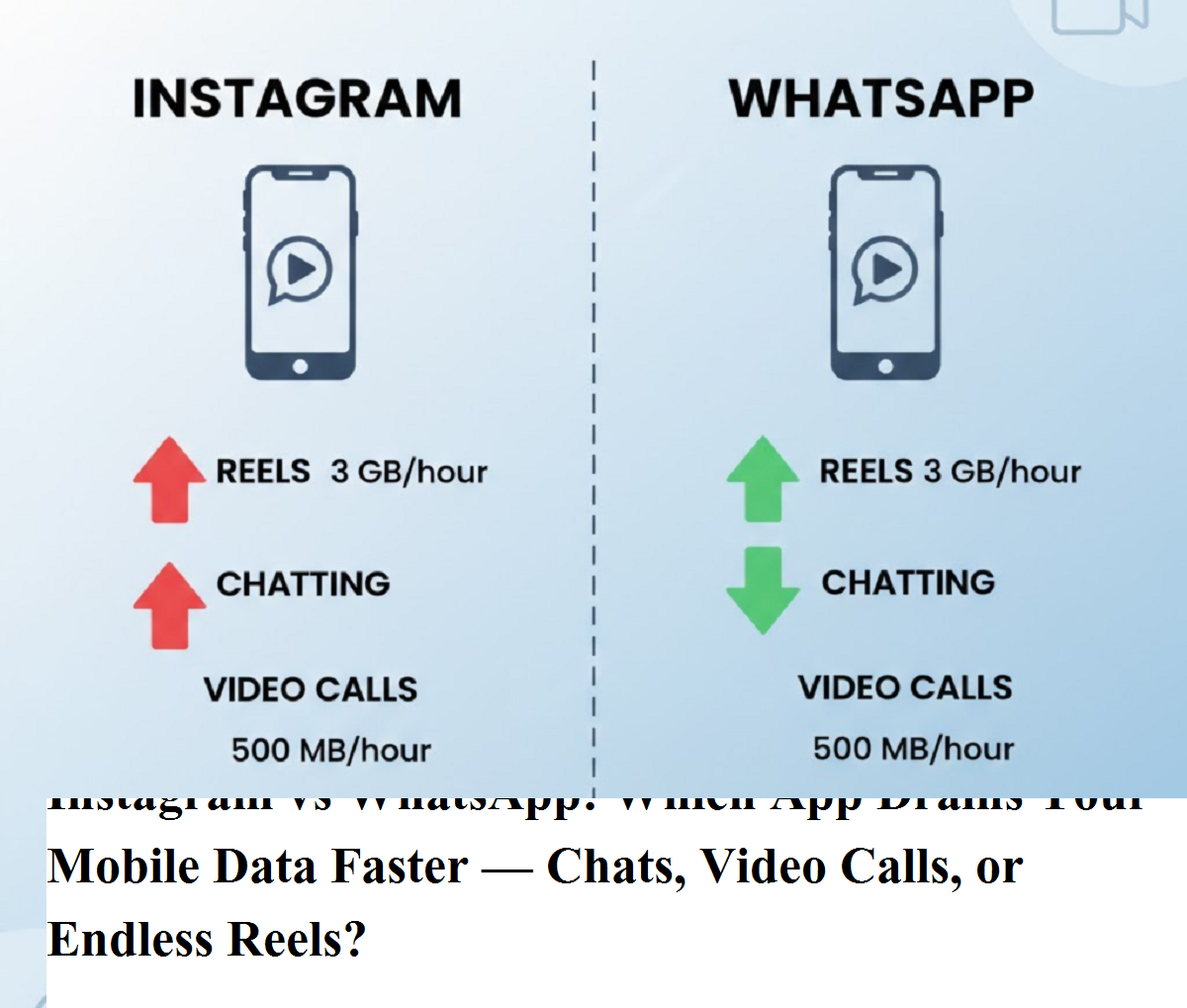
- Reels and video scrolling: Watching Instagram Reels for one hour can consume anywhere between 300 MB and 600 MB of data. If the videos are in high definition, this usage can climb close to 1 GB per hour.
- Feed and photo browsing: Even scrolling through photos and posts can use around 60–100 MB per hour, as images are often high-resolution.
- Video calls on Instagram: If you use Instagram for video calling, data consumption can range from 500 MB to 1.2 GB per hour, depending on video quality and network strength.
Because Instagram prioritizes rich visuals and auto-play features, it is one of the fastest ways to exhaust a daily data pack.
WhatsApp: Relatively Data-Efficient
WhatsApp is designed primarily for communication, which makes it much lighter on data compared to Instagram—at least in most cases.
- Text messages: Sending and receiving text messages uses a negligible amount of data.
- Voice calls: A one-hour voice call on WhatsApp typically consumes around 30–50 MB, making it extremely data-efficient.
- Video calls: One hour of WhatsApp video calling usually takes about 250–500 MB, which is significantly lower than Instagram video calls.
However, WhatsApp can still become a hidden data drainer if auto-download for photos, videos, and documents is enabled—especially in active group chats where media is shared frequently.
Direct Comparison: Instagram vs WhatsApp
When comparing the two apps side by side, the difference becomes clear:
- Instagram uses much more data due to continuous video playback, high-quality visuals, and background loading.
- WhatsApp uses less data overall, especially for texting and voice calls, but video calls and media downloads can still add up.
In short, if your daily routine includes hours of Reels scrolling, Instagram is likely the main reason your data runs out quickly.
How to Reduce Mobile Data Usage
If you want to control data consumption without completely giving up these apps, a few small changes can help:
- Turn on Data Saver mode in Instagram settings.
- Limit the time spent scrolling Reels on mobile data.
- Use Wi-Fi whenever possible for video calls.
- Disable auto-download media in WhatsApp, especially for groups.
- Regularly check app-wise data usage in your phone settings.
Final Verdict
Between Instagram and WhatsApp, Instagram clearly consumes more mobile data, mainly because it is built around videos and high-resolution visuals. WhatsApp remains a more economical choice for communication, especially for text and voice calls. Understanding this difference can help you manage your daily data usage better and avoid those sudden low-data alerts.
If you found this comparison helpful, consider sharing it with friends who are constantly wondering why their data pack never lasts the full day.