WhatsApp Tips and Tricks 2026: WhatsApp has become an essential part of everyday communication, helping millions of people stay connected with friends, family members and colleagues. From sending instant messages and making video calls to sharing photos and important documents, the messaging platform offers numerous useful tools.
However, many users continue to rely only on basic features without exploring the advanced options available within the application.
WhatsApp includes several privacy and convenience tools designed to make communication easier and give users greater control over their conversations. Some can help protect personal chats, while others improve the experience of sharing media or receiving voice messages.
If you regularly use WhatsApp, these four useful features are worth exploring. They may change the way you communicate while helping you manage your privacy more effectively.
1. WhatsApp Voice Message Transcripts: Read Voice Notes Without Playing Audio
Receiving a voice message can sometimes be inconvenient, particularly when you are attending an office meeting, travelling on public transport or sitting in a quiet environment.
In such situations, playing an audio message may disturb others or reveal a private conversation.
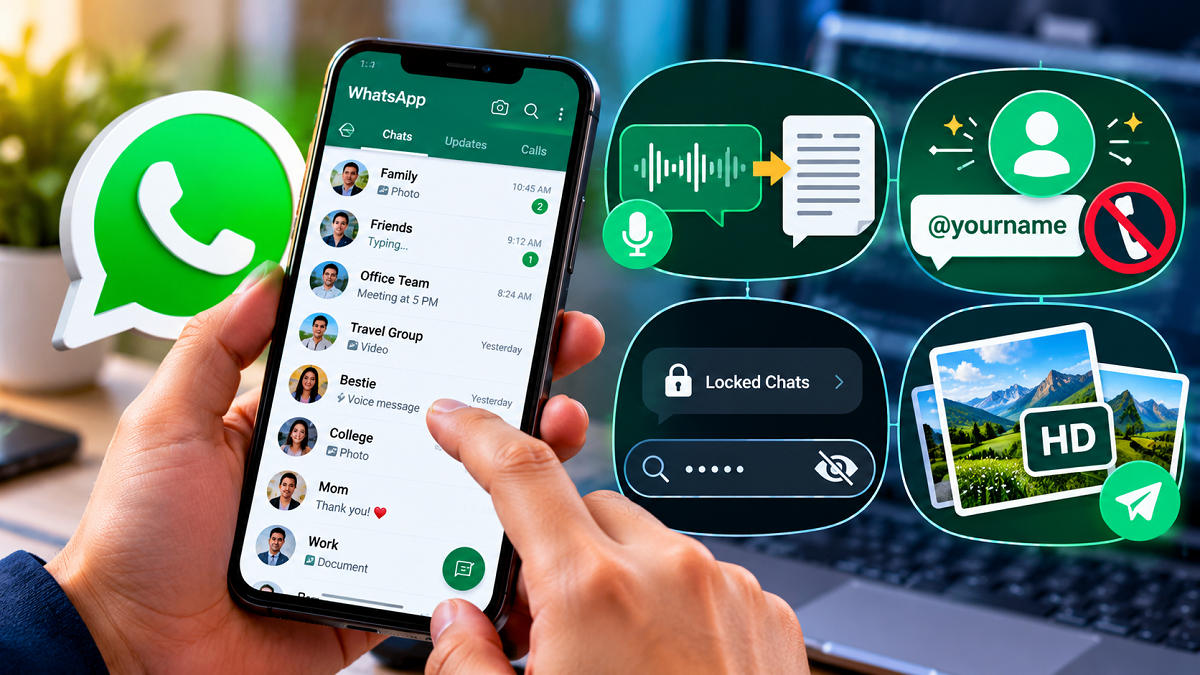
WhatsApp's Voice Message Transcripts feature provides a practical solution by converting supported voice messages into readable text.
Instead of listening to the recording, users can read the spoken content directly on their smartphone screen.
How to Use Voice Message Transcripts on WhatsApp
Follow these steps to access the feature where it is supported:
- Open WhatsApp and navigate to Settings.
- Select the Chats section.
- Find Voice Message Transcripts and enable the option.
- Choose an available transcription language.
- Open a conversation containing a voice message.
- Press and hold the voice message, then select Transcribe.
WhatsApp will attempt to display the spoken words in text format.
This feature can be particularly useful for lengthy voice notes, workplace discussions and situations where listening to audio is inconvenient.
Important: Transcription availability depends on the device, supported language and WhatsApp version. Voice message transcription is designed to take place on the device, although initial setup may require downloading language resources. Accuracy can vary depending on pronunciation, background noise and recording quality.
2. WhatsApp Usernames: Connect Without Revealing Your Mobile Number
Phone number privacy has become an important concern for messaging app users.
Traditionally, WhatsApp accounts have been closely linked to mobile numbers, meaning users often need to exchange contact details before starting conversations.
WhatsApp has been developing username-based communication to provide an additional way for people to connect.
Under the proposed functionality, users would be able to choose a unique username that others could use to find or contact them without necessarily knowing their personal phone number.
This approach is similar to username systems used by other social networking and messaging platforms.
How Could WhatsApp Usernames Work?
Once the functionality becomes available to an account, users may be able to select a unique identifier through their profile or account settings.
Other people could then use that identifier to initiate contact, subject to WhatsApp's privacy and messaging rules.
The potential advantages include greater control over sharing mobile numbers and more convenient communication with new contacts.
This could be particularly helpful for professionals, business owners and individuals who regularly communicate with people outside their saved contact lists.
Important: Username functionality has been under development and testing. Its availability, setup process and privacy protections depend on the version and rollout status. Users should not assume that every WhatsApp account already supports usernames or that a username automatically hides a phone number in every situation.
3. WhatsApp Secret Code: Keep Your Private Conversations Hidden
Privacy is one of the biggest priorities for people who share their smartphones with family members or occasionally hand their devices to others.
WhatsApp already offers Chat Lock, which allows users to place selected conversations inside a protected section.
However, the Secret Code feature adds another layer of privacy by allowing users to hide the Locked Chats folder from their main chat list.
Once configured, the hidden folder can be accessed by entering the chosen secret code in WhatsApp's search bar.
How to Hide Locked Chats Using a Secret Code
Follow these steps:
- Open WhatsApp and select the conversation you want to protect.
- Open the chat information screen and enable Chat Lock.
- Access the Locked Chats folder.
- Open the folder's settings and locate the Secret Code option.
- Create a memorable code using supported characters.
- Enable the option to hide locked chats.
After the folder is hidden, users can reveal their protected conversations by typing the secret code into the WhatsApp search bar.
Why Is This Feature Useful?
The feature is especially helpful for people who want additional privacy for personal discussions, confidential information or sensitive conversations.
It also prevents locked conversations from being immediately visible as a separate folder on the main chat screen.
However, users should choose a strong secret code and continue protecting their phones with a secure screen lock.
The Secret Code feature provides an additional privacy layer but does not replace basic device security.
4. WhatsApp HD Photos and Videos: Share Media With Better Clarity
One common complaint among WhatsApp users is that pictures and videos sometimes lose quality after being shared.
This happens because messaging platforms may compress media files to reduce their size and make transfers faster.
WhatsApp's HD media-sharing option allows users to send supported photos and videos at a higher quality than the standard setting.
This can be particularly helpful when sharing travel pictures, family photographs, event videos or images containing important visual details.
How to Send HD Photos and Videos on WhatsApp
The process is straightforward:
- Open a WhatsApp conversation.
- Select the photo or video you want to share.
- Look for the HD icon on the media preview screen.
- Tap the icon and choose HD Quality.
- Send the selected media to your contact.
The recipient will receive the file in the higher-quality format supported by WhatsApp.
Does HD Quality Mean Original Quality?
Not necessarily.
Although HD sharing generally preserves more detail than standard media sharing, WhatsApp may still compress photos and videos.
Users who need to preserve the original file quality can consider sharing the media as a document instead, subject to the app's file-size limits.
HD media can also consume more mobile data and storage space than standard-quality files.
Why Should WhatsApp Users Explore These Features?
Messaging applications are no longer limited to sending simple text messages.
Modern communication involves personal privacy, multimedia sharing, professional collaboration and convenient access to information.
Features such as voice message transcription, chat protection and higher-quality media sharing can make everyday communication more comfortable.
Meanwhile, developments such as username-based contact options reflect growing interest in protecting personal information online.
Users should regularly update WhatsApp through official app stores to receive supported features, security improvements and bug fixes.
It is also advisable to review privacy settings periodically and avoid installing unofficial or modified versions of WhatsApp.
Final Thoughts
WhatsApp offers several useful tools that many people may overlook during daily use.
Voice Message Transcripts can help users read audio messages when listening is inconvenient. Secret Code provides additional protection for private conversations, while HD media sharing helps maintain better picture and video quality.
Username-based communication could also offer more control over sharing mobile numbers as the feature becomes available.
The key takeaway: Exploring WhatsApp's built-in settings can help make messaging more convenient, organised and privacy-conscious without relying on third-party applications.
Disclaimer: WhatsApp features may differ depending on the device, operating system, application version, region and rollout stage. Some options, particularly usernames, may not be available to all users. Always check the latest official WhatsApp version for supported functionality.