UPI Payment Privacy Tips 2026: Unified Payments Interface (UPI) has become one of the most convenient ways to transfer money in India. Whether you are paying at a grocery store, shopping online, settling restaurant bills or sending money to friends, UPI applications allow transactions to be completed within seconds.
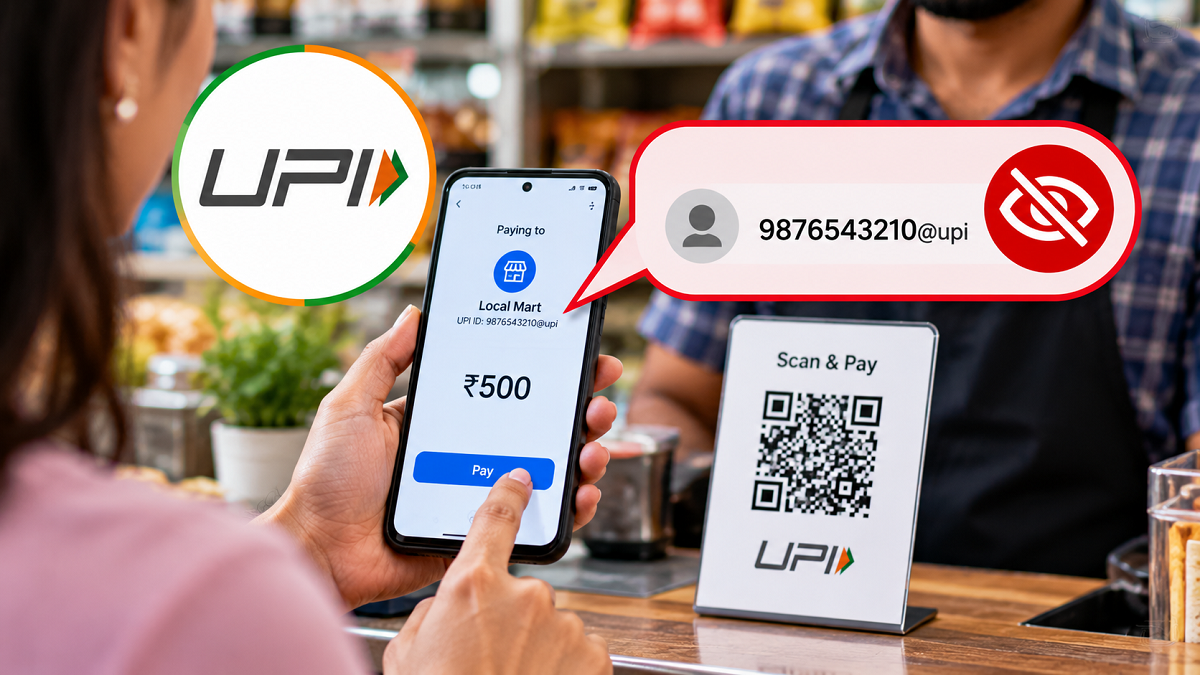
Millions of people regularly use popular payment applications such as Google Pay, PhonePe and Paytm. However, many users may not realise that their UPI ID can sometimes reveal their registered mobile number to other people.
This can create privacy concerns, particularly when making payments to unfamiliar individuals or businesses. If your UPI ID contains your phone number, someone who receives or views that payment address may be able to identify your contact details.
Such exposure could potentially lead to unwanted calls, spam messages or other privacy-related problems.
Fortunately, certain UPI applications provide options for managing payment addresses and using alternative UPI IDs. These features may help users reduce unnecessary exposure of their mobile numbers.
Here is how you can improve your UPI privacy while continuing to make digital payments safely.
Why Is Your Mobile Number Visible During UPI Payments?
A UPI ID, also known as a Virtual Payment Address (VPA), is a unique identifier used to send and receive money through the UPI system.
Many banks and payment applications generate UPI IDs using a combination of a user's mobile number and a payment service provider's address.
For example, a UPI ID might resemble a mobile number followed by an application-specific UPI handle.
When such an ID is shared with another person, the mobile number included in it may become visible.
However, not every UPI ID contains a phone number. Some payment applications provide alternative IDs based on usernames or other identifiers.
The information visible to another person also depends on the payment application, transaction method and account configuration.
How to Hide Your Mobile Number During UPI Payments
There is no single universal setting that guarantees complete mobile-number privacy across all UPI applications.
However, users can take several practical steps to reduce unnecessary exposure.
1. Create a Custom UPI ID Without Your Mobile Number
One way to improve privacy is to use a UPI ID that does not directly contain your registered phone number.
Some payment applications allow users to create or select additional UPI IDs.
If this option is available, you may be able to choose an alternative payment address that does not reveal your mobile number.
Follow these general steps:
- Open your preferred UPI application, such as Google Pay, PhonePe or Paytm.
- Navigate to the profile or account settings section.
- Find the option related to UPI IDs, payment addresses or linked bank accounts.
- Check whether the application supports additional or alternative UPI IDs.
- If available, select an ID that does not contain your mobile number.
- Save the changes and confirm that the new payment address is active.
The exact procedure will vary depending on the application and its current features.
It is important to understand that not every UPI application allows users to create completely customised usernames.
2. Disable Your Old Mobile Number-Based UPI ID If Possible
After setting up an alternative UPI ID, check whether your application allows you to manage or deactivate existing payment addresses.
If your previous UPI ID contains your phone number, disabling it may reduce the chances of someone identifying your number through that particular address.
However, this feature is not available in every application.
Before removing an existing UPI ID, check whether it is associated with recurring payments, merchant arrangements or other financial services.
Deleting or disabling an active payment address without reviewing these connections could affect transactions linked to it.
Users should follow their bank's or payment application's official instructions before making changes.
3. Use a UPI QR Code to Receive Payments
Another convenient way to receive money without verbally sharing your phone number is to use a UPI QR code.
Most major UPI applications provide a personal QR code that can be scanned by someone sending money.
To use this feature, open your UPI application and locate the QR code associated with your payment account.
You can then display or share the code with the person making the payment.
The sender can scan the QR code using a compatible UPI application and complete the transaction.
However, sharing a QR code does not automatically guarantee that your mobile number will remain hidden.
Some QR codes may contain payment identifiers, and the information displayed during a transaction can vary depending on the application.
Therefore, users should check which details are associated with their QR codes before sharing them widely.
4. Review Privacy Settings in Google Pay, PhonePe and Paytm
UPI applications may offer different options for managing payment addresses, account visibility and personal information.
Users should periodically review the privacy and account settings available in their payment applications.
Some apps support multiple UPI IDs, while others may provide options to manage payment profiles or linked accounts.
Look for settings related to payment addresses, account information and profile visibility.
Remember that creating an alternative UPI ID does not necessarily prevent your phone number from being visible through every feature.
Your registered mobile number may still be connected to account discovery, contact-based payment functions or other services.
For this reason, it is better to treat these settings as privacy improvements rather than guarantees of complete anonymity.
5. Follow These Important UPI Safety Tips
Protecting your mobile number is only one part of maintaining digital payment security.
Users should also follow basic precautions to reduce the risk of fraud and unauthorised transactions.
Never share your UPI PIN: Your UPI PIN is used to authorise payments. Do not disclose it to anyone, including people claiming to represent a bank or payment application.
Protect OTPs and banking passwords: Never share one-time passwords, login credentials or other confidential banking information.
Verify the recipient before sending money: Always check the displayed recipient details before approving a payment.
Avoid suspicious links: Fraudsters may send fake payment links through SMS, WhatsApp or other messaging platforms.
Do not enter your UPI PIN to receive money: Receiving a normal UPI payment does not require you to enter your UPI PIN. Be cautious of requests asking you to approve a payment or enter a PIN to collect money.
Use trusted applications: Download UPI applications only from official app stores and keep them updated.
These precautions can help users maintain better security while making digital transactions.
Can You Receive UPI Payments Without Sharing Your Phone Number?
Yes, in some situations, it is possible to receive UPI payments without directly providing your mobile number.
For example, you may be able to share a UPI ID that does not contain your phone number.
You can also use a QR code to allow another person to initiate a payment without manually entering your contact number.
However, the actual level of privacy depends on how the payment address is configured and what information the application displays during the transaction.
Some payment methods may reveal the account holder's name or other identifiers for verification purposes.
Therefore, users should not assume that using a QR code or custom UPI ID makes every personal detail invisible.
Is It Safe to Share Your UPI ID With Strangers?
Sharing a UPI ID is generally part of the normal process of receiving digital payments.
Knowing someone's UPI ID alone does not ordinarily allow another person to withdraw money from their bank account.
However, exposing a phone number through a UPI ID can create unnecessary privacy risks.
For example, fraudsters may use publicly available contact information to send misleading messages or attempt social engineering scams.
Users should remain cautious if they receive unexpected payment requests, suspicious messages or calls claiming that their bank account requires urgent verification.
Never approve a transaction simply because someone claims that doing so is necessary to receive money.
What Should You Do If Your Mobile Number Is Already Visible?
If your current UPI ID includes your registered mobile number, first check whether your payment application supports an alternative ID.
You can then review the available account settings and determine whether your existing payment address can be changed or deactivated.
If the application does not offer these options, contact its official customer support service for guidance.
Avoid using unofficial applications or third-party websites that claim to hide UPI details, as these services may create additional security risks.
Final Thoughts
UPI has made everyday financial transactions faster and more convenient, but users should also pay attention to the personal information associated with their payment accounts.
If your UPI ID contains your mobile number, using an alternative payment address may help reduce unnecessary exposure.
Reviewing privacy settings, managing existing UPI IDs and using QR codes carefully can also improve control over the information you share.
However, these measures do not guarantee complete anonymity, and available features differ across Google Pay, PhonePe, Paytm and other UPI applications.
The most important rule is to protect your UPI PIN, verify payment details and avoid suspicious transaction requests. With a few sensible precautions, users can enjoy the convenience of digital payments while maintaining better control over their privacy and financial security.