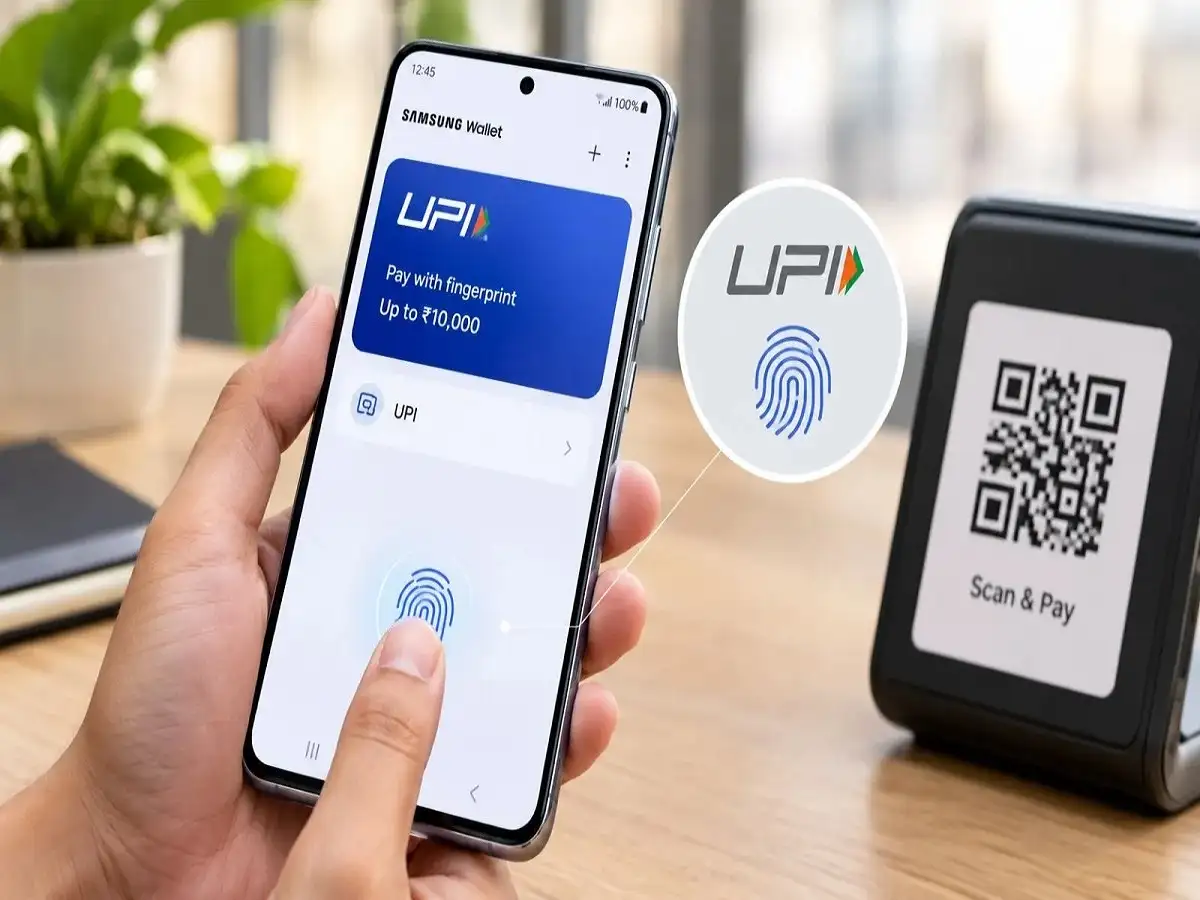
Samsung Galaxy users could find everyday UPI transactions quicker and more convenient with a new biometric payment option in Samsung Wallet. The feature allows eligible users to authorize certain UPI payments using their fingerprint instead of manually entering a four- or six-digit UPI PIN each time.
The functionality uses on-device biometric authentication, meaning the registered fingerprint on the smartphone is used to verify the user before an eligible transaction is approved.
According to the available details, fingerprint authentication can be used for supported UPI payments of up to ₹10,000. Transactions above the permitted biometric limit will continue to require the regular UPI PIN.
The feature could be particularly useful for Galaxy users who frequently make UPI payments at shops, fuel stations, restaurants, malls and other payment counters.
Fingerprint Authentication Available for UPI Payments Up to ₹10,000
The biggest change is the ability to avoid manually typing the UPI PIN for eligible transactions within the prescribed limit.
For supported payments of ₹10,000 or less, users can authenticate the transaction through the fingerprint sensor on their Galaxy smartphone. For transactions exceeding the applicable biometric-payment limit, the UPI PIN will still be required.
The new option does not eliminate the UPI PIN itself. Instead, biometric authentication provides an alternative method for authorizing eligible transactions.
Other UPI applications may also offer biometric payment functionality, although transaction limits, supported banks and implementation can differ between services.
Why Fingerprint UPI Payments Could Be More Convenient
Entering a PIN takes only a few seconds, but the process is repeated several times for people who regularly use UPI.
At a busy supermarket checkout, petrol pump or restaurant, users normally scan a QR code, enter the amount where necessary and then type their UPI PIN to authorize the transaction.
Fingerprint authentication can reduce one step in that process.
Once the feature is properly configured, an eligible user can authenticate a supported payment using the smartphone's fingerprint sensor. This can also reduce problems caused by accidentally entering an incorrect PIN.
However, users should always verify the merchant name and transaction amount before approving a payment, regardless of whether authorization is completed using a PIN or fingerprint.
It Can Also Reduce the Risk of PIN Exposure
Biometric authentication offers another practical advantage when payments are being made in crowded public locations.
When users manually type a UPI PIN, there is a possibility that someone nearby could observe the screen or keypad movements. This is commonly known as shoulder surfing.
Fingerprint authorization means users do not have to display or enter their UPI PIN on the screen for eligible transactions, reducing the possibility of the PIN being observed during payment.
That does not make a transaction automatically risk-free. Users should continue protecting their smartphones with a secure screen lock and should never disclose their UPI PIN, OTP or banking credentials to another person.
Samsung Knox Adds a Security Layer
Samsung Wallet works within Samsung's broader device-security ecosystem, which includes Samsung Knox.
With on-device biometric authentication, fingerprint verification takes place through the smartphone's biometric security system rather than requiring the user to repeatedly type sensitive payment credentials.
Users should nevertheless follow basic digital-payment security practices.
A fingerprint should only be registered for the actual device owner or another person whom the owner intentionally permits to access the phone. Users should also avoid installing unknown applications, opening suspicious payment links or sharing banking information in response to unsolicited calls and messages.
If a smartphone is lost, appropriate steps should be taken quickly to secure the device and associated financial accounts.
Samsung Wallet Offers More Than UPI
Samsung Wallet is designed as a broader digital wallet for supported Galaxy smartphones rather than being limited to UPI transactions.
Depending on the device, region and supported services, Samsung Wallet can provide access to features such as UPI payments, mobile recharges and utility bill payments.
Users may also be able to add supported credit and debit cards using tokenization and make compatible NFC tap-and-pay transactions.
The wallet can additionally support items such as boarding passes, movie tickets, digital keys and selected digital documents or IDs where the relevant functionality is available.
Feature availability can differ depending on the Galaxy device, bank, card issuer and service support.
How to Use Fingerprint UPI Payments in Samsung Wallet
Galaxy users who receive the biometric UPI feature should first make sure that Samsung Wallet is updated to the latest available version.
A fingerprint must already be securely registered on the smartphone. Users also need to complete the required UPI setup in Samsung Wallet and link a supported bank account according to the applicable process.
When making an eligible UPI transaction, the biometric authentication option should appear if it is supported for that particular payment.
The user can then verify the payment amount and recipient before scanning the registered fingerprint to authorize the transaction.
If biometric authentication is unavailable or the transaction exceeds the permitted limit, Samsung Wallet may require the conventional UPI PIN.
What Galaxy Users Should Keep in Mind
The fingerprint-payment option is intended to make UPI authorization faster, but its availability may not be identical for every Samsung Galaxy user.
Support can depend on factors such as the smartphone model, Samsung Wallet version, participating bank and UPI service configuration. Applicable transaction limits may also be subject to the rules governing the service.
Users should therefore check the options displayed in Samsung Wallet on their own device rather than assuming that biometric authorization will work for every transaction.
For eligible Galaxy users, however, the feature can make routine UPI payments more convenient. Instead of entering a PIN every time, supported transactions within the permitted limit can be approved with a fingerprint—while larger or otherwise ineligible payments continue to use the traditional UPI PIN.