NEWS
Adobe Premiere Launches on Android: Free 4K Video Editing, No Watermark and Multi-Track Timeline
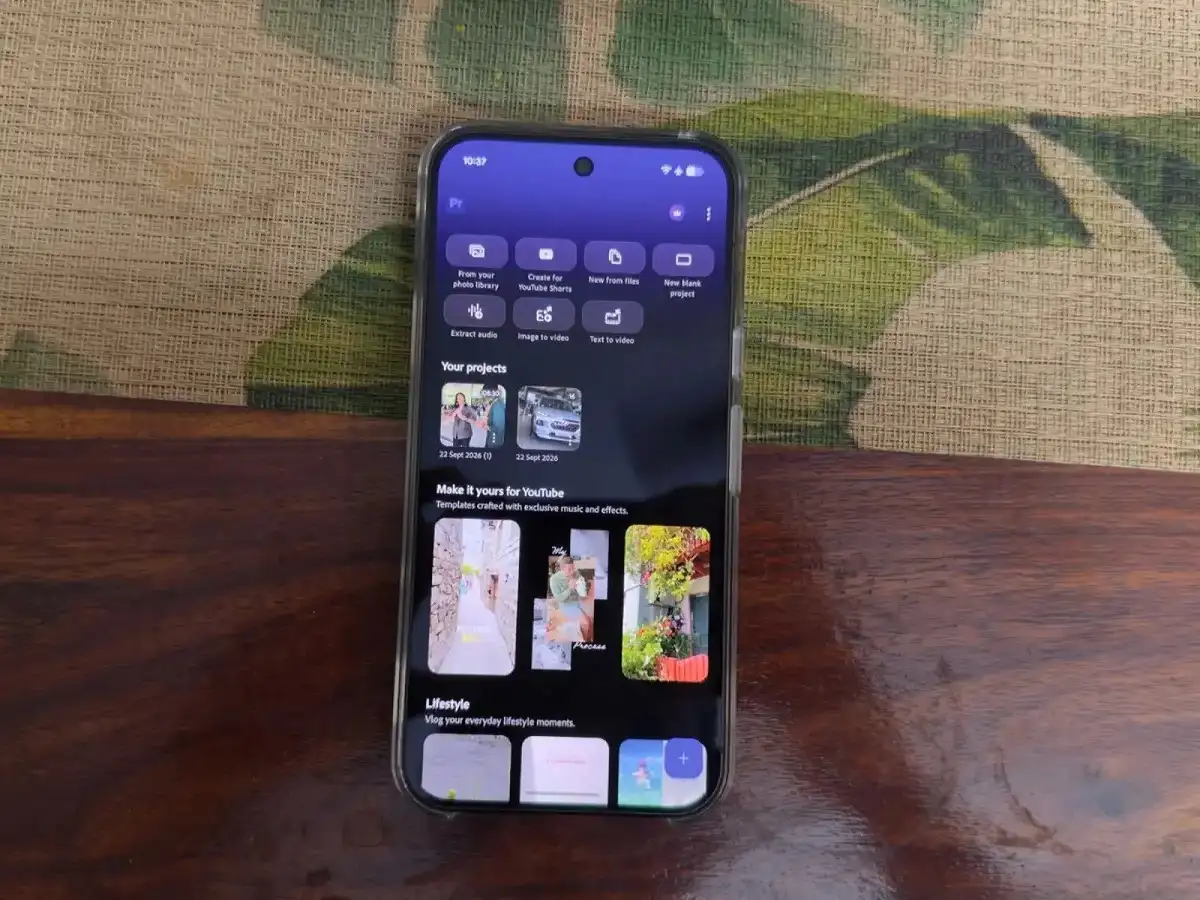
Android users now have another powerful option for editing videos directly from their smartphones. Adobe has officially expanded Premiere mobile to Android, bringing many of its core video-editing capabilities to compatible phones and tablets.
The app is available through the Google Play Store and is designed for creators who want to produce videos without repeatedly transferring footage to a laptop or desktop computer.
From trimming clips and arranging multiple layers to improving dialogue and exporting videos in up to 4K resolution, Premiere mobile provides a range of editing tools in a touch-friendly interface.
Adobe says the core mobile editing experience is available for free, with no advertising or Adobe watermark added to exported videos. Additional purchases may apply for extra storage and generative AI credits.
Adobe Premiere Is Now Available for Android
Premiere mobile first arrived for iPhone users before Adobe expanded the application to Android.
According to Adobe, Premiere mobile for Android is now available through the Google Play Store for compatible devices.
The application is intended to make more advanced video editing accessible to creators who primarily produce content on smartphones. That could make it particularly useful for people creating YouTube Shorts, Instagram Reels and other social-first video content.
Users can start editing locally without being forced to create or sign in to an Adobe account. However, an account is required for certain services, including some Stock assets and generative AI functionality.
Multi-Track Timeline Brings More Control to Mobile Editing
One of the most important features is the multi-track timeline.
Instead of limiting users to a basic sequence of video clips, Premiere allows video, music, text, voiceovers and effects to be organised across multiple layers.
This gives creators greater control over how different elements appear and interact throughout a project.
Adobe also highlights precise timeline editing as part of the mobile experience, making the app suitable for creators who want more control than a basic one-tap video editor provides.
Edit and Export Videos in Up to 4K
Creators who shoot high-resolution footage on modern smartphones can edit and export videos in resolutions of up to 4K.
Adobe says the free version allows users to access the core editing features and export 4K videos without an Adobe watermark.
This is particularly useful for users who publish content directly from their smartphones and do not want to move every project to desktop editing software before uploading it.
Actual editing performance will naturally depend on the smartphone's processor, memory, available storage and the complexity of the project.
Enhance Audio Can Help Clean Up Dialogue
Poor audio can reduce the quality of an otherwise well-shot video. Adobe has therefore included its Enhance Audio capability in the mobile editing experience.
The feature is designed to clean up noisy recordings and improve dialogue clarity.
Creators can also work with music, voiceovers and other audio elements directly on the multi-track timeline.
Premiere additionally supports creative assets and audio from different sources, including a user's own files and audio extracted from existing media.
Effects, Transitions and Templates Are Included
Premiere mobile isn't limited to cutting and joining video clips.
Users can apply effects and transitions to give their projects a more polished appearance. Templates can also help creators begin projects faster rather than building every edit from scratch.
Adobe says creators can work with their own media while also accessing compatible creative assets and music through Adobe's ecosystem. Some assets or online features may require an Adobe account or internet connection.
What About Adobe Firefly AI Features on Android?
Adobe is integrating its Firefly technology into the broader Premiere mobile experience, with tools associated with generating images, video and sound effects.
However, users should be aware that feature availability can differ between Android and iPhone.
Adobe's Android overview describes generative AI capabilities, while its current main Premiere mobile FAQ states that generative AI features are currently available only on iOS. Adobe is also continuing to add features to the Android version.
Therefore, Android users should check the features actually available inside the latest version of the app rather than assuming every Firefly tool shown for Premiere mobile is immediately available on both platforms.
Generative AI functionality also uses Firefly generative credits where applicable.
No Adobe Watermark on Free Exports
A major attraction for social-media creators is Adobe's watermark policy.
According to Adobe, videos exported using Premiere mobile do not receive an Adobe watermark, even when creators use the free core editing experience.
The company also describes the app as an ad-free editing environment without forced upgrade prompts while users are creating their projects.
This could make Premiere mobile particularly attractive to creators who want to edit and publish finished videos directly from their smartphones.
Adobe Premiere Android Requirements
Premiere will not run on every older Android device.
Adobe currently lists the following minimum requirements:
| Requirement | Adobe Premiere Mobile |
|---|---|
| Operating System | Android 13 or later |
| RAM | At least 5GB |
| Supported Devices | Compatible Android phones and tablets |
| Download | Google Play Store |
| Video Export | Up to 4K |
| Watermark | No Adobe watermark on exports |
Adobe also says an internet connection is needed for creative asset libraries, generative AI and other cloud-based features. At least a 4G connection is specified for these services, with 5G recommended.
A New Mobile Editing Option for Android Creators
Adobe Premiere's arrival on Android gives mobile creators access to a more advanced editing workflow without requiring a computer for every project.
Features such as a multi-track timeline, effects, transitions, audio enhancement and up-to-4K exports make the application suitable for everything from quick social-media videos to more detailed mobile editing projects.
The free, watermark-free approach is another major advantage. Users should, however, check whether their device meets the Android 13 and minimum 5GB RAM requirement, and remember that some features—particularly newer AI capabilities—may vary between Android and iOS or require additional credits and sign-in.
For creators who regularly shoot and publish content from their phones, Premiere's Android launch means much more of the editing process can now be completed on the same device used to record the video.