
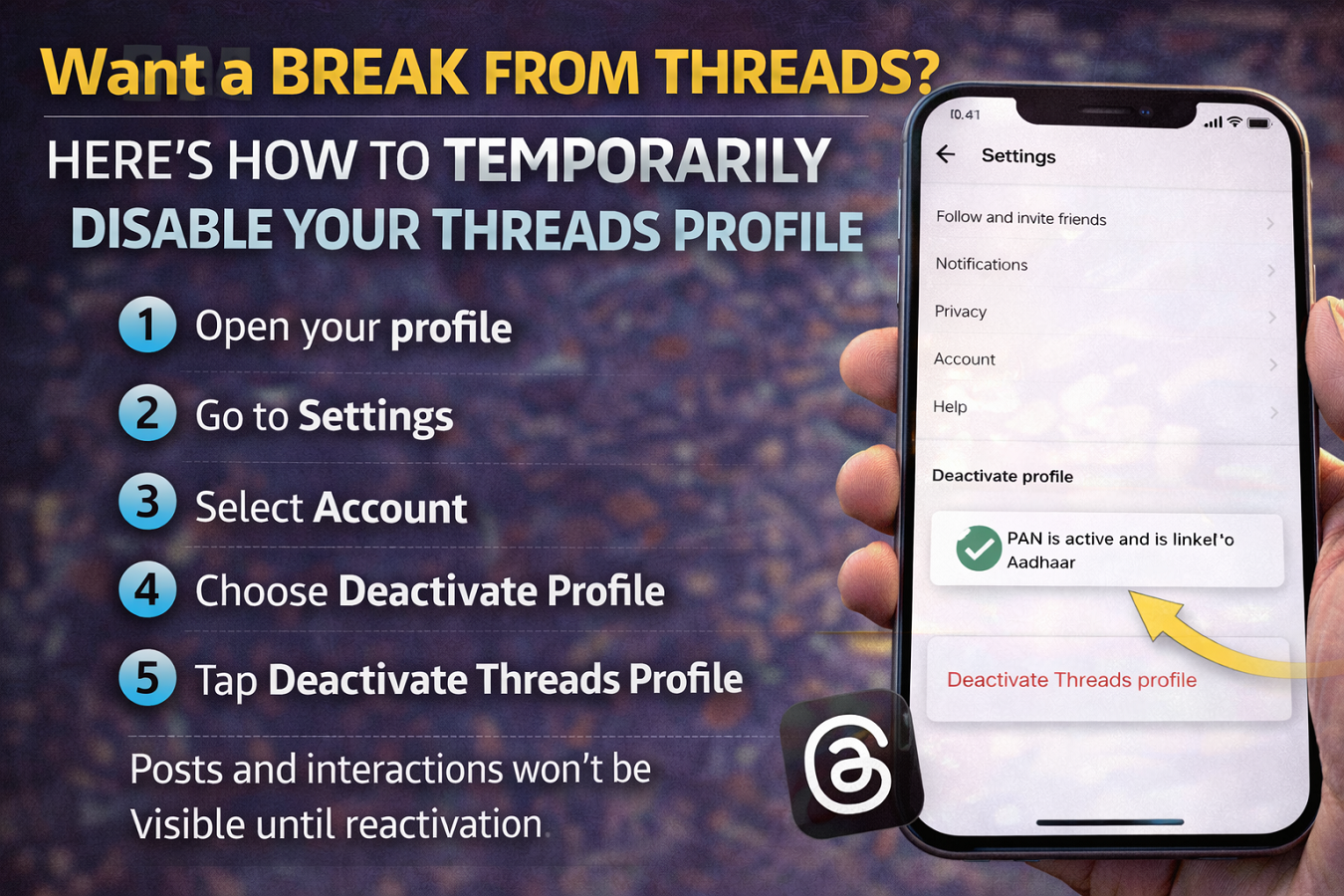
Step-by-Step Guide to Temporarily Deactivate Your Threads Account
Since its launch, Threads has quickly attracted millions of users looking for a new platform to share text updates and join conversations online. Developed by Meta Platforms and closely integrated with Instagram, the app allows users to post updates, interact with followers, and participate in public discussions.
However, not everyone wants to remain active on the platform all the time. Some users may prefer taking a break from social media without permanently deleting their profiles. In such cases, Threads offers the option to temporarily deactivate your profile, allowing you to step away while keeping your account data safe.
If you’re thinking about pausing your Threads activity, here’s a complete guide explaining how to temporarily deactivate your account and what you should know before doing so.
What Happens When You Deactivate a Threads Account?
Temporarily deactivating your Threads profile hides your activity on the platform without deleting your data. This means your posts and interactions will no longer be visible to other users.
However, the data associated with your account remains stored and will reappear when you reactivate your profile.
When your Threads account is deactivated:
- Your posts become invisible to other users
- Your likes, replies, and interactions disappear temporarily
- Your profile remains stored in the system
- You can reactivate the account anytime by logging back in
Importantly, deactivating Threads does not delete your Instagram account, since the two platforms are connected.
Why Users May Want to Deactivate Threads
There can be several reasons why someone may choose to deactivate their Threads profile.
Some common reasons include:
- Taking a break from social media
- Reducing screen time or digital distractions
- Avoiding online discussions or controversies
- Exploring privacy options before deciding to continue using the app
The temporary deactivation feature allows users to pause their activity without permanently losing their account.
How to Temporarily Deactivate Your Threads Account
Follow these simple steps to disable your Threads profile temporarily.
Step 1: Open Your Profile
Launch the Threads app and tap the Profile icon located at the bottom-right corner of the screen.
Step 2: Go to Settings
Once your profile opens, tap the Settings icon in the top-right corner.
Step 3: Select Account Settings
In the settings menu, tap Account to access account-related options.
Step 4: Choose Deactivate Profile
Look for the option labeled Deactivate Profile.
Step 5: Confirm Deactivation
Tap Deactivate Threads Profile, then confirm your choice to complete the process.
Once confirmed, your Threads profile will be temporarily disabled.
Important Things to Know Before Deactivating
Before you deactivate your Threads account, keep these points in mind:
- Threads accounts can usually be deactivated only once within a seven-day period.
- Deactivating Threads does not delete your account data.
- Your Threads profile is linked to your Instagram account.
If you decide to delete your Instagram account, your Threads profile will also be removed automatically.
How to Reactivate Threads
If you want to return to Threads later, reactivating your account is simple. All you need to do is log back into the app using your Instagram account credentials. Your profile and posts will become visible again.
Threads offers a flexible option for users who want to take a temporary break without permanently deleting their accounts. The deactivation feature allows you to step away from the platform while preserving your profile and content.
If you are unsure about continuing on the platform, temporarily deactivating your Threads account can be a convenient way to pause your activity and return whenever you are ready.




