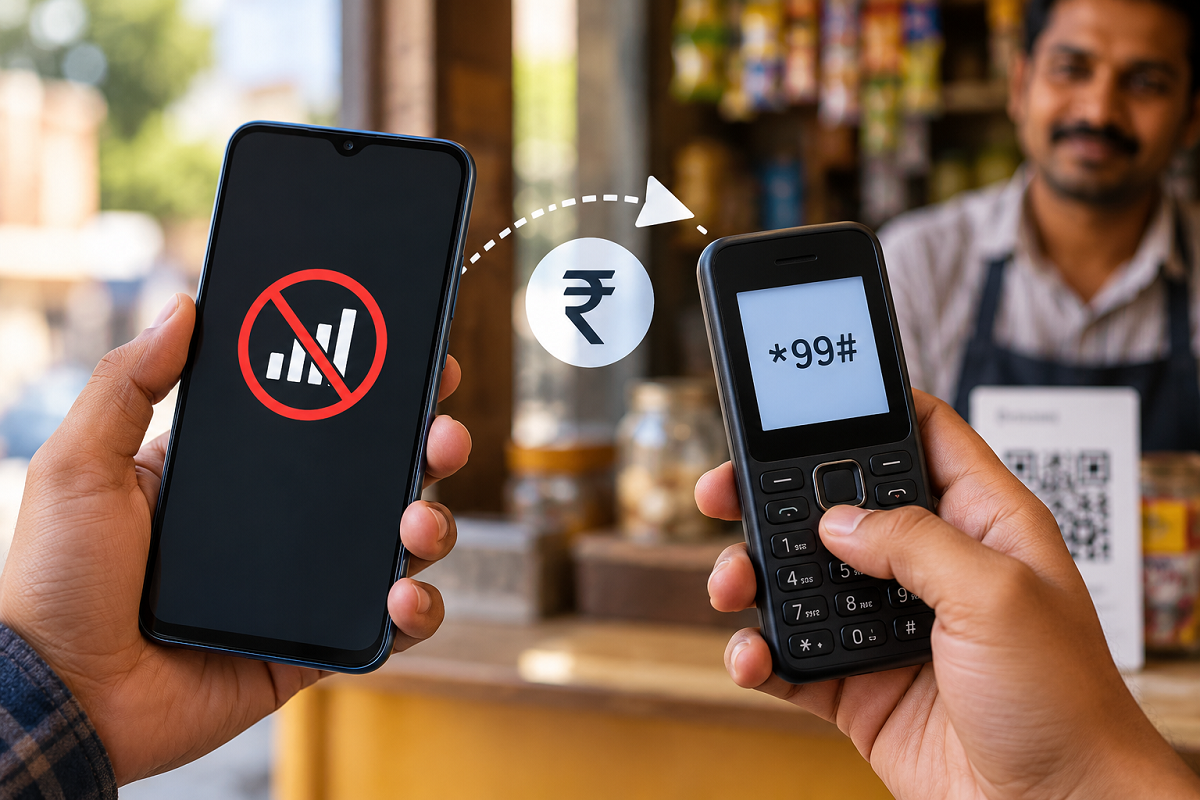
Running out of mobile data does not necessarily mean that you have to stop making digital payments. While most people associate UPI transactions with apps and an active internet connection, certain services can allow users to perform basic banking and payment-related activities even when mobile data is unavailable.
One of the options traditionally available for this purpose is the *99# USSD-based mobile banking service. It can be accessed by dialing a short code from a supported mobile number, allowing eligible users to perform certain banking operations without relying on mobile internet.
Some payment solutions may also offer offline or low-connectivity transaction options, making digital payments more accessible in locations where internet coverage is weak or unreliable.
Here's what users should know about making UPI-related payments when they don't have an active data connection.
What Is the *99# Mobile Banking Service?
The *99# service works through USSD (Unstructured Supplementary Service Data), a technology that allows a mobile phone to communicate with a service provider through the cellular network without requiring conventional internet access.
Instead of opening a UPI application, users can dial *99# from their phone's dialer. If the service is supported by their mobile network and linked bank account, an interactive menu appears on the screen.
Users can then select from the available options and follow the instructions displayed on their phones.
This feature can be particularly useful when mobile data has been exhausted, the internet connection is unstable, or a user is in an area with limited data connectivity.
How to Make a Payment Without Mobile Internet
To use the USSD-based facility, open the phone dialer and enter *99#. Call the number from the mobile SIM associated with your bank account.
Once the service menu appears, select the relevant money-transfer or banking option. Depending on the options supported by the service and bank, you may be asked to provide details required to identify the recipient or transaction.
Carefully enter the requested information and verify the transaction details before proceeding. Authentication may require your UPI PIN, so users should make sure they remember their PIN before attempting a transaction.
Once authentication is completed successfully, the payment request can be processed without the conventional mobile internet connection used by standard UPI applications.
Can You Scan a QR Code Without Internet?
QR codes have become one of the easiest ways to make UPI payments at shops, restaurants and other merchant locations. Normally, scanning a UPI QR code through a payment application requires connectivity to complete the transaction.
However, certain payment technologies and supported services can provide offline or limited-connectivity payment capabilities. The exact process may differ depending on the payment service, bank, mobile device and type of transaction.
Therefore, users should not assume that every QR-based UPI transaction will automatically work without internet access. It is important to check whether their bank or payment application specifically supports an offline payment facility.
Why Offline UPI Payments Can Be Useful
Internet connectivity can sometimes become unreliable, particularly while travelling or in locations with weak mobile data coverage. Users may also unexpectedly exhaust their daily data allowance at a time when they urgently need to make a payment.
In such situations, an alternative payment method that does not depend on conventional mobile data can be useful.
Offline payment facilities can also improve the accessibility of digital transactions for people in areas where internet connectivity remains inconsistent.
Keep Your UPI PIN Completely Private
Whether you are paying through a regular UPI application or using an alternative payment method, security precautions remain extremely important.
Never reveal your UPI PIN, OTP, debit card details or other banking credentials to another person. A genuine payment recipient does not need your UPI PIN to send money to you.
Users should also carefully review the recipient and transaction amount before approving any transfer. If a payment request looks suspicious or comes from an unknown person, avoid authorising it.
Check Support Before Depending on Offline Payments
Although services such as *99# can provide banking functionality without conventional mobile internet, availability and supported features can depend on the user's bank, telecom network and service configuration.
Similarly, offline QR payment features are not universally available for every UPI application or every transaction.
For this reason, it is advisable to check the options supported by your bank or payment service before relying on an offline method during an emergency.
For users who frequently make digital payments, knowing about alternatives to internet-dependent UPI apps can be helpful. The next time mobile data is unavailable, supported offline banking and payment facilities may provide another way to complete an essential transaction.