Selling a car involves more than handing over the keys, registration papers and other documents to the buyer. There is another important step that vehicle owners should remember before completing the process: deactivating the FASTag linked to the vehicle.
FASTag has made toll payments much more convenient by allowing motorists to pay electronically without stopping at toll plazas. However, when a vehicle changes ownership, the FASTag associated with the previous owner should also be dealt with properly.
If an old FASTag remains active after the vehicle has been sold or transferred, the previous owner could face unnecessary complications involving toll transactions and the linked FASTag account. For this reason, sellers should contact the FASTag issuer and complete the appropriate closure or deactivation process.
Here is a step-by-step guide to what you should know after selling your car.
What Is FASTag and Why Does It Need Attention After a Sale?
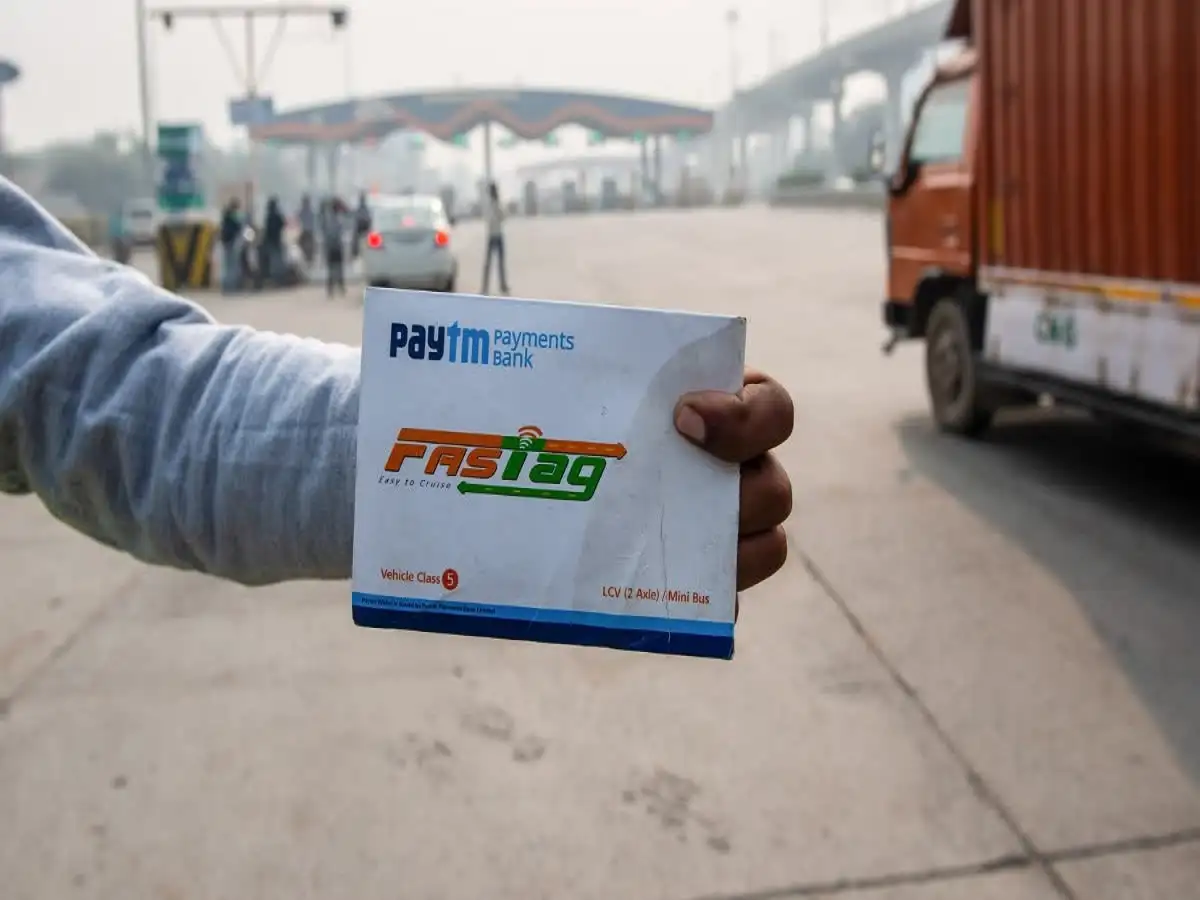
FASTag is an electronic toll-payment system that uses Radio Frequency Identification (RFID) technology. The FASTag sticker is generally attached to the vehicle's windshield and is connected to an account or wallet.
When the vehicle passes through an eligible toll plaza, the applicable toll amount is automatically deducted from the linked FASTag account.
Because the FASTag is connected to an account, selling the vehicle does not mean that all FASTag-related responsibilities automatically disappear. The seller should make sure the old account is properly closed or the tag is deactivated according to the issuer's procedure.
The buyer, meanwhile, should arrange a FASTag under their own details as required.
What Can Happen If You Do Not Deactivate the Old FASTag?
Leaving an old FASTag active after transferring ownership can potentially create avoidable issues.
Some of the problems that may arise include:
- Toll transactions may continue to be associated with the old FASTag.
- Money could potentially be deducted from the linked wallet if the tag remains usable.
- Resolving a disputed transaction later may become more complicated.
- The previous owner may have to provide additional information to establish that the vehicle was sold or transferred.
- The new owner may need to obtain and use a FASTag associated with their own details.
Simply transferring the vehicle's registration documents does not necessarily mean that the FASTag account has been closed. These are separate matters that should be addressed appropriately.
What Happens to the Remaining FASTag Balance?
One of the most important questions for sellers is what happens to the money remaining in their FASTag wallet.
If your account contains an unused balance when you sell the car, contact the FASTag-issuing bank or service provider before requesting closure. The procedure for handling any remaining amount can depend on the issuer's applicable terms and conditions.
Before closing the account, ask the provider:
- What is the current balance in the FASTag wallet?
- Is the remaining amount eligible for a refund?
- Which documents or details are required?
- What is the refund or settlement procedure?
- How long will the process take?
Keeping a record of your request and any confirmation received from the issuer can also be useful if a dispute arises later.
How to Deactivate Your FASTag After Selling Your Car
The exact process can vary depending on the bank or institution that issued your FASTag. In general, vehicle owners can follow these steps.
Step 1: Identify Your FASTag Issuer
First, determine which bank or FASTag provider issued your tag.
You can check your previous FASTag-related SMS messages, emails, account records or the relevant online portal. Identifying the issuer is important because the closure procedure is handled by the provider associated with your account.
Step 2: Contact Customer Support
Once you know the issuing bank, contact its FASTag customer-care service or use the FASTag section of its official online portal, if available.
Tell the representative that the vehicle has been sold or transferred and that you want to close or deactivate the FASTag associated with it.
Step 3: Provide the Required Details
The issuer may ask you to provide information to locate and verify the account.
Depending on the provider, this could include:
- Registered mobile number.
- Vehicle registration number.
- FASTag or account details.
- Identification or verification information.
- Other documents requested by the issuer.
Make sure the information you provide matches the details registered with the FASTag account.
Step 4: Complete Verification
The issuer may verify your account and ownership-related information before processing the closure request.
If additional documents or information are required, submit them through the channel specified by the provider.
Step 5: Confirm That the FASTag Has Been Deactivated
Do not assume that the process is complete simply because you submitted a request.
After the issuer processes your request, check for a confirmation message, email or other official acknowledgment. Keep the request or reference number for your records.
It is also sensible to verify that the old FASTag is no longer active and that no unexpected transactions are being recorded against the previous account.
What Should You Do Immediately After Selling Your Car?
To avoid missing an important step, sellers can keep the following checklist handy:
- Find out which bank or provider issued your FASTag.
- Contact the issuer soon after completing the vehicle sale or transfer.
- Request closure or deactivation of the FASTag.
- Check the wallet balance before closing the account.
- Ask about the refund or settlement of any remaining balance.
- Save the closure request or reference number.
- Obtain confirmation that the FASTag has been deactivated.
- Keep records of relevant communications with the provider.
- Ensure that the buyer arranges a FASTag under their own details.
What If You Have a Problem With FASTag Deactivation?
If you are unable to resolve an issue directly with the FASTag-issuing bank, you can use the relevant FASTag grievance or support channels available through the appropriate authority or service provider.
When raising a complaint, keep your vehicle registration details, FASTag information, transaction records and previous customer-support communications available. Providing complete information can make it easier for the concerned team to investigate the issue.
A Small Step That Can Prevent Future Hassles
FASTag has simplified toll payments for millions of vehicle owners, but its account-based nature means sellers should remember to address the tag when transferring a vehicle.
Deactivating or closing the old FASTag through the issuing provider can help prevent confusion over future toll transactions. At the same time, buyers should make sure the vehicle has an appropriate FASTag associated with their own details.
If you have recently sold your car, checking the FASTag status should therefore be part of your post-sale checklist—alongside completing the required ownership-transfer formalities.
Important: FASTag closure, balance-refund and verification procedures can differ between issuers. Always follow the latest instructions provided by your FASTag-issuing bank or authorized service provider.