WhatsApp has become one of the most commonly used communication platforms globally, but its popularity has also made it a major target for cybercriminals and online fraudsters.
Cyber experts warn that scammers are increasingly using WhatsApp calls from unknown international or unsaved numbers to trap users through:
- Fake job offers
- Investment scams
- OTP fraud
- Video call blackmail
- Impersonation schemes
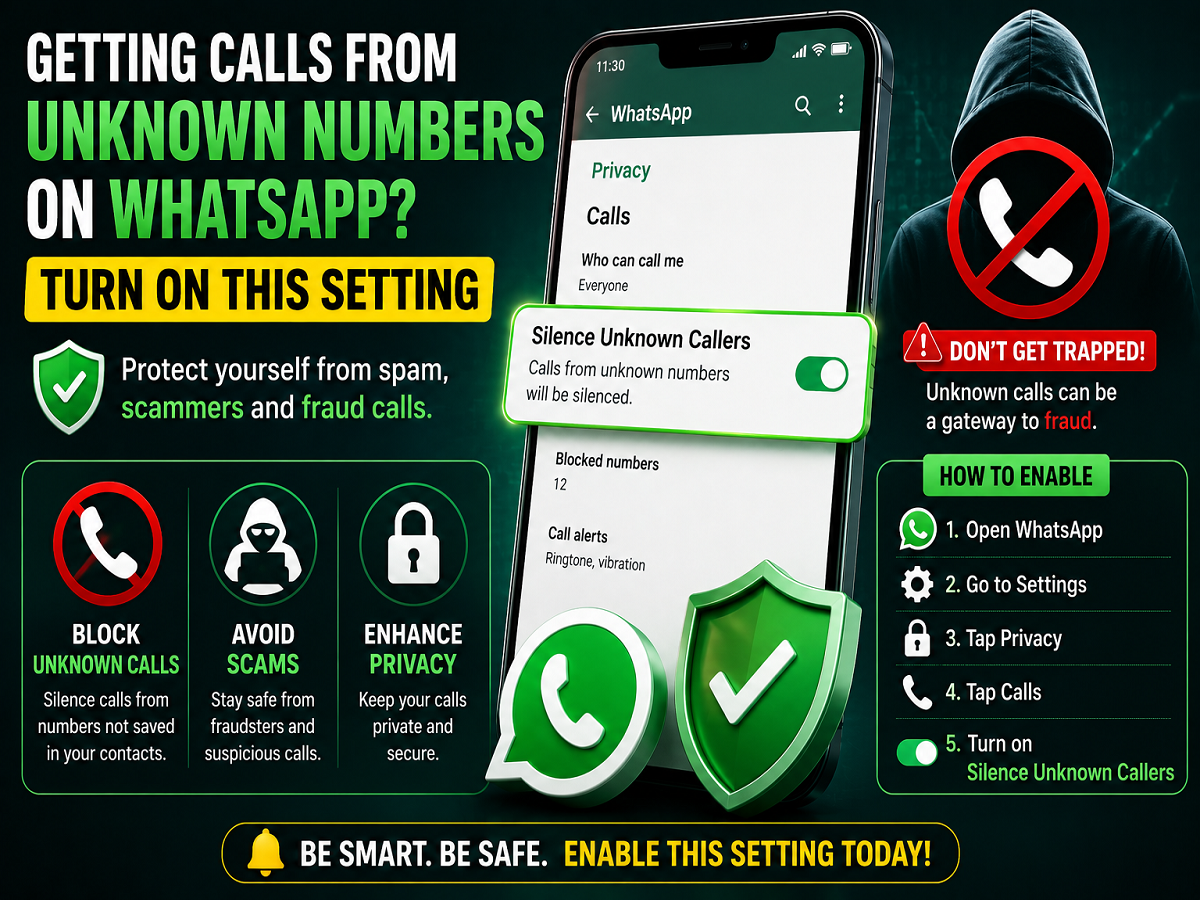
To help users stay protected, WhatsApp already offers an important built-in security feature called “Silence Unknown Callers.”
This feature can automatically silence calls from numbers that are not saved in your phonebook, reducing the chances of users accidentally answering suspicious calls.
Why Unknown WhatsApp Calls Can Be Dangerous
Fraudsters often contact users through random WhatsApp calls because many people trust the platform more than normal phone calls.
Cybercrime experts say unknown callers may attempt to:
- Trick users into sharing personal information
- Record video calls
- Send malicious links
- Pretend to be bank officials or company representatives
- Manipulate users emotionally or financially
Because of these risks, ignoring suspicious calls has become an important digital safety habit.
What Is the “Silence Unknown Callers” Feature?
WhatsApp’s “Silence Unknown Callers” feature automatically mutes calls coming from unsaved numbers.
Once enabled:
- Unknown calls will not ring loudly
- The calls will still appear in the call log
- Users won’t be disturbed by scam or spam calls
- Chances of accidentally answering fraud calls become lower
This feature is available for both:
- Android smartphones
- Apple iPhones
How to Enable Silence Unknown Callers on Android
Android users can follow these simple steps:
- Open WhatsApp
- Tap the three-dot menu in the top corner
- Open Settings
- Go to Privacy
- Scroll down and tap Calls
- Turn on “Silence Unknown Callers”
Once activated, WhatsApp will automatically mute calls from numbers not saved in your contacts.
How iPhone Users Can Enable the Feature
For iPhone users, the process is similar:
- Open WhatsApp
- Go to Settings
- Tap Privacy
- Open Calls
- Enable “Silence Unknown Callers”
How This Feature Helps Protect Users
Security experts believe this feature is particularly useful because many scam calls depend on:
- Urgency
- Surprise
- Emotional pressure
When calls are automatically silenced:
- Users are less likely to panic
- Fraudsters lose direct access
- Suspicious calls can be reviewed later safely
This gives users more control over how they respond to unknown contacts.
WhatsApp Scams Increasing Rapidly
Cybercrime cases involving WhatsApp have reportedly increased in recent years due to the platform’s massive user base.
Common WhatsApp frauds now include:
- Fake customer care calls
- International missed call scams
- QR code fraud
- Loan scams
- AI voice scams
- Fake investment groups
Experts advise users to remain cautious whenever they receive unexpected calls or messages from unknown numbers.
Additional WhatsApp Safety Tips
Apart from enabling Silence Unknown Callers, users are also advised to:
- Activate Two-Step Verification
- Avoid sharing OTPs
- Never click suspicious links
- Block and report scam accounts
- Use fingerprint lock for WhatsApp
- Keep the app updated regularly
Digital Safety Is Becoming More Important
As online scams continue evolving, cybersecurity specialists say users should treat messaging apps with the same caution as banking or financial platforms.
Simple security features already available inside WhatsApp can significantly reduce risks if used properly.
For users receiving repeated spam or suspicious calls, enabling the Silence Unknown Callers feature may become one of the easiest and most effective ways to stay protected from WhatsApp-based fraud attempts.