There's a way to find your iPhone even if it's turned off. Learn how to easily track a lost or stolen iPhone using the Find My feature.
How to track a lost iPhone?
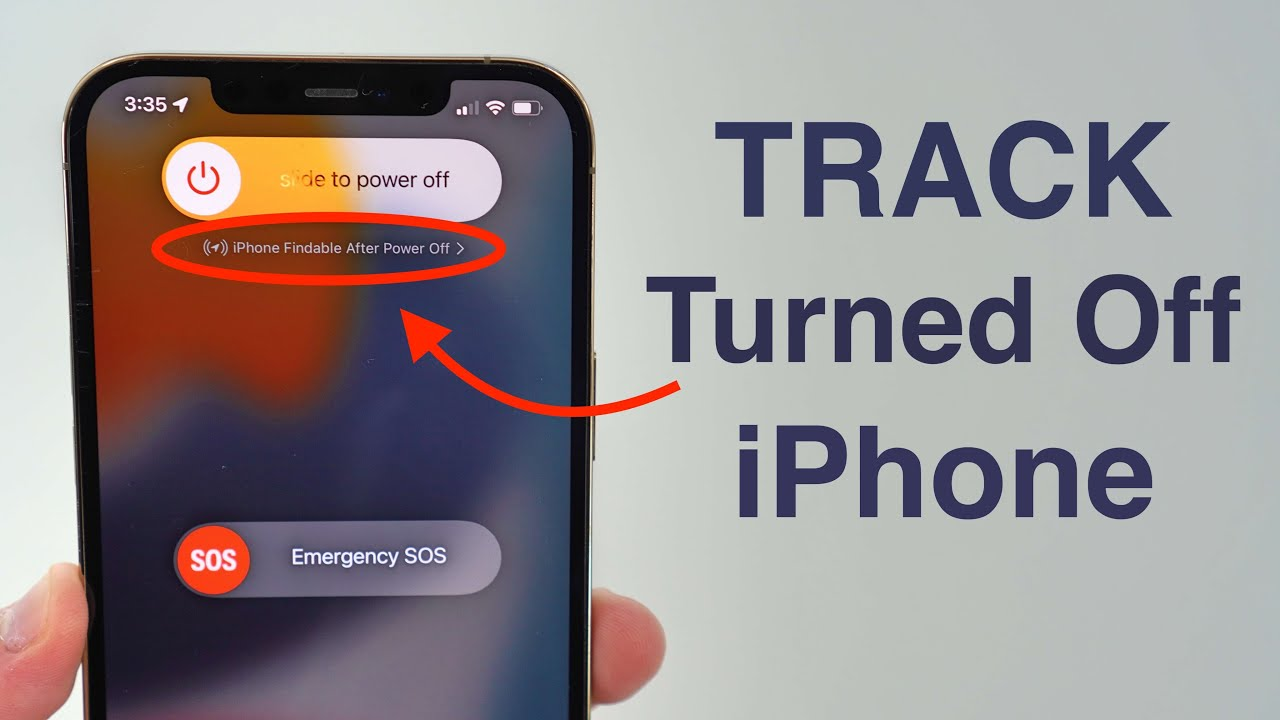
Nowadays, smartphones are not just a means of making calls and sending messages, but also a repository of our photos, important documents, banking apps, and personal information. Therefore, it's natural to worry if an iPhone is lost or if its battery dies, or if it shuts down. However, Apple has included a feature in its Find My network that, under certain conditions, can locate an iPhone even when it's turned off.
In fact, turning off your phone means it's no longer connected to the mobile network or the internet. Obtaining its live location can be difficult. However, Apple's Find My Network feature on some newer iPhone models can help locate the device for a period of time, even after it's powered off.
Find My Network works wonders.
The Find My network is Apple's extensive network of devices. If your iPhone isn't connected to the internet, other nearby Apple devices can detect its Bluetooth signal. The device's location can then be securely transmitted to the Find My system. Importantly, the person nearby doesn't necessarily need to recognize your iPhone or know your phone's location.
The setting must be turned on beforehand.
This feature will only work if you had the necessary Find My settings activated before you lost your phone. To do this, go to Settings > [your name] > Find My > Find My iPhone. Here, it's best to enable options like Find My iPhone, Find My Network, and Send Last Location, if needed. Keep in mind that options may vary between different iPhone models and iOS versions, so be sure to check the settings displayed on your device.
What to do immediately if you lose your phone?
If your iPhone is lost, it can be found by opening the Find My app on another Apple device. The Find My service also provides options like checking the device's location, putting it in Lost Mode, and remotely wiping its data if necessary. Lost Mode is extremely useful because it locks the device and displays a message or phone number on the screen for contact.