
NEWS
EPFO KYC Mandatory in 2026: No PF Withdrawal Without Verification—Here’s the Easy Online Process
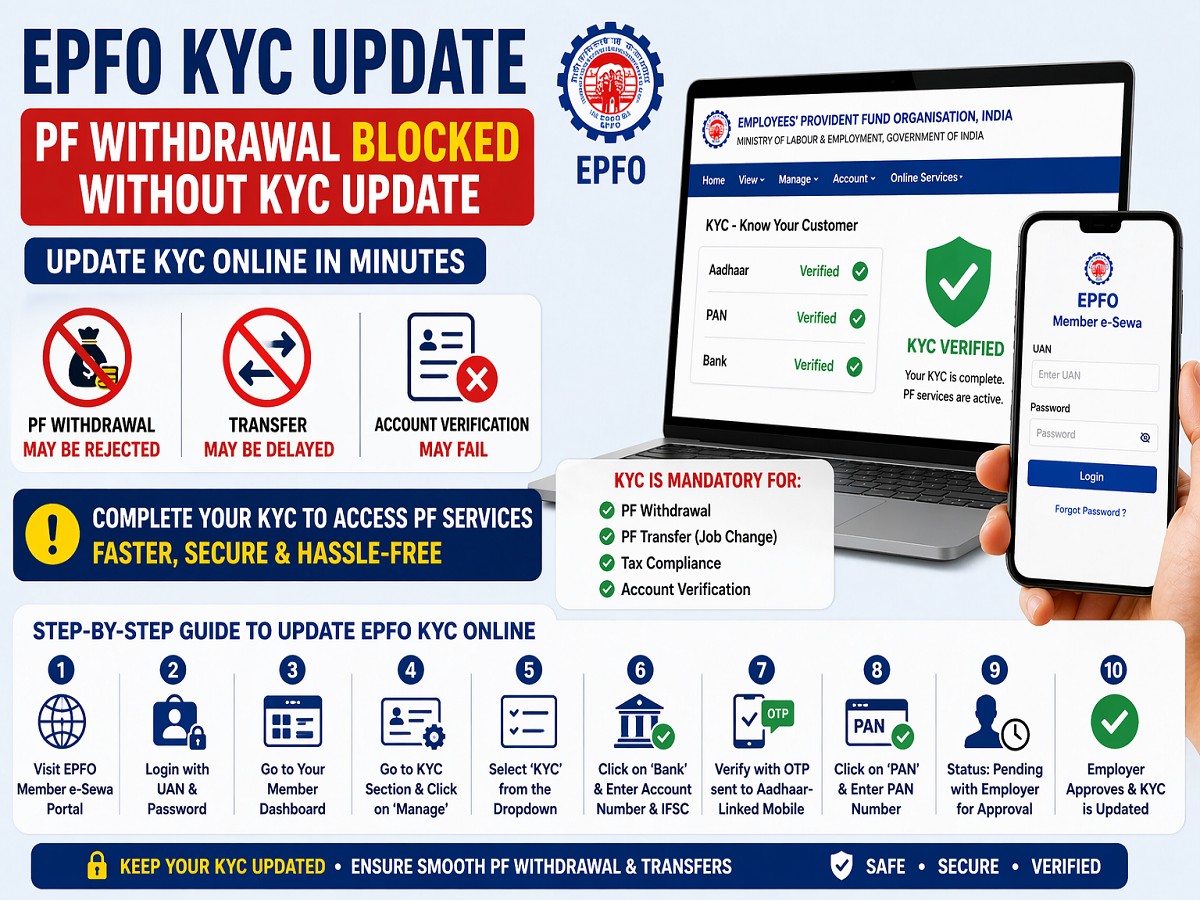
If you are a salaried employee relying on your Provident Fund (PF) savings, there’s an important update you cannot ignore. The Employees' Provident Fund Organisation has made KYC (Know Your Customer) verification compulsory for all PF-related services—including withdrawal, transfer, and account verification.
Without completing your KYC, your PF claim could be delayed or even rejected. Here’s a complete, easy-to-understand guide to help you update your EPFO KYC online without any confusion.
Why EPFO KYC Is Now Mandatory
The PF system is a crucial financial safety net where both employees and employers contribute monthly savings. However, to ensure that these funds are secure and reach the rightful account holder, the Employees' Provident Fund Organisation requires proper identity verification.
KYC linking ensures that your PF account is connected with:
- Aadhaar
- PAN
- Bank account details
If these are not verified, you may face:
- Delay in PF withdrawal
- Rejection of claims
- Issues during job transfer
- Problems with tax compliance
What Happens If KYC Is Not Updated?
Many users are unaware that incomplete KYC can block access to their PF money. If your details are not verified:
- Withdrawal requests may remain pending
- Funds may not be credited to your bank account
- Transfer requests between jobs can fail
This is why updating KYC is not optional—it is essential.
Benefits of Completing EPFO KYC
Once your KYC is successfully updated:
- PF withdrawals become faster
- Transfers between employers are smoother
- Your account becomes fully verified
- Transactions are more secure
Step-by-Step Guide to Update EPFO KYC Online
You can complete your KYC process online through the EPFO Member portal by following these steps:
Step 1: Visit EPFO Portal
Go to the official EPFO Member e-Sewa portal using your mobile or computer.
Step 2: Login with UAN
Enter your Universal Account Number (UAN) and password to access your account.
Step 3: Open Dashboard
After login, you will see your member dashboard.
Step 4: Go to KYC Section
Click on the ‘Manage’ tab and select ‘KYC’ from the dropdown menu.
Step 5: Add Bank Details
- Select the Bank option
- Enter your bank account number and IFSC code carefully
Step 6: Verify via OTP
Enter the OTP sent to your Aadhaar-linked mobile number and submit.
Step 7: Update PAN Details
- Select the PAN option
- Enter your PAN number
- Verify it using OTP
Step 8: Submit Request
After submitting, your request status will show as ‘Pending with Employer’.
Step 9: Employer Approval
Your employer will digitally approve the request. Once approved, your KYC will be updated successfully.
Important Things to Remember
- Ensure all details match your official documents
- Use an Aadhaar-linked mobile number for OTP verification
- Double-check bank and PAN details before submission
- Track your KYC status regularly
Final Takeaway
KYC verification is now a mandatory step for accessing your PF savings. The Employees' Provident Fund Organisation has simplified the process by making it fully online, but skipping it can cost you time and money.
If you haven’t updated your EPFO KYC yet, do it immediately to avoid delays in withdrawals or transfers. A few minutes of effort today can ensure smooth access to your hard-earned savings in the future.




