Getting a verified badge on Facebook can boost your credibility, strengthen your online presence, and help people identify your authentic profile or page. The blue verification badge signals that the account truly belongs to a public figure, brand, or notable entity, making it easier for users to trust and follow the right profile.
If you’ve been wondering how to secure this badge, here’s a fully explained, step-by-step guide along with the eligibility criteria you need to meet.
What Does Facebook Verification Mean?
The verification badge on Facebook is a blue tick that appears next to a profile or page name. It confirms that the account is genuine and officially represents a real person, business, or organization.
While verification is not mandatory, it is highly beneficial for public figures, influencers, brands, and businesses looking to establish authenticity and prevent impersonation.
Eligibility Criteria for Facebook Verification
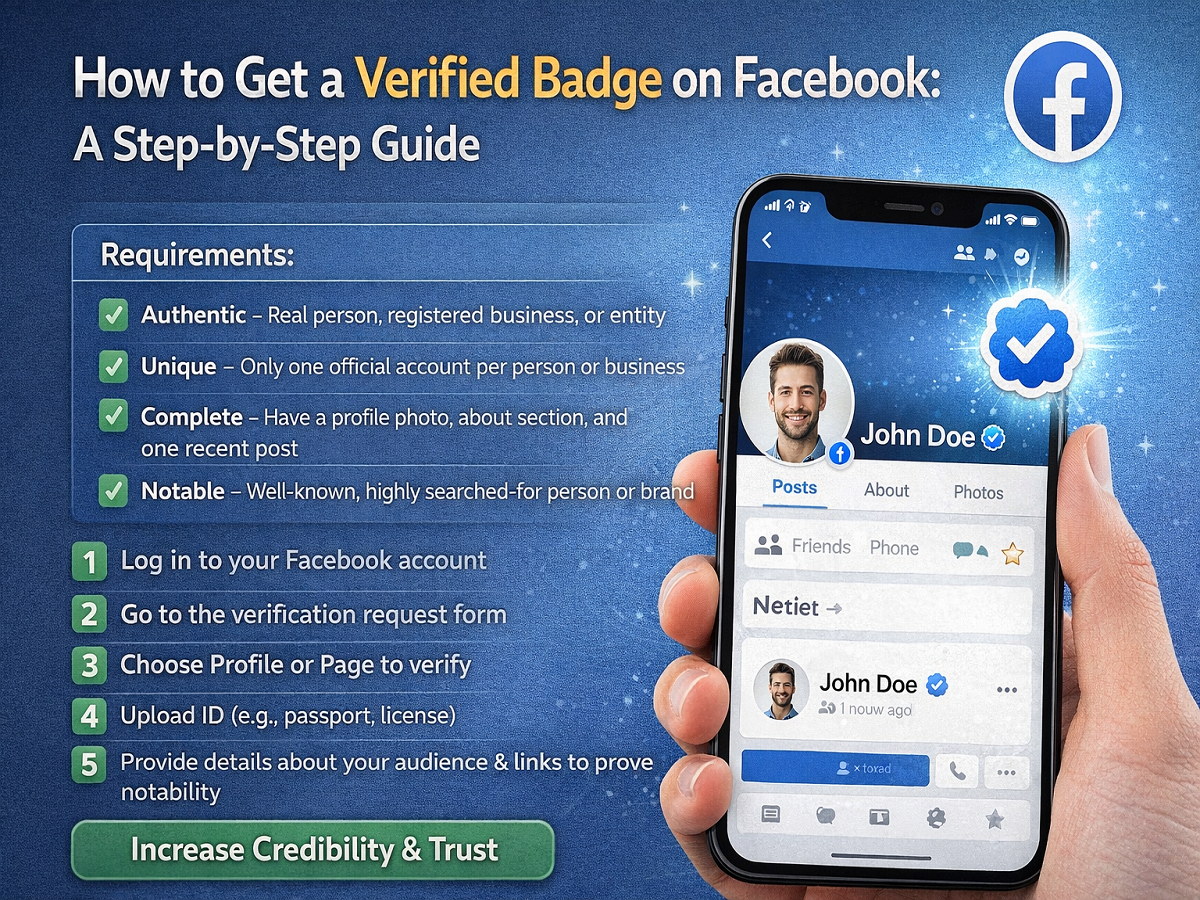
Before applying, it’s important to ensure your account meets Facebook’s requirements. The platform reviews applications based on several strict criteria:
1. Authentic Account
Your profile or page must represent a real individual, registered business, or legitimate entity.
2. Unique Presence
Only one account per person or business can be verified. Exceptions may apply for language-specific pages, but general-interest pages are not eligible.
3. Complete Profile
Your account should be active and well-maintained. This includes:
- A profile or page photo
- An “About” section
- At least one recent post
4. Notability
This is one of the most important factors. Your account must represent a widely recognized individual or brand that is frequently searched. Media coverage and public interest play a major role here.
Step-by-Step Guide to Apply for Facebook Verification
If your account meets the above criteria, follow these steps to apply:
Step 1: Log in to Your Account
Open Facebook and sign in using your credentials.
Step 2: Access the Verification Request Form
Go to Facebook’s official verification request page.
Step 3: Choose Account Type
Select whether you want to verify a personal profile or a business page.
Step 4: Confirm Your Identity
Upload a valid government-issued ID such as:
- Passport
- Driver’s license
- National ID card
- Business documents (for companies)
Step 5: Provide Details About Your Audience
Fill in relevant information, including your category, country, and audience type. This helps Facebook understand your reach and influence.
Step 6: Add Supporting Links
Include up to five links from credible sources such as news articles or official websites that prove your notability. Avoid promotional or paid content, as it is not accepted.
Step 7: Submit Your Application
Once all details are filled in, submit the form for review.
How Long Does Verification Take?
After submission, Facebook reviews your application and decides whether to approve or reject it. The review process can take anywhere from a couple of days to several weeks, depending on the volume of requests and the completeness of your application.
Tips to Improve Your Chances
- Maintain an active and professional profile
- Gain media coverage from reputable sources
- Build a strong follower base organically
- Ensure all information is accurate and up to date
Additional Linking Options
To strengthen authenticity, you can link your Facebook account with other platforms like Instagram or an official website. Cross-platform presence often improves credibility during the review process.
Final Thoughts
Getting verified on Facebook is not just about filling out a form—it requires building a credible digital identity. By meeting the platform’s guidelines and demonstrating notability, you increase your chances of earning the blue badge.
While the process may take time, the benefits—such as enhanced trust, visibility, and protection against impersonation—make it a worthwhile effort for individuals and businesses alike.