NEWS
Tech Tips: No more worrying about your storage being full! WhatsApp photos and videos won't appear in your phone's gallery
We receive many messages on WhatsApp every day. These include photos and videos. These photos and videos are automatically saved in our gallery, filling up storage. In particular, many of these photos and videos are of no use to us. So what should we do in such a situation? Many people keep deleting these photos and videos from the gallery. However, if this happens every day, we start to get bored. But now you don't need to worry because you can get rid of this problem by changing one setting.
Actually, WhatsApp has a default setting that automatically saves all photos and videos received on WhatsApp to the phone's gallery. However, this not only takes up smartphone storage but also raises many questions about user privacy. However, getting rid of this problem isn't too difficult. You can solve this problem by changing your WhatsApp settings.
Follow these steps to change WhatsApp settings.
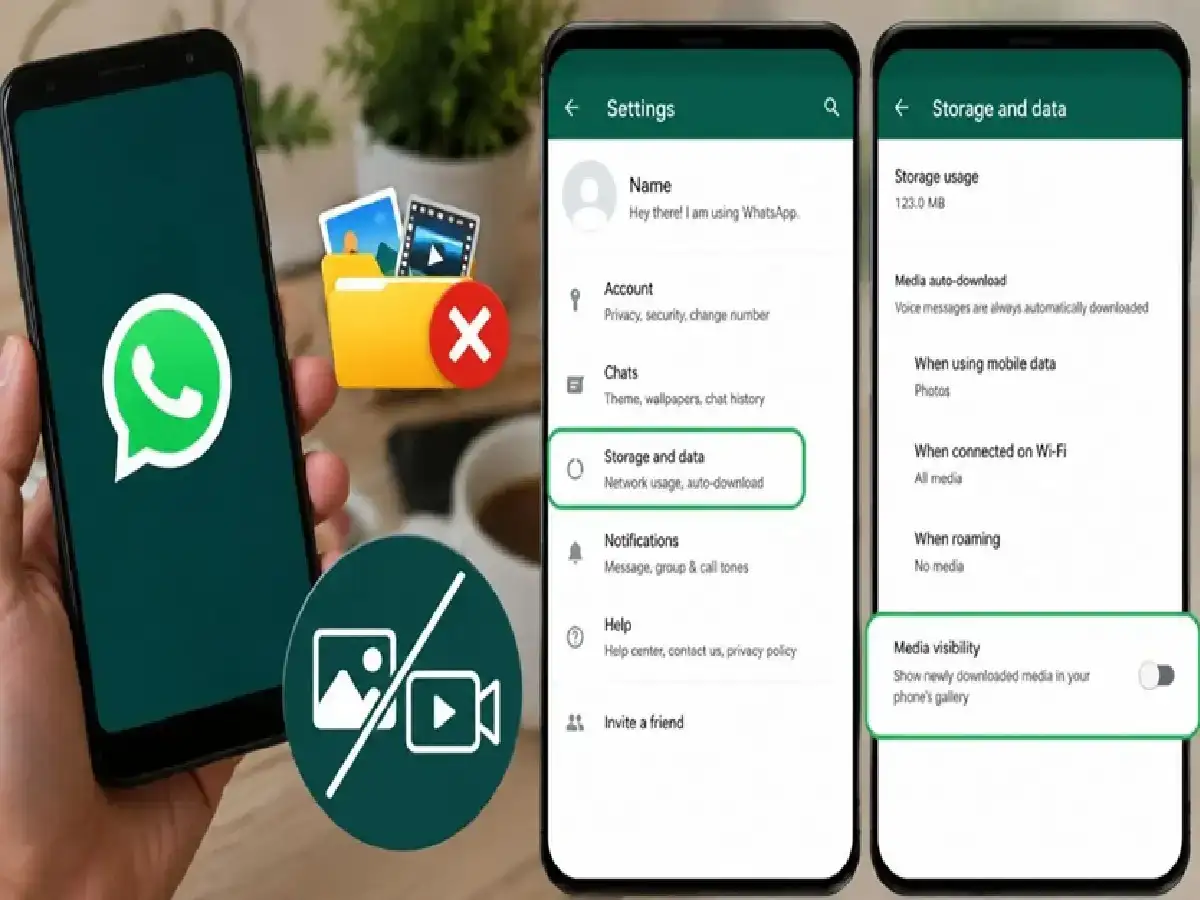
First, open WhatsApp and open Settings by clicking the three dots in the upper right corner. Within Settings, click on the Storage and Data option.
Now, go to the Media Auto-Download section and select the option to download photos, videos, and other files.
For example, you'll see options for downloading photos, videos, and other files, such as Wi-Fi, mobile data, and when roaming. You'll also be given the option to select which media you'd like to download using these options. You can choose the option that best suits your needs. Those with storage issues can also choose the "Never" option.
Use this simple trick to turn off media visibility
Just turning off auto download is not enough. If you want that photos and videos on WhatsApp should not be saved in the phone's gallery, then for that you will have to do one more setting. Open WhatsApp and open Settings by clicking on the three dots visible on the top right. Now click on Chat option and turn off the option visible in front of Media Visibility. Now any content sent from WhatsApp will not be saved directly in your gallery.
After completing both the settings, check whether WhatsApp media is visible in the phone's gallery or not. After completing these settings, now you do not have to worry about the phone's storage. Because now the media will not be saved directly in the phone's gallery.