Buying a new smartphone is always exciting. Everything feels fast, smooth, and effortless in the beginning. But within a few weeks, many users start noticing lags, slow performance, and occasional hanging issues. The surprising part? In most cases, it’s not the phone—it’s how we use it.
Many people unknowingly develop habits that gradually reduce their phone’s speed and efficiency. If you want your device to perform like new for years, it’s important to avoid these common mistakes that impact performance.
Installing Too Many Unnecessary Apps
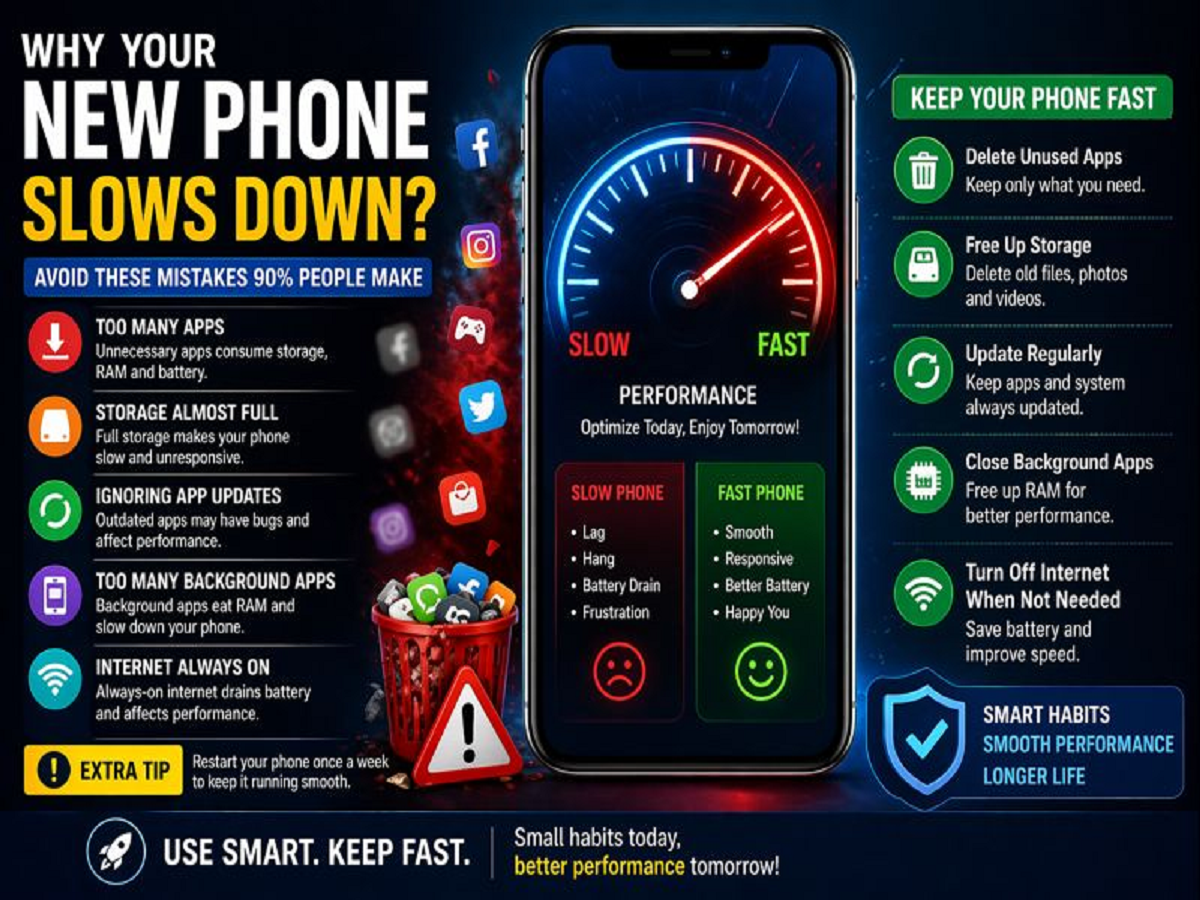
One of the biggest reasons behind a slow phone is excessive app installation. As soon as users get a new device, they tend to download multiple apps—many of which are rarely used.
These apps:
- Consume storage space
- Run background processes
- Drain RAM and battery
Over time, this leads to slower performance. The smarter approach is to install only essential apps and remove anything you don’t regularly use.
Keeping Storage Almost Full
Your phone needs free space to function smoothly. When storage is nearly full, the system struggles to manage processes efficiently, which leads to lagging and freezing issues.
Common causes of storage overload include:
- Too many photos and videos
- Large WhatsApp media files
- Unused downloads and documents
To keep your phone fast:
- Regularly delete old files
- Use cloud storage for backups
- Clear unnecessary media from apps
Ignoring App Updates
Using outdated apps can seriously affect your phone’s performance. Older versions may have bugs, security issues, or compatibility problems with your device’s software.
Updating apps ensures:
- Better performance
- Improved security
- Compatibility with latest OS updates
Make it a habit to check for updates regularly or enable auto-update settings.
Running Too Many Apps in the Background
Many apps continue running even when you’re not actively using them. These background processes consume RAM and processing power, slowing down your phone.
To fix this:
- Close unused apps
- Restrict background activity for heavy apps
- Use built-in battery optimization settings
This simple habit can significantly improve speed and battery life.
Keeping Internet Always On
Leaving mobile data or Wi-Fi on all the time may seem harmless, but it constantly syncs apps, downloads updates, and runs background tasks.
This can:
- Drain battery quickly
- Increase background activity
- Slow down overall performance
Turn off internet connectivity when not needed. Also, restarting your phone at least once a week helps refresh system processes.
Not Restarting Your Phone
Many users rarely restart their phones. Over time, temporary files and background processes build up, affecting performance.
A simple restart:
- Clears temporary memory
- Stops unnecessary background apps
- Improves system responsiveness
Doing this once a week can make a noticeable difference.
Final Thoughts
A slow or hanging phone isn’t always due to poor hardware. In fact, most performance issues are caused by everyday usage habits. By making a few small changes—like managing storage, limiting apps, and keeping your system updated—you can maintain your phone’s speed and efficiency.
Treat your smartphone wisely, and it will continue to perform smoothly long after you take it out of the box.