Business
LPG e-KYC Deadline Nears: Complete Verification From Your Phone to Avoid Refill Issues After August 15
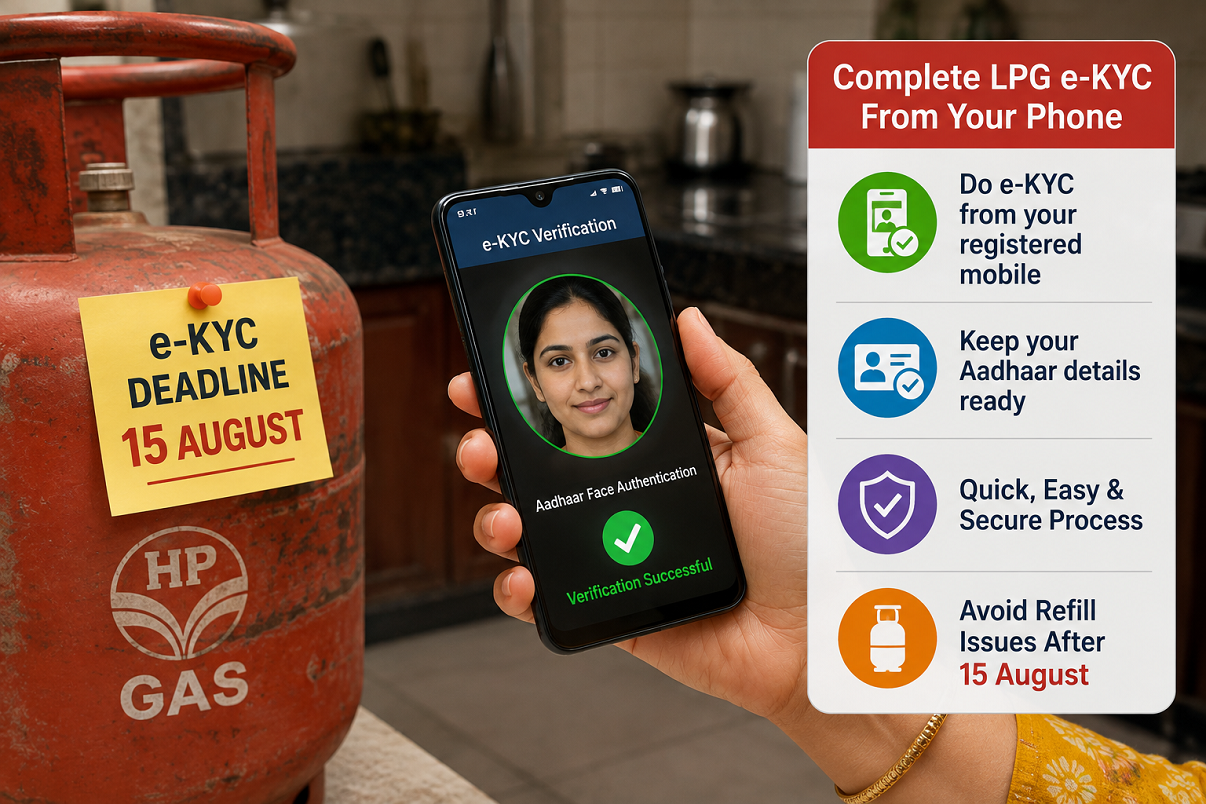
LPG consumers who have not yet completed e-KYC for their cooking gas connection should check their verification status as soon as possible. Reports indicate that customers with pending e-KYC may face difficulties booking a refill or receiving cylinder deliveries after the August 15 deadline until the verification process is completed.
The good news is that consumers may not necessarily need to visit their LPG distributor to complete the process.
Depending on the oil marketing company and the services available for a particular connection, LPG e-KYC can be completed digitally through the gas provider's official mobile application or online portal. Customers who don't have access to a smartphone or reliable internet may also be able to complete verification with assistance during cylinder delivery.
The verification process is intended to ensure that LPG customer records are accurate and that connections and applicable benefits are linked to genuine beneficiaries.
If your LPG e-KYC is still pending, here are three ways you can complete the process.
Why Should LPG Consumers Complete e-KYC?
e-KYC, or electronic Know Your Customer verification, is used to authenticate customer information electronically.
For LPG connections, the process helps verify the identity of the registered consumer and match the connection with the relevant records.
According to the report, consumers whose verification remains incomplete after August 15 could face restrictions on refill booking or delivery until they complete e-KYC.
Customers should therefore check their status rather than assuming that their LPG account has already been verified.
Reports indicate that more than two lakh LPG consumers in Ghaziabad district alone still had their e-KYC process pending, highlighting the large number of connections for which verification may still be required.
Method 1: Complete LPG e-KYC Through the Mobile App
For smartphone users, the LPG provider's official application can offer one of the easiest ways to complete verification.
Start by downloading the official app of your LPG company from a trusted app store.
Avoid downloading similarly named applications from unknown websites because fake apps can be used to steal Aadhaar, OTP or other personal information.
Once the official app has been installed, log in using the mobile number linked to your LPG connection.
Look for the Profile, e-KYC, Re-KYC or a similarly named option.
Depending on your provider and verification method, you may also need the official Aadhaar FaceRD application for face authentication.
How Does Aadhaar Face Verification Work?
If your LPG provider supports Aadhaar-based facial authentication, the application will guide you through the verification process.
After selecting e-KYC or Re-KYC, follow the instructions displayed on the screen.
The app may activate your phone's camera and ask you to position your face correctly. Make sure you're in a well-lit location and follow prompts such as blinking or adjusting your face within the frame.
These steps help the authentication system determine that a real person is completing the verification.
After successful authentication, you may be asked to enter an OTP or confirm additional information.
Review the details carefully before submitting the request.
Once successfully processed, the application should display an acknowledgement or updated e-KYC status.
Method 2: Complete LPG e-KYC Through the Website
Consumers who don't want to use a mobile app can check whether online verification is available through the LPG web portal.
Open the official LPG portal or the website of your respective gas provider.
If using the common LPG portal, select your gas company from the available options and proceed to its customer-service section.
Log in using your registered credentials or mobile number, as applicable.
After accessing your account, look for an option such as Check e-KYC Status, Submit e-KYC, KYC or Re-KYC.
The exact terminology can vary between LPG providers.
Follow the instructions displayed on the website.
An OTP may be sent to the mobile number registered with your LPG account. Enter the OTP, verify the customer details displayed and submit the information.
If the process is successfully completed, save or note the confirmation for your records.
Always Use the Official LPG Website
When completing e-KYC online, cybersecurity is particularly important.
Scammers can create fake websites that resemble government portals or gas-company pages and then ask users to enter Aadhaar numbers, mobile numbers, OTPs or banking information.
Do not open LPG e-KYC links received through suspicious WhatsApp messages, SMS messages or social-media posts.
Instead, manually visit the official portal or navigate through your LPG provider's verified website.
Also remember that you should never disclose your banking PIN, UPI PIN or unrelated financial credentials simply to complete LPG e-KYC.
Method 3: Complete e-KYC During Cylinder Delivery
Not every LPG consumer has a smartphone, and internet connectivity can also be a challenge in some locations.
Consumers in this situation may still be able to complete e-KYC with assistance from the authorised cylinder delivery representative.
When your LPG cylinder is delivered, ask the delivery person whether e-KYC verification can be completed for your connection.
Where the facility is available, the authorised representative may use a Point-of-Sale device or approved mobile application to complete the verification process.
Follow the authentication instructions and make sure the details being verified belong to your LPG connection.
This method can be particularly useful for elderly customers or consumers who aren't comfortable completing online authentication themselves.
What If Your Registered Mobile Number Has Changed?
Digital verification can become difficult if the mobile number linked with your LPG account is no longer active.
For example, an OTP may be sent to the old registered number, preventing you from completing authentication.
If your mobile number has changed, contact your LPG distributor and update your records.
Similarly, if there is a mismatch between your Aadhaar information and LPG account details, you may need to visit your authorised gas agency with the relevant documents.
Correcting mismatched information first can prevent repeated e-KYC failures.
Check Your e-KYC Status Even If You Think It Is Complete
Consumers who previously completed KYC may still want to verify the status displayed in their LPG account.
Log in through the official app or website and look for the e-KYC status.
If it shows that verification has been completed successfully, no further action may be required unless your provider specifically asks for Re-KYC.
If the status remains pending or unsuccessful, follow the available instructions or contact your authorised LPG distributor.
Don't Wait Until You Need an Urgent Refill
Many households book a new cylinder only when the existing one is close to empty. Discovering a verification issue at that point could create unnecessary inconvenience.
Therefore, consumers with pending LPG e-KYC should complete the process as early as possible instead of waiting until they urgently need a refill.
You can use the LPG company's official mobile app, complete the process through the official online portal where supported, or seek assistance from an authorised delivery representative.
If digital verification fails because of an outdated mobile number or incorrect Aadhaar-linked information, contact your LPG distributor to update the records.
Most importantly, use only official applications, websites and authorised representatives when sharing identity-related information. Completing e-KYC through the correct channel can help keep your LPG connection records updated and reduce the risk of problems when booking or receiving future cylinder refills.