NEWS
How to Stop WhatsApp from Using Mobile Data in the Background: A Complete Android and iPhone Guide
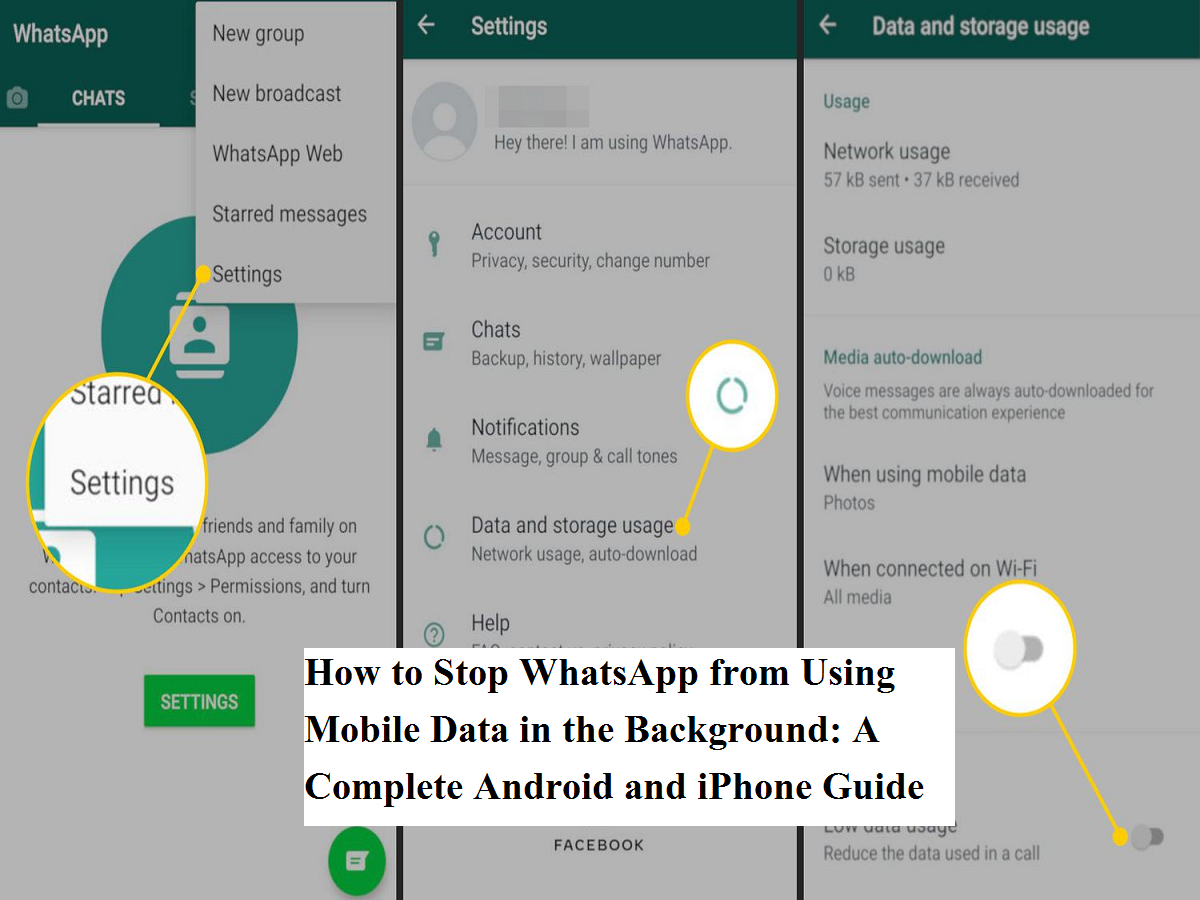
Mobile data often runs out faster than expected, even when users feel they haven’t actively browsed the internet. One of the biggest reasons behind this silent data drain is apps running in the background—especially instant messaging platforms. Among them, WhatsApp is known to consume data continuously due to message syncing, media downloads, and background refresh activities.
If you are looking for a practical way to block internet access only for WhatsApp—without turning off mobile data entirely—this guide explains how to do it step by step on both Android and iPhone devices. The method is simple, effective, and helps save both data and battery life.
Why WhatsApp Consumes Data in the Background
Many smartphone users receive alerts from their network providers about low data balance despite minimal usage. This happens because apps constantly refresh in real time. WhatsApp syncs messages, checks for updates, downloads media files, and keeps notifications active even when the app is not open.
Research and user reports indicate that background data usage is driven by:
- Automatic message syncing
- Media auto-downloads (images, videos, voice notes)
- Status updates and broadcast messages
- Frequent notification refresh
While these features improve communication speed, they can also exhaust daily data limits very quickly.
Benefits of Disabling Background Internet for WhatsApp
Restricting WhatsApp’s background data can offer multiple advantages:
- Significant reduction in mobile data consumption
- Improved battery performance
- Fewer unnecessary notifications
- Better control over when the app uses the internet
This is especially useful for users on limited data plans or those who rely heavily on mobile internet instead of Wi-Fi.
How to Disable WhatsApp Background Data on Android
Android devices allow users to control data usage at the app level. The steps may vary slightly depending on the smartphone brand, but the overall process remains similar.
Steps to follow:
- Open Settings on your Android phone
- Go to Connections, Connection & Sharing, or Mobile Network (varies by device)
- Tap on Data Usage to see apps consuming mobile data
- Scroll down and select WhatsApp
- Turn off Allow background data usage
Once disabled, WhatsApp will only use mobile data when you manually open the app.
How to Turn Off WhatsApp Mobile Data on iPhone
Apple’s iOS also provides a direct option to control cellular data access for individual apps.
Follow these steps:
- Open Settings on your iPhone
- Tap on Mobile Data (or Cellular)
- Scroll down to view the list of apps
- Locate WhatsApp and toggle it off
After this, WhatsApp will stop using mobile data entirely and will only work when connected to Wi-Fi.
Additional Tips to Reduce WhatsApp Data Usage
Apart from disabling background internet access, users can further minimize data consumption by:
- Turning off media auto-download in WhatsApp settings
- Avoiding frequent WhatsApp calls on mobile data
- Restricting background data for other high-usage apps
- Monitoring data usage regularly through phone settings
Apps that send frequent notifications or sync content continuously are often responsible for hidden data loss.
Managing mobile data efficiently has become essential as smartphones rely heavily on always-on connectivity. By limiting background internet access for WhatsApp, users can prevent unnecessary data drain without compromising essential communication. The same approach can also be applied to other apps that consume excessive data silently.
Taking control of background data not only helps extend your data pack but also improves overall device performance and battery health—making it a smart move for everyday smartphone users.