Instagram offers a built-in privacy feature that lets users control who can view their Stories. If you don't want certain followers to see your Story, there's no need to block or remove them from your account. Instead, you can simply adjust your Story privacy settings and hide your content from selected people. Here's how the feature works and how you can enable it in just a few taps.
Hide Your Instagram Story from Selected Followers Easily
Instagram Stories are designed to disappear after 24 hours, but by default they are visible to everyone who follows you (depending on your account's privacy settings). There may be times when you want to share a Story with most of your followers while keeping it hidden from a few specific people.
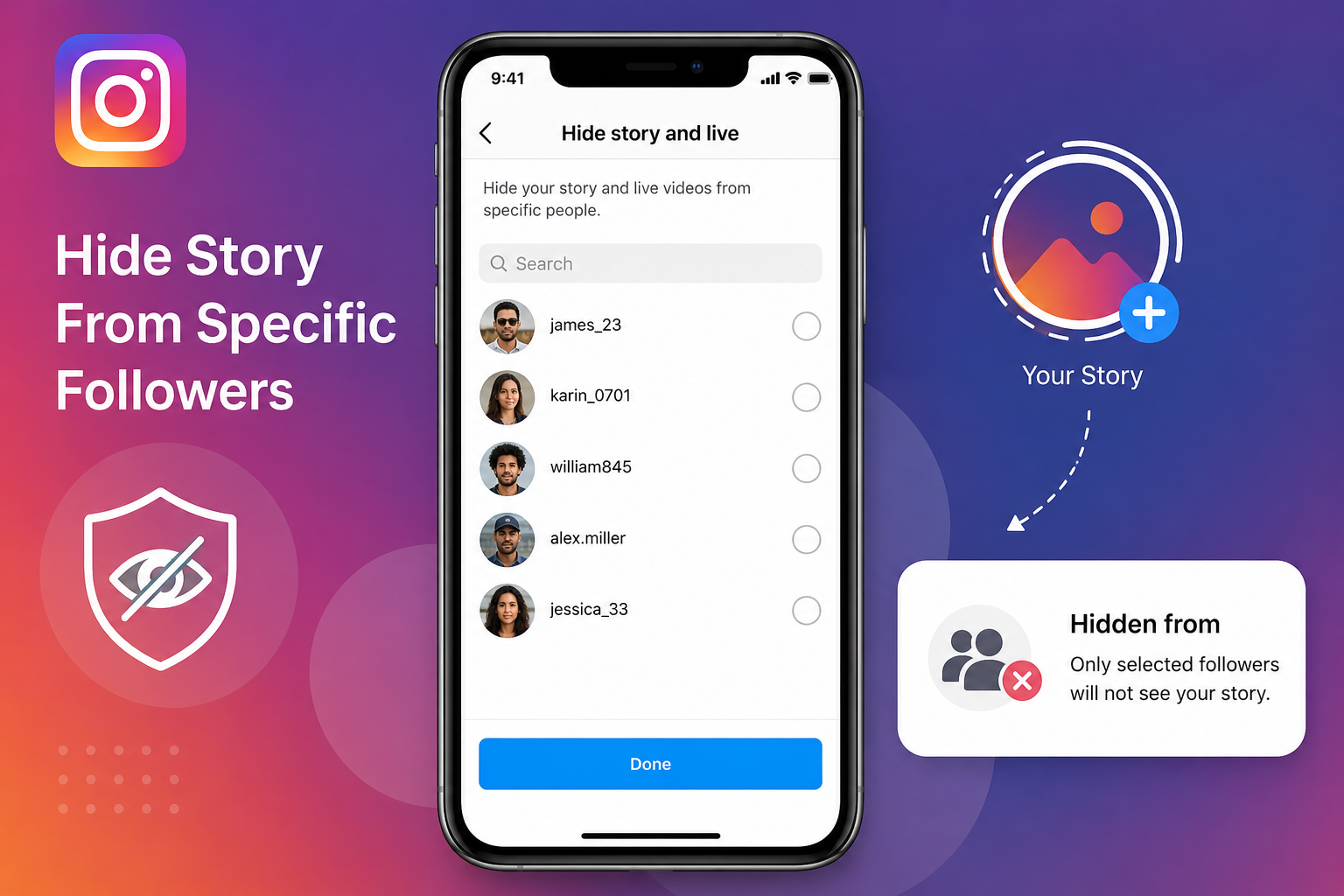
To address this, Instagram includes a dedicated privacy option that allows users to exclude selected followers from viewing their Stories and Live videos. The best part is that those users won't be notified that you've hidden your Story from them.
Why You Might Want to Hide Your Story
There are several situations where this feature can be useful, including:
- Sharing personal updates with only trusted followers.
- Keeping work colleagues or acquaintances from viewing private content.
- Maintaining privacy without unfollowing or blocking someone.
- Managing who can access your Stories while leaving your regular posts unchanged.
Since the feature works only for Stories and Live broadcasts, your profile and feed posts remain unaffected unless you change other privacy settings.
How to Hide Your Instagram Story from Specific People
If you want to prevent certain followers from viewing your Instagram Story, follow these steps:
Step 1
Open the Instagram app and tap on your profile picture in the bottom-right corner to visit your profile.
Step 2
Tap the three horizontal lines (menu icon) in the upper-right corner to open the Settings menu.
Step 3
Navigate to the Story and Live or Hide Story and Live privacy option (the exact wording may vary depending on the app version).
Step 4
Search for or scroll through your follower list and select the people you want to hide your Stories from.
Step 5
Exit the settings page. Instagram automatically saves your changes, so there is no need to tap a separate Save button.
Once enabled, the selected users will no longer be able to view your future Stories or Live videos until you remove them from the hidden list.
Can People Tell That You've Hidden Your Story?
No. Instagram does not notify users when you hide your Story from them. They simply won't see your Story appear in their feed. This makes it a discreet way to manage your privacy without creating awkward situations.
Things to Keep in Mind
- The setting applies to both Instagram Stories and Live videos.
- You can update the hidden list at any time by revisiting the same settings page.
- Hiding your Story does not block or remove anyone from your followers.
- Your regular Instagram posts, Reels, and profile remain visible according to your account's overall privacy settings.
A Simple Way to Protect Your Privacy
Instagram continues to expand its privacy tools, giving users greater control over who can see their content. If you want to share moments with your audience while keeping them hidden from a few specific followers, the Hide Story and Live feature is one of the easiest solutions available. It takes only a few seconds to set up and helps you maintain your privacy without affecting your follower list or blocking anyone.