WhatsApp continues to roll out smart features designed to make conversations more interactive and personalized. From message scheduling to enhanced privacy tools, Meta-owned WhatsApp is constantly evolving. Now, the platform has introduced an exciting update — an AI-powered sticker creator that allows users to generate custom stickers using simple text prompts.
If you’ve ever wanted to send a personalized sticker to a friend, family member, or colleague without downloading third-party apps, this new feature makes it possible in just a few taps.
Here’s everything you need to know about creating AI stickers on WhatsApp using text.
What Is WhatsApp’s AI Sticker Feature?
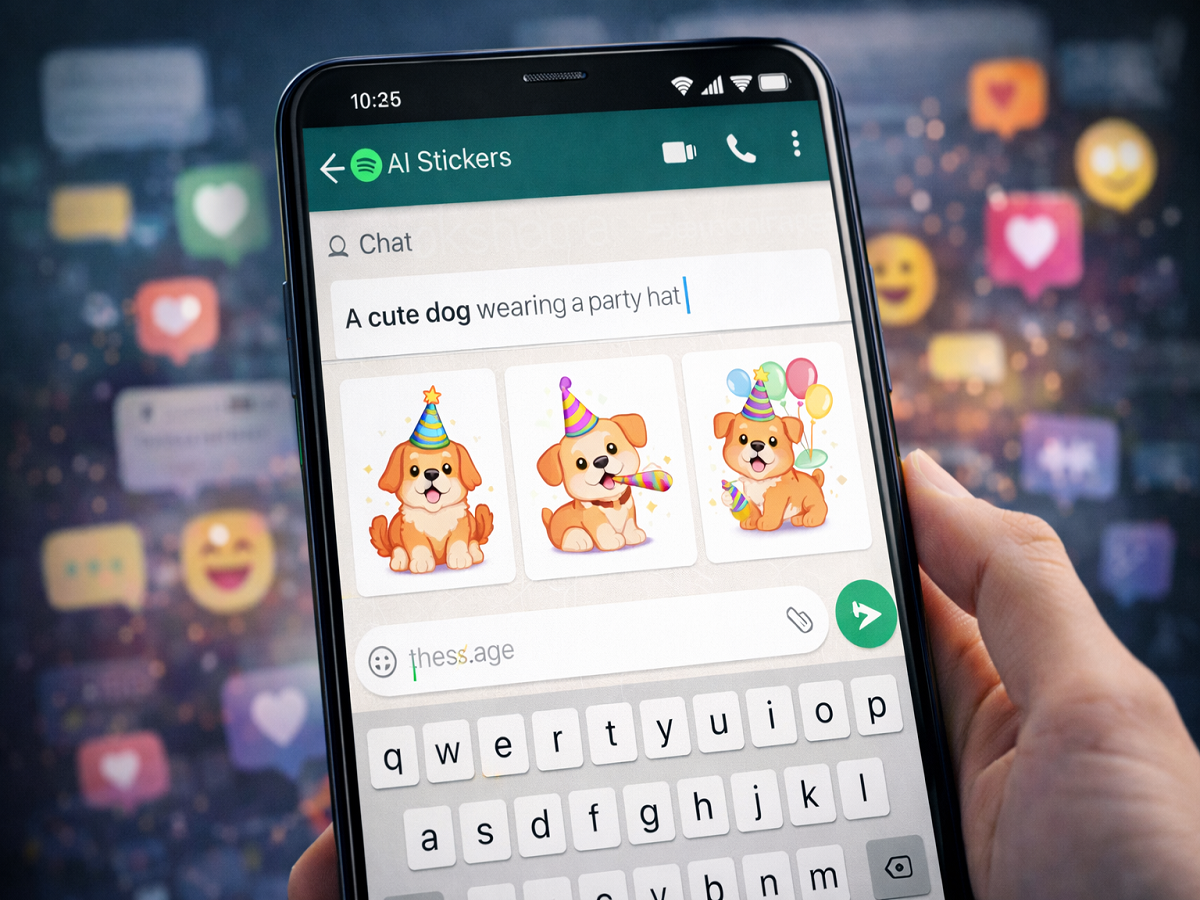
The AI Sticker Maker is a built-in WhatsApp tool that generates stickers based on text descriptions entered by users. Instead of searching for the perfect sticker or creating one manually, you can now simply type what you want — and WhatsApp’s AI will generate sticker options for you.
For example, you can type:
- “Cute cat waving hello”
- “Funny office boss cartoon”
- “Birthday celebration with balloons”
The AI tool instantly creates multiple sticker variations based on your description. You can then choose your favorite and send it directly in chat.
This feature eliminates the need for external sticker apps and gives users complete creative freedom.
How to Create AI Stickers on WhatsApp Using Text
You can access the AI sticker tool directly from any chat window. Follow these simple steps:
Step 1: Open a Chat
Go to any personal or group conversation on WhatsApp.
Step 2: Tap the Emoji Icon
Click the emoji icon located next to the text input field.
Step 3: Switch to the Stickers Section
Tap on the sticker icon at the top of the emoji panel.
Step 4: Select “Create” or the “+” Icon
At the bottom of the sticker tray, tap the “Create” option or the plus (+) symbol.
Step 5: Enter a Text Prompt
In the text box, describe the sticker you want to generate. Be specific for better results.
Step 6: Choose Your Sticker
WhatsApp will generate AI-based sticker options. Select the one you like and send it instantly.
You can also save your generated sticker to your sticker tray for future use.
Why This Feature Is Useful
Stickers have always been a popular way to make chats more expressive and fun. With the introduction of AI-generated stickers, WhatsApp takes personalization to the next level.
Key Benefits:
✔ No need for third-party apps
✔ Instantly generate custom designs
✔ More creative control over conversations
✔ Save generated stickers for reuse
✔ Makes chats more engaging and unique
Whether you’re wishing someone on their birthday, reacting humorously in a group chat, or adding personality to professional conversations, AI stickers make communication more dynamic.
How AI Is Changing Messaging Apps
Artificial Intelligence is rapidly transforming how messaging platforms operate. From smart replies to automated scheduling and now creative sticker generation, AI tools are helping users save time while enhancing digital expression.
WhatsApp’s AI sticker feature reflects a broader trend: messaging apps are becoming more creative, interactive, and personalized.
As more AI-powered tools roll out, users can expect even smarter chat experiences in the future.
Final Thoughts
The new AI Sticker Maker on WhatsApp makes creating personalized stickers easier than ever. Instead of searching endlessly for the right sticker, you can now design one instantly using just text.
If you enjoy adding creativity to your chats, this feature is worth trying today. Simply update your WhatsApp app and start experimenting with custom AI stickers.