Business
Bank Account Mobile Number Update 2026: Change Your Registered Number Online, Through ATM or at a Branch
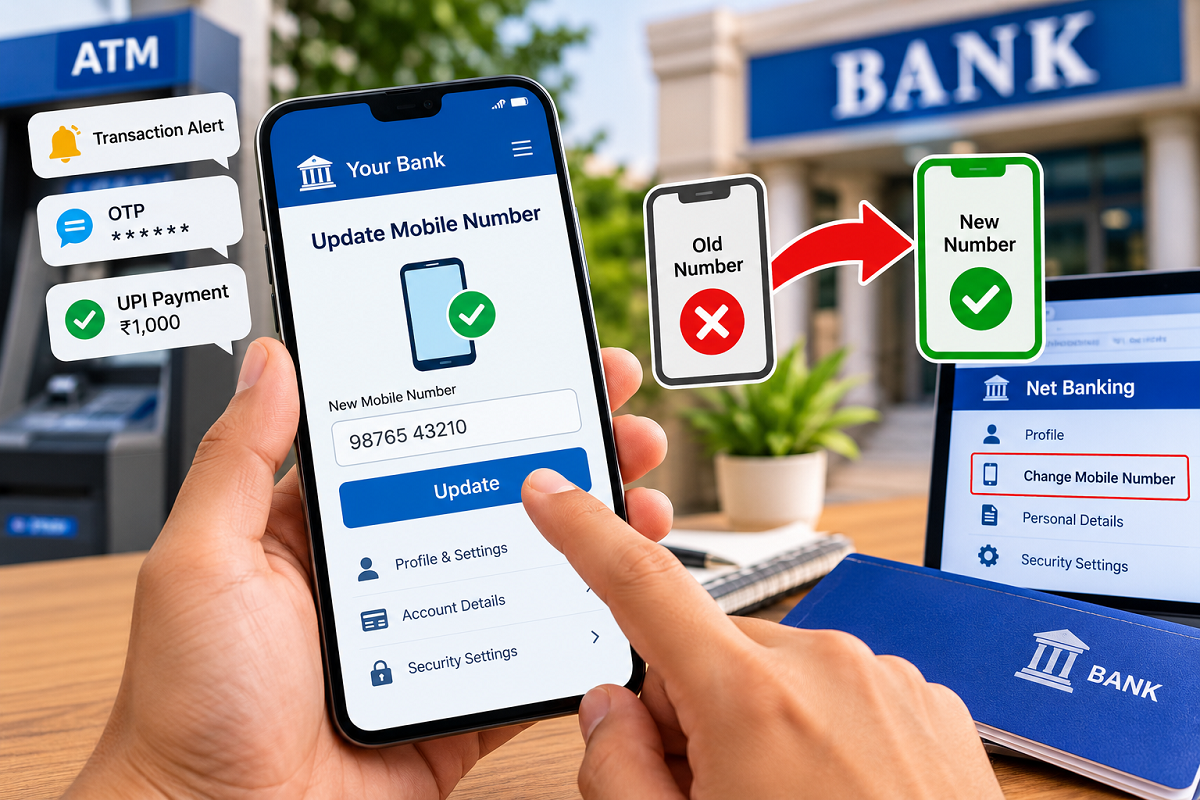
Bank Account Mobile Number Change: Your registered mobile number plays an important role in keeping your bank account secure and allowing you to access digital banking services. From receiving transaction alerts and one-time passwords (OTPs) to using UPI applications and internet banking, several essential financial activities depend on having an active mobile number linked to your account.
But what happens if you change your SIM card, lose access to your old number or decide to use a different mobile number for banking? In such situations, updating your registered number becomes important to avoid missing critical notifications or facing difficulties while accessing banking services.
The good news is that several banks in India provide different methods for updating registered mobile numbers. Depending on your bank's facilities and verification requirements, you may be able to complete the process through internet banking, a mobile banking application, an ATM or by visiting a branch.
Here is a detailed guide explaining how to change the mobile number linked to your bank account in 2026.
Why Is It Important to Keep Your Bank Mobile Number Updated?
A registered mobile number is more than just a contact detail. It is an important part of the banking security system.
Banks use mobile numbers to communicate important information and verify certain financial transactions.
An updated number helps customers receive:
- OTPs for eligible banking transactions and account verification.
- SMS alerts for deposits, withdrawals and other account activities.
- Notifications about debit card usage and online payments.
- Important messages related to banking services.
- Security alerts about suspicious or unauthorized transactions.
- Verification messages required for supported UPI and digital banking services.
If your registered number becomes inactive, you may miss important alerts or experience difficulties completing certain banking activities.
Therefore, customers should update their contact details as soon as their mobile number changes.
How to Change Your Bank Account Mobile Number Through Net Banking
Internet banking can be a convenient option for customers whose banks allow mobile number changes online.
If the facility is available, you may not need to visit a physical branch.
Follow these general steps:
- Open your bank's official internet banking website.
- Sign in using your customer ID, username and password.
- Navigate to the Profile, Personal Information or Customer Details section.
- Look for an option such as Change Mobile Number, Update Contact Details or Mobile Number Registration.
- Enter the new mobile number you want to register.
- Complete the required authentication, which may involve OTP verification or another bank-approved method.
- Submit the request and follow any additional instructions provided by your bank.
After successful verification and processing, the bank will update your registered mobile number.
However, the exact procedure varies between banks. Some institutions may require additional authentication or an in-person verification step.
Can You Update Your Mobile Number Using a Banking App?
Many customers prefer mobile banking applications because they allow several banking activities to be managed directly from a smartphone.
Some banks also provide facilities for changing registered contact information through their official apps.
If your bank supports this service, the process may involve the following steps:
- Open your bank's official mobile banking application.
- Log in using the required credentials or supported authentication method.
- Access the Profile, Settings or Personal Details section.
- Check whether the mobile number update facility is available.
- Enter your new mobile number.
- Complete the required identity verification.
- Submit your request and check for confirmation.
Not every banking app supports a complete mobile number change online. Some apps may only display your registered number or direct you to another verification channel.
Customers should follow the instructions displayed by their respective banks.
How to Change Your Registered Mobile Number Through an ATM
Another option available at certain banks is mobile number registration or modification through an ATM.
This method can be useful for customers who prefer not to use internet banking.
The general procedure may include:
- Visit an ATM operated by your bank.
- Insert your debit card into the machine.
- Enter your ATM PIN securely.
- Open the Banking Services or Registration menu.
- Select the mobile number registration or update option, if available.
- Enter the new mobile number.
- Follow the instructions to complete the request and any required verification.
Some banks may require additional confirmation before processing the change.
It is important to understand that this facility is not available at every ATM or with every bank.
What If Your Old Registered Mobile Number Is No Longer Active?
One of the biggest challenges customers face is changing their banking mobile number after losing access to the previous one.
Many online banking services use OTP verification to confirm that the account holder is authorizing the change.
If the old number is disconnected, receiving that OTP may not be possible.
In this situation, customers should contact their bank through its official customer care service.
The bank may offer an alternative verification procedure or ask the customer to visit a branch.
For a branch-based update, you may need to carry an accepted identity document, account details and any additional documents requested by the bank.
A bank representative can explain the required procedure and help initiate the mobile number modification request.
How Long Does It Take to Update a Mobile Number in a Bank Account?
The time required to change a registered mobile number depends on the bank, the method used and the verification process.
Some requests may be processed relatively quickly after successful authentication, while others may take longer because of additional security checks.
Customers should not assume that their number has been changed immediately after submitting a request.
Instead, they should wait for confirmation from the bank and verify that the new number is correctly registered.
If the request remains pending beyond the bank's stated processing period, customers can contact customer support for assistance.
Important Security Tips When Changing Your Banking Mobile Number
Mobile number updates involve sensitive banking information, so customers should remain careful throughout the process.
Keep these precautions in mind:
- Always use your bank's official website, application, ATM or branch.
- Never disclose your OTP, ATM PIN, UPI PIN or internet banking password to anyone.
- Avoid clicking unknown links claiming to offer instant mobile number updates.
- Do not install unfamiliar applications suggested by callers claiming to be bank representatives.
- Verify the successful registration of your new number.
- Review your account alerts after completing the update.
- Contact your bank immediately if you notice an unauthorized change to your registered contact details.
Fraudsters sometimes impersonate banking officials and request confidential information under the pretext of updating customer records. Genuine banking procedures should never require you to reveal confidential PINs or passwords to another person.
Will Changing Your Bank Mobile Number Affect UPI Services?
Changing your registered mobile number may affect UPI services linked to the bank account.
UPI applications generally rely on the mobile number registered with the bank to identify and verify eligible accounts.
After the bank updates your number, you may need to complete mobile number verification again in your UPI application.
Depending on the app and bank, you may also need to re-link or re-register your bank account.
Make sure the SIM associated with the updated number is active on your smartphone and follow the official UPI application's instructions.
Final Words
Keeping your mobile number updated with your bank is an important step toward secure and uninterrupted banking.
Whether you use net banking, a mobile application, an ATM or a bank branch, the available procedure depends on your bank's policies and authentication requirements.
If your old mobile number is no longer active, contacting the bank directly is generally the safest way to understand your options.
Remember: Updating your registered number helps you continue receiving transaction alerts, security notifications and verification messages while reducing the risk of missing important banking information.