
NEWS
WhatsApp Message Scheduling: 5 Mistakes That Could Land You in Trouble, Know the Benefits and Safety Tips
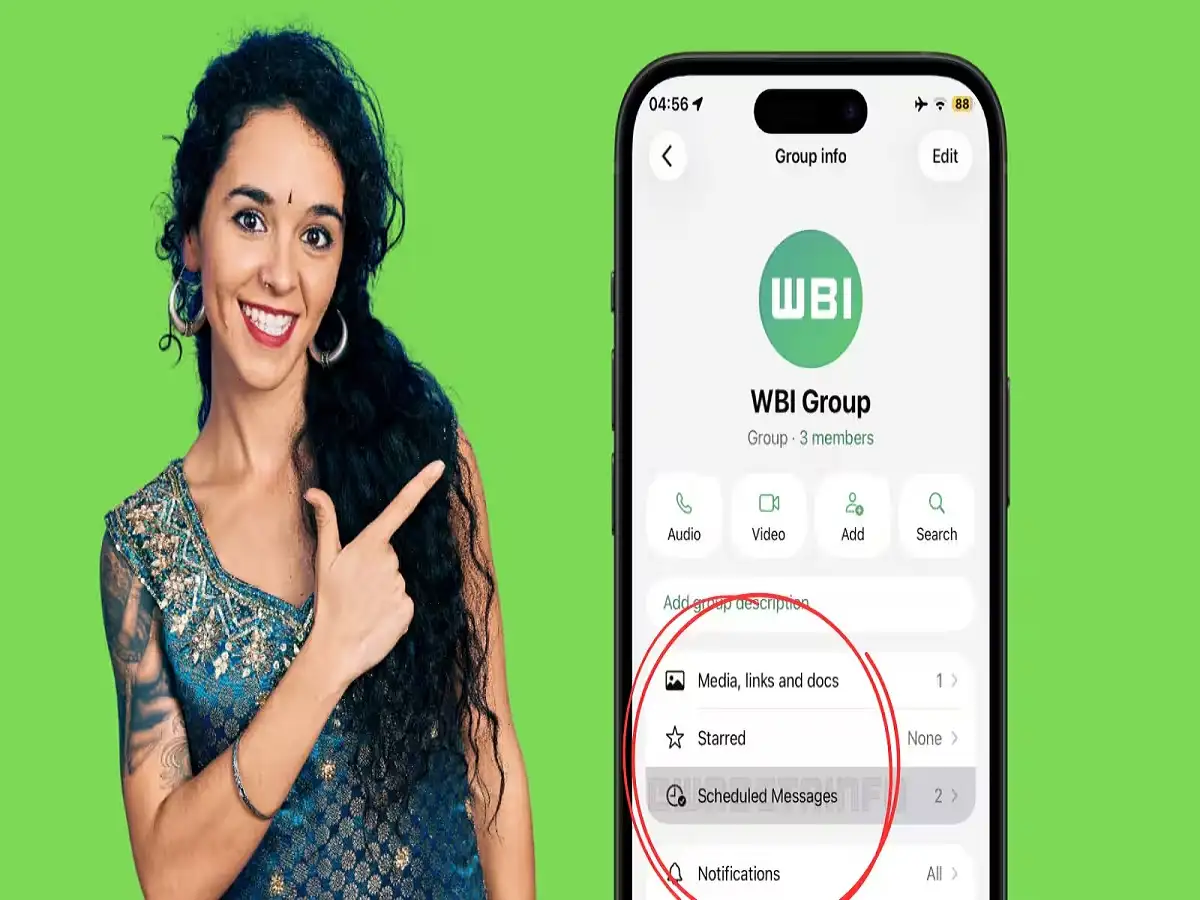
WhatsApp Message Scheduling Feature: Sending birthday greetings at midnight, sharing anniversary wishes early in the morning or delivering important office updates at a specific time could become much easier with WhatsApp's reported new message scheduling functionality.
The popular instant messaging platform has reportedly started introducing this feature in India and several other countries. It allows users to compose messages in advance and select a specific date and time for automatic delivery.
While the functionality offers several advantages for personal and professional communication, using it carelessly could lead to misunderstandings, embarrassment and even business-related problems.
Since scheduled messages are designed to be delivered automatically, users must pay additional attention to their content, recipients and delivery timings.
What Is WhatsApp’s Message Scheduling Feature?
WhatsApp's message scheduling facility reportedly enables users to prepare messages in advance rather than sending them immediately. Users can choose a future delivery time, allowing the application to send the message automatically.
According to reports, the functionality supports scheduling messages from approximately 10 minutes to two weeks in advance. Users can also schedule photographs, videos and website links alongside regular text messages.
The feature is reportedly being introduced gradually, meaning some users may have to wait before receiving it on their accounts.
Three Major Benefits of WhatsApp Message Scheduling
1. Never Forget Birthdays and Special Occasions
Remembering multiple birthdays, wedding anniversaries and other important occasions can sometimes become challenging.
With the scheduling facility, users can prepare personalised greetings in advance and select the appropriate delivery time. This could be particularly convenient for people who want to send midnight wishes without interrupting their sleeping schedules.
2. Simplify Workplace and Business Communication
The functionality could prove beneficial for working professionals, entrepreneurs and business owners who regularly communicate through WhatsApp.
Meeting reminders, routine announcements, project updates and customer communications can be prepared beforehand and scheduled for suitable working hours.
It could also help professionals avoid disturbing colleagues with non-urgent messages outside office hours.
3. Schedule Multimedia Content Along With Text Messages
The reported functionality is not restricted to written communication. Users can also schedule photographs, videos and website links.
According to the supplied report, scheduled messages may be delivered even when the sender's smartphone is not connected to the internet at the selected time.
This could make communication more convenient for people travelling or working in areas with unreliable network connectivity.
WhatsApp Message Scheduling: Five Risks Every User Should Understand
1. Changing Circumstances Could Make Messages Inappropriate
A message that appears suitable when it is written may become inappropriate by the time it is delivered.
For example, you might schedule a cheerful message for the following morning, unaware that the recipient could experience an unexpected personal emergency overnight.
If the scheduled message is not cancelled in time, its automatic delivery could create an uncomfortable situation.
Users should regularly review pending messages, particularly those scheduled several days in advance.
2. Automated Greetings May Sometimes Feel Less Personal
Birthday wishes, anniversary greetings and congratulatory messages often carry emotional significance.
Although scheduling does not necessarily make a message less meaningful, relying excessively on generic automated greetings could make personal communication feel less thoughtful.
Adding personalised details and occasionally following up with a phone call or direct conversation can help maintain meaningful relationships.
3. Outdated Information Could Create Unnecessary Confusion
Information can change rapidly, particularly in professional environments.
A scheduled message containing meeting timings, product prices, travel arrangements or event details could become inaccurate before its delivery.
If recipients act on outdated information, it could result in missed appointments, operational difficulties or unnecessary confusion.
Users should verify time-sensitive information before allowing scheduled messages to be delivered.
4. Delaying Urgent Messages Could Have Serious Consequences
Not every communication is suitable for automatic scheduling.
Emergency alerts, security warnings, medical updates and urgent business decisions should generally be communicated immediately.
Scheduling critical information for a later time could prevent recipients from taking timely action.
For genuinely urgent situations, users should consider making a direct phone call rather than depending solely on a scheduled WhatsApp message.
5. Scheduling Errors Could Damage Professional Reputation
Businesses and professionals must exercise particular caution when using automated messaging facilities.
Sending confidential information to the wrong recipient, sharing expired promotional offers or delivering incorrect customer updates could negatively affect professional relationships.
Even a minor scheduling mistake could create reputational or financial consequences in certain circumstances.
Businesses should establish a verification process before scheduling important customer communications or official announcements.
WhatsApp Scheduled Messages: Benefits and Potential Risks
| Benefits | Potential Risks |
|---|---|
| Timely birthday and anniversary greetings | Messages may become inappropriate |
| Improved workplace communication | Outdated professional information |
| Convenient multimedia sharing | Incorrect attachments or recipients |
| Reduced chances of forgetting reminders | Delayed delivery of urgent information |
| Better communication planning | Potential damage to business reputation |
| Automatic message delivery | Reduced opportunity to reconsider messages |
Important Safety Tips for Using WhatsApp Message Scheduling
Users can reduce the chances of scheduling-related mistakes by following these simple precautions:
- Double-check the recipient's name before confirming a scheduled message.
- Verify the selected delivery date and time, including AM and PM settings.
- Review pending messages regularly and cancel outdated communications.
- Avoid scheduling emergency alerts or highly sensitive information.
- Confirm that attached photographs, videos and links are correct.
- Consider the recipient's working hours and time zone.
- Avoid scheduling important business announcements too far in advance.
- Use personalised greetings instead of repeatedly sending generic messages.
Why Is the WhatsApp Scheduling Feature Not Available to Everyone?
WhatsApp is reportedly introducing the functionality through a phased rollout. Consequently, users may receive access at different times depending on their accounts, devices and application versions.
Those who cannot find the scheduling option should check for updates through their smartphone's official application store. If the functionality remains unavailable after updating, they may need to wait for a wider rollout.
Users should avoid installing unofficial WhatsApp applications that claim to offer early access to scheduling features, as these could compromise account security and personal information.
WhatsApp's message scheduling functionality could become a valuable communication tool when used responsibly. However, automatic delivery should complement thoughtful communication rather than replace it. Reviewing scheduled messages and sharing urgent information immediately can help users enjoy the convenience without unnecessary complications.
Note: Feature availability, scheduling limits and offline delivery capabilities are based on the supplied media report and have not been independently verified. Actual functionality may vary depending on the official rollout and application version.