If you have invested in the National Pension System (NPS), your Permanent Retirement Account Number (PRAN) is one of the most important details associated with your retirement account. Every NPS subscriber is allotted a unique 12-digit PRAN, which remains an important identification reference for the subscriber's NPS account.
While subscribers may receive a physical PRAN card, there can be situations when the card is unavailable, misplaced or simply not with you when you need the information. In such cases, having access to a digital version can be convenient.
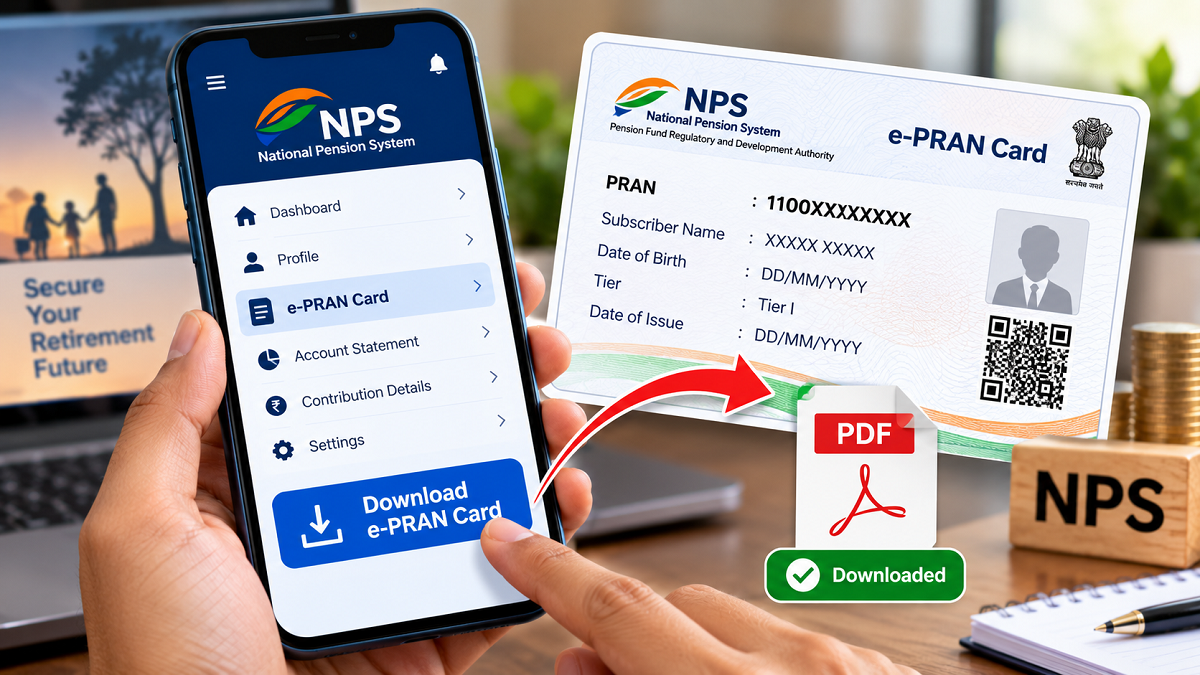
The e-PRAN card, or electronic PRAN card, provides subscribers with a digital version of their PRAN details. Depending on the services available through the subscriber's NPS account and recordkeeping platform, the digital card can be accessed online and saved for future use.
Here's what an e-PRAN card is and how NPS subscribers can access it through the applicable mobile services.
What Is an e-PRAN Card?
An e-PRAN is the electronic version of the PRAN card associated with an NPS account.
It contains important subscriber and PRAN-related information and provides a convenient way to keep those details available digitally. Instead of depending entirely on a physical card, subscribers can retain an electronic copy on a secure device.
Where a PDF download facility is provided, the document can be saved and a printout can also be taken whenever required.
However, subscribers should keep the downloaded document secure because it contains personal account-related information.
How to Access Your e-PRAN Through an NPS Mobile App
The exact menu names and login process can differ depending on the official NPS app or Central Recordkeeping Agency (CRA) associated with your account. Subscribers should therefore use only the official mobile application applicable to their NPS account.
Here is the general process.
Step 1: Install the Official NPS App
Open the Google Play Store if you use an Android smartphone or Apple's App Store if you have an iPhone.
Search for the official NPS application associated with your CRA or NPS account.
Before installing an app, carefully verify its publisher and other identifying details. Avoid downloading applications through unknown links received over SMS, messaging apps or social media.
Install the verified application and complete the required setup.
Step 2: Sign In Using Your PRAN
Open the application and go to the subscriber login section.
You may be asked to enter your 12-digit PRAN along with the applicable password, IPIN or other authentication credentials.
If you cannot remember your password or IPIN, look for the official password-reset or "Forgot Password" facility. Complete the required verification instead of trying to obtain login help through an unknown third party.
Never share your password, OTP or other confidential NPS credentials with anyone claiming to help you download the card.
Step 3: Find the e-PRAN or Profile Section
After successfully signing in, open the menu, account or profile section.
Depending on the application, the digital PRAN facility may appear under options such as Profile, PRAN Details, Subscriber Details or e-PRAN.
Select the relevant option to view the available PRAN information.
The exact wording and location of the option can change with app updates, so subscribers should not be concerned if their screen looks slightly different from older instructions.
Step 4: Download and Secure the e-PRAN
If your application provides a download option, select it to obtain the electronic PRAN document.
The e-PRAN may be available in PDF or another supported digital format. Once downloaded, save it in a secure location on your device.
If a physical copy is required for your records, you can print the downloaded document.
Avoid storing sensitive financial documents in publicly accessible folders or sharing them unnecessarily through messaging applications.
Why Keeping an e-PRAN Can Be Useful
A digital PRAN can be particularly helpful when the physical card is not immediately available.
Since the document can be stored electronically, subscribers can access their PRAN information without carrying the physical card everywhere. It may also serve as a convenient reference if the original card has been misplaced.
Another advantage is accessibility while travelling. Having the required PRAN details available securely on your phone can save time when account information is needed.
Where online access and downloading are available, subscribers also do not need to visit an office merely to obtain a digital copy.
Keep Your NPS Login Details Secure
Convenience should not come at the cost of account security. NPS subscribers should download account-related documents only through authorised applications and official websites.
Do not disclose your PRAN password, IPIN, OTP or other authentication details to unknown callers or websites. Be particularly cautious about messages claiming that your NPS account will be blocked unless you immediately click a link or provide confidential information.
If you are uncertain about the correct mobile app, login process or e-PRAN download option, check the official NPS or relevant CRA information before proceeding.
Keeping a secure digital copy of the e-PRAN can make accessing your NPS details easier, while careful handling of login credentials can help protect your retirement account from unauthorised access.