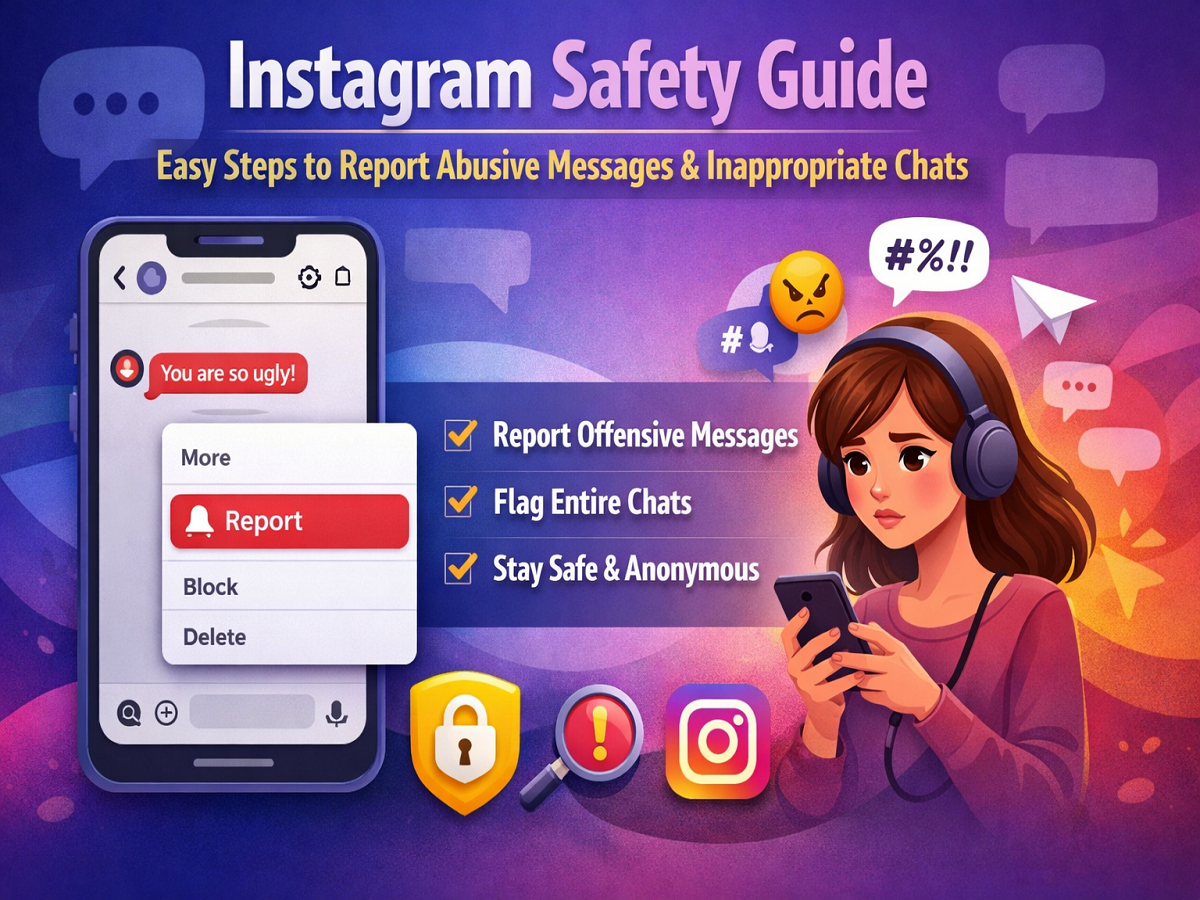
Social media platforms have made communication faster and more convenient, but they also come with challenges like spam, harassment, and offensive content. To tackle such issues, Instagram offers built-in tools that allow users to report inappropriate messages and conversations quickly and securely.
If you’ve ever received a disturbing or abusive message, here’s a complete, easy-to-follow guide to help you report it effectively.
Why You Should Report Harmful Messages
Instagram’s Direct Messages (DMs) feature allows users to exchange texts, images, and videos in private chats. However, not all interactions are positive. Reporting offensive messages helps the platform identify policy violations and take necessary action against accounts that misuse the service.
By reporting such content, you also contribute to making the platform safer for others.
Step-by-Step: Reporting a Single Offensive Message
If only a particular message within a conversation is problematic, you don’t need to report the entire chat. Instagram allows you to flag individual messages.
Follow these steps:
- Open the Instagram app on your smartphone
- Go to the Direct Messages (DM) section
- Open the chat where you received the offensive message
- Tap and hold the message you want to report
- Select the “More” option from the menu
- Tap on “Report”
- Choose the reason (such as harassment, abuse, or spam)
- Follow the on-screen prompts and submit your report
This ensures that only the specific message is reviewed without impacting the rest of your conversation.
Step-by-Step: Reporting an Entire Chat
In cases where the whole conversation feels inappropriate or harmful, Instagram gives you the option to report the entire chat thread.
Here’s how:
- Launch the Instagram app
- Head to your DM inbox
- Tap and hold the conversation you want to report
- Open the chat and tap the user’s name at the top
- Scroll down and select “Report”
- Pick a suitable reason
- Tap “Submit Report” to complete the process
Note: This feature is mainly available for one-on-one chats and may not support group conversations.
What Instagram Does After You Report
Once a report is submitted, Instagram reviews the complaint carefully. Typically, the platform checks up to 30 recent messages from the reported conversation to understand the context.
Based on its findings, actions may include:
- Issuing warnings
- Restricting account activity
- Temporarily or permanently suspending the account
Importantly, your identity remains confidential. The reported user will not know who filed the complaint, ensuring your privacy and safety.
Understanding the Account Status Feature
Owned by Meta Platforms, Instagram also offers an Account Status feature that helps users monitor whether their posts or activity violate community guidelines.
This feature allows you to:
- Check if any content has been flagged
- Understand possible restrictions on reach or visibility
- Take corrective action to stay compliant
For creators and regular users alike, this tool is valuable in maintaining a healthy account presence.
Extra Tips for a Safer Experience
- Block or restrict users who send repeated unwanted messages
- Avoid sharing personal information with unknown accounts
- Enable privacy settings to control who can message you
- Regularly review and clean up your inbox
Conclusion
Dealing with offensive messages can be stressful, but Instagram provides simple and effective tools to handle such situations. Whether it’s a single message or an entire conversation, reporting inappropriate content is quick and confidential.
By taking action, you not only protect yourself but also help build a safer and more respectful online community.