Instagram has been steadily improving its direct messaging experience, and one of its most practical updates is the Quick Reply feature. This option allows users to respond to incoming messages instantly—without switching to the inbox or interrupting their browsing experience. If you often receive DMs while scrolling reels or posts, this feature can save time and keep conversations flowing smoothly.
Below is a detailed, step-by-step guide explaining what Instagram’s Quick Reply feature is, how it works, and how you can use it on both iPhone and Android devices.
What Is Instagram’s Quick Reply Feature?
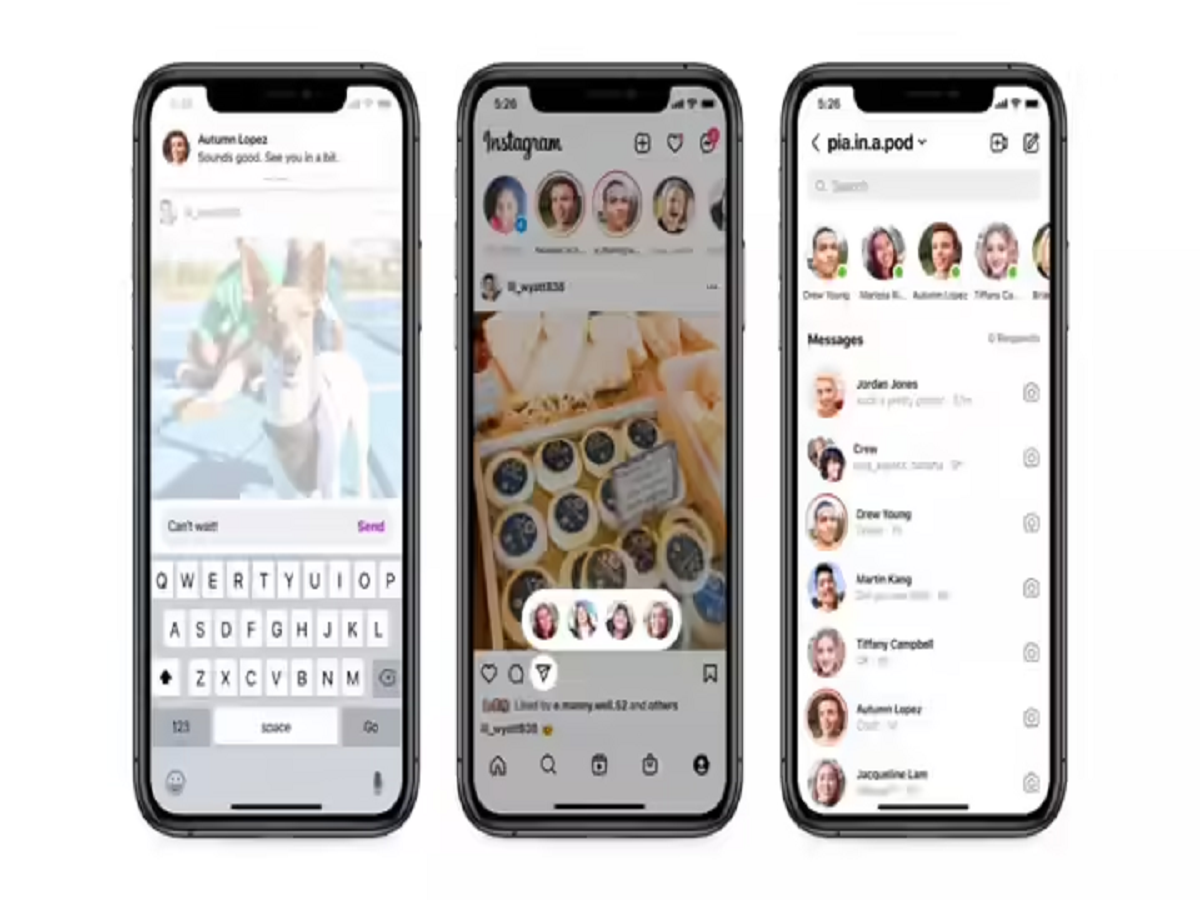
The Quick Reply feature enables users to respond to direct messages directly from the notification banner that appears at the top of the screen. Earlier, replying to a message meant leaving the post, story, or reel you were viewing and opening the inbox. With Quick Reply, that extra step is no longer required.
This functionality is similar to the quick response option available on WhatsApp, where users can reply to messages without fully opening the chat window. Instagram has adapted this idea to make in-app communication faster and more convenient.
Why This Feature Matters
Instagram is no longer just a photo-sharing app—it’s a full-fledged communication platform for friends, creators, influencers, and businesses. With DMs playing a major role, the Quick Reply feature offers several benefits:
- Saves time by reducing unnecessary navigation
- Keeps your browsing uninterrupted
- Improves response speed, especially for creators and businesses
- Enhances multitasking while using the app
Whether you are casually chatting or managing multiple conversations, this feature adds efficiency to daily usage.
How to Send a Quick Reply on Instagram Using an iPhone
If you are using Instagram on an Apple iPhone, follow these simple steps:
- While scrolling through Instagram, wait for a new message notification to appear at the top of your screen.
- Tap on the notification and swipe it downward.
- A reply box along with the keyboard will appear instantly.
- Type your message in the text field.
- Tap Send to deliver your reply.
Your message will be sent without opening the inbox, allowing you to continue browsing exactly where you left off.
How to Send a Quick Reply on Instagram Using an Android Smartphone
Android users can also take advantage of this feature by following these steps:
- When a new message arrives, a notification will appear at the top of the Instagram app.
- Tap on the notification.
- You will see two options: Like and Reply.
- Select Reply to open the message box.
- Type your response using the on-screen keyboard.
- Tap Send to share your reply instantly.
Just like on iOS, this process avoids redirecting you to the inbox.
Things to Keep in Mind
- The Quick Reply feature works only when you receive a message notification while actively using Instagram.
- It may not appear if notifications are disabled for the app.
- The feature is gradually rolling out, so some users may receive it later than others.
- Instagram app updates are required to access the latest messaging tools.
Final Thoughts
Instagram’s Quick Reply feature is a small but impactful update that improves everyday usability. By allowing instant replies without disrupting content consumption, Instagram makes communication faster and more seamless. Whether you’re chatting with friends or responding to followers, this feature ensures you stay connected without breaking your flow.
If you haven’t tried it yet, make sure your Instagram app is updated to the latest version and notifications are enabled—so you never miss a message or a moment.