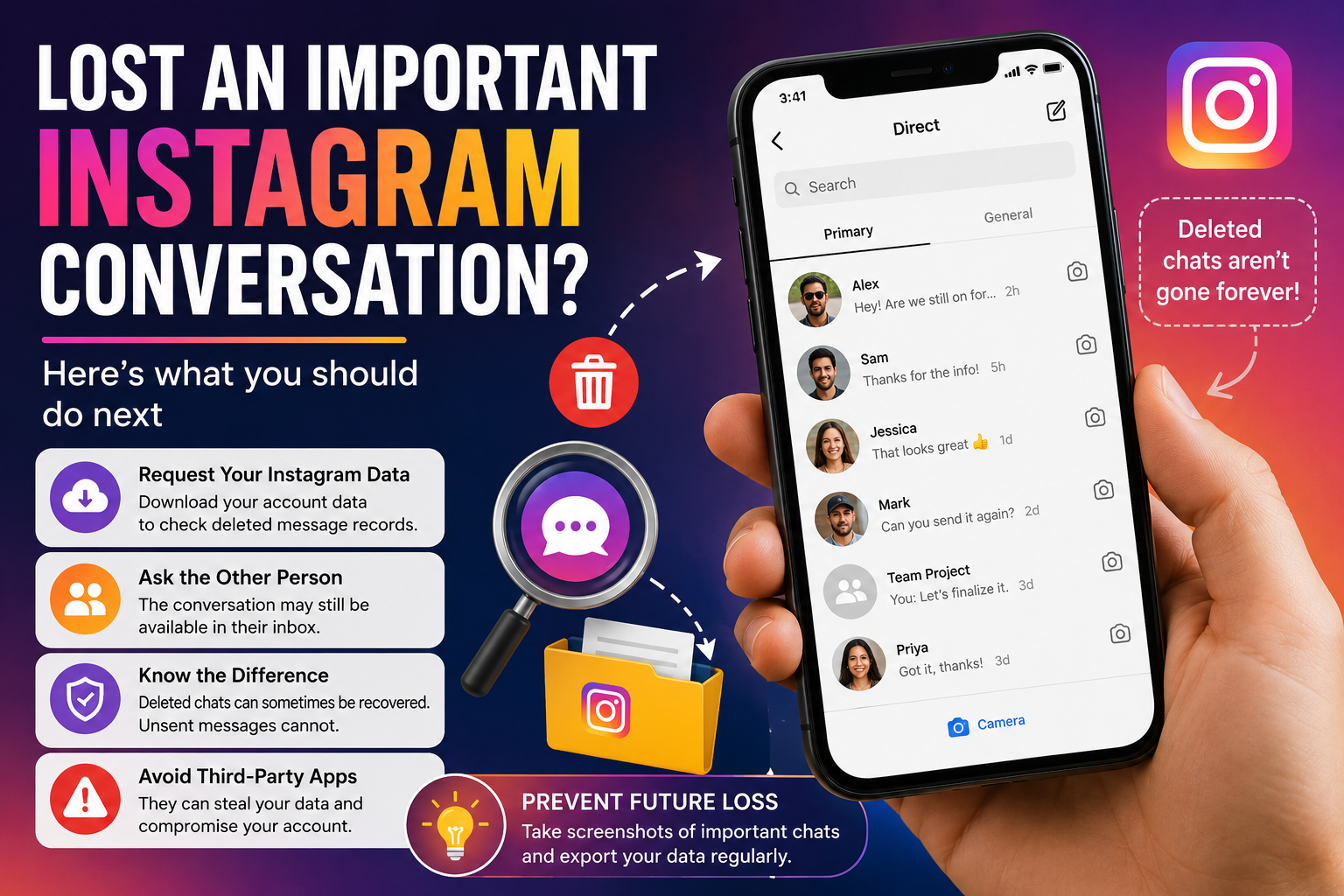
Instagram has become one of the most popular platforms for personal conversations, business discussions, and sharing important information. However, accidentally deleting an important direct message (DM) can be frustrating, especially when you realize later that the conversation contained valuable details, contact information, or business records.
Unlike photos, reels, videos, and stories, Instagram does not provide a dedicated recovery option for deleted direct messages. Once a chat is removed from your inbox, it disappears immediately. However, that doesn't always mean the data has been erased forever. There are still a few legitimate methods that may help users access deleted conversations before they are permanently removed from Meta's systems.
Can Deleted Instagram Messages Be Restored?
The simple answer is no—Instagram currently does not offer a built-in feature that allows users to restore deleted chats directly back into their inbox.
When a conversation is deleted, it vanishes from the chat section instantly. However, copies of message data may remain stored on Meta's servers for a limited period. In some situations, users may still be able to access message records through Instagram's account data export feature.
This method does not restore messages to the app itself but may allow you to view previously deleted conversations if they are still available in your account records.
How Instagram Handles Deleted Content
Instagram treats different types of content differently after deletion.
Photos, videos, reels, stories, and notes generally move to the "Recently Deleted" folder, where they can remain recoverable for up to 30 days before being permanently removed.
Direct messages follow a separate process. Deleted chats do not appear in the Recently Deleted section, making them inaccessible through Instagram's standard recovery tools.
Meta states that complete removal of deleted content from all systems and backups can take up to 90 days. During this period, certain records may still exist for security, legal, or backup purposes.
Requesting Your Instagram Account Data
One of the most effective ways to check whether deleted messages are still available is by requesting a copy of your Instagram account data.
Meta stores various account activities and records, and downloaded account information may include message history that no longer appears in your inbox.
Steps to Download Instagram Data
Step 1: Open Instagram and go to your profile page.
Step 2: Tap the menu icon and select Accounts Center.
Step 3: Choose Your Information and Permissions.
Step 4: Tap Export Your Information.
Step 5: Select Export to Device.
Step 6: Choose Customize Information and select only the Messages category to speed up processing.
Step 7: Select HTML as the file format and choose the desired date range.
Step 8: Confirm your password and tap Start Export.
Step 9: Wait for Instagram to prepare your file and send a download link via email.
Step 10: Download and unzip the file, then review the messages folder to check whether deleted conversations are included.
While success is not guaranteed, many users have been able to access message records through this method.
Ask the Other Person for Help
If you deleted the chat only from your side, there is a good chance the conversation still exists in the other person's inbox.
Instagram's delete option removes messages from your account but does not automatically erase them from the recipient's chat history.
In such cases, the quickest solution may be to contact the other participant and request screenshots, message copies, or forwarded information.
This method is particularly useful when recovering important details such as addresses, payment information, meeting schedules, or business discussions.
Deleted vs. Unsent Messages: Know the Difference
Many users confuse deleting a chat with unsending a message, but the two actions work differently.
Deleted Conversation
- Removes the chat only from your inbox.
- Records may still exist in backups or exported account data.
- The recipient can still see the conversation.
Unsent Message
- Removes the message for everyone in the chat.
- The content disappears from both sender and recipient accounts.
- Meta generally does not include unsent messages in exported account data.
As a result, recovering an unsent message is significantly more difficult.
Avoid Third-Party Recovery Tools
Numerous websites and applications claim they can recover deleted Instagram messages instantly. Security experts strongly advise against using such services.
Many of these platforms are designed to:
- Steal login credentials
- Access Instagram accounts without permission
- Collect personal information
- Install malware or harmful software
Never share your Instagram password, verification codes, or account credentials with unknown services.
The safest recovery methods remain Instagram's official data export feature and contacting the other person involved in the conversation.
How to Protect Important Chats in the Future
Since Instagram does not provide a dedicated deleted-message recovery tool, prevention is the best strategy.
Users can safeguard important conversations by:
- Taking screenshots of critical chats
- Saving important details separately
- Regularly exporting account data
- Double-checking before deleting conversations
Final Thoughts
Losing an important Instagram conversation can be stressful, but there are still a few legitimate ways to retrieve message records. While Instagram does not allow direct restoration of deleted DMs, downloading your account data or contacting the other participant may help recover valuable information.
For users who frequently use Instagram for work, business, or important personal discussions, maintaining backups and exercising caution before deleting chats can prevent permanent loss in the future.