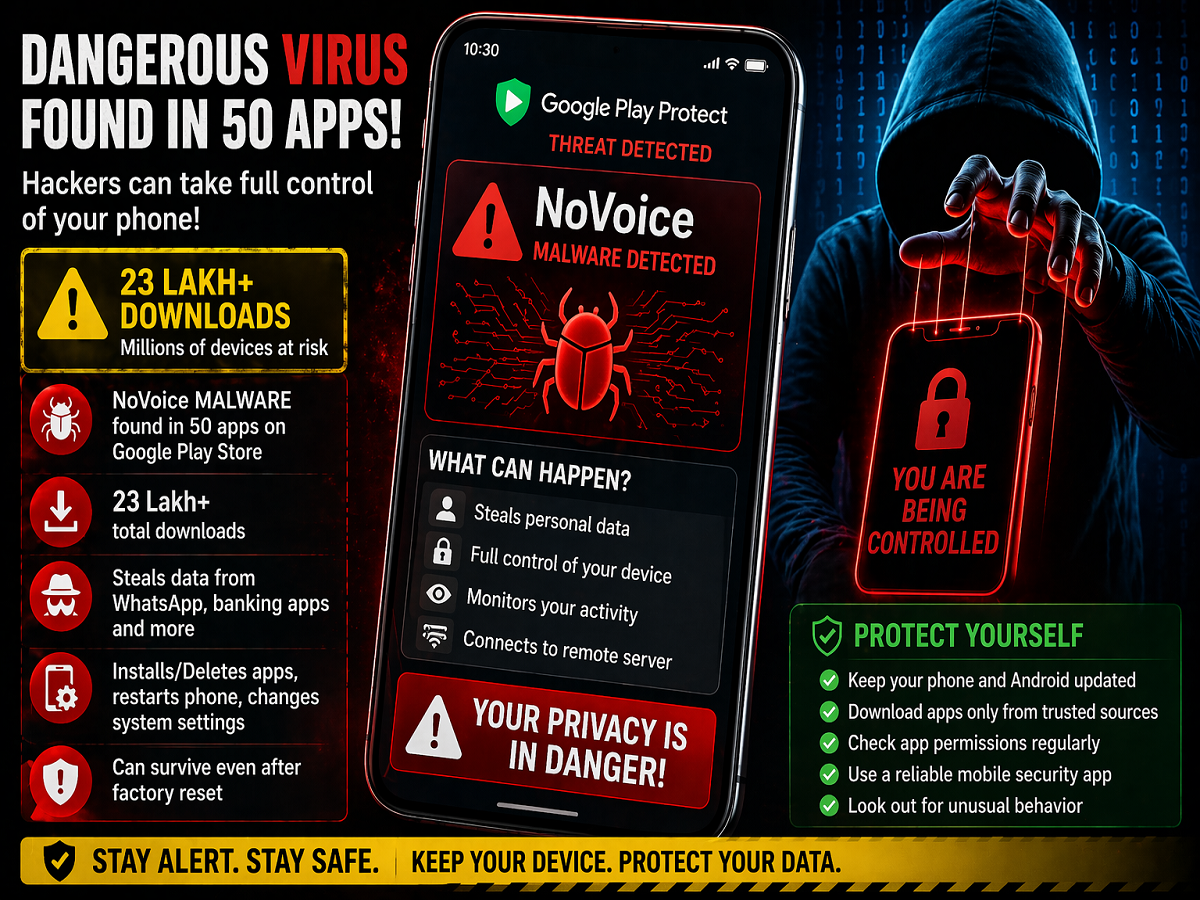
A major cybersecurity warning has surfaced for Android users, as researchers have discovered a dangerous malware known as NoVoice hidden inside dozens of apps on the Google Play Store. According to reports, nearly 50 apps were infected, and these apps were downloaded more than 2.3 million times, putting a large number of devices at potential risk.
Malware Hidden Inside Popular-Looking Apps
The infected apps reportedly appeared harmless, posing as everyday tools such as games, cleaning apps, and gallery utilities. This made them difficult to detect during initial checks, allowing the malware to spread widely without raising suspicion.
Cybersecurity researchers from McAfee identified the threat and alerted authorities. Following the discovery, Google is said to have removed these apps from the Play Store. However, the risk still remains for users who may have already installed them on their devices.
How the NoVoice Malware Works
Unlike typical malware that activates immediately, NoVoice is designed to remain inactive for a period after installation. Once triggered—usually when the app is opened—it attempts to exploit older Android vulnerabilities to gain root access to the device.
Root access allows hackers to take deep control of the system, bypassing standard security layers. This makes the malware particularly dangerous compared to common threats.
What Data Can Be Compromised?
Once inside the system, the malware can collect a wide range of sensitive information, including:
- Device hardware details
- Android version and system configuration
- List of installed apps
After gathering this data, it connects to a remote command-and-control server, where it receives further instructions. This allows attackers to continuously monitor and manipulate the infected device.
Full Control Over Your Phone
Researchers warn that NoVoice is capable of performing several harmful actions, such as:
- Stealing data from apps like WhatsApp and banking services
- Installing or deleting apps without user permission
- Restarting the device remotely
- Modifying system settings
In some cases, the malware may embed itself into the system partition, making it extremely difficult to remove—even after performing a factory reset.
Are All Devices at Risk?
There is some relief for users running updated systems. Reports indicate that Android devices with security patches released after May 2021 are largely protected against this specific exploit. However, older devices or those without recent updates remain vulnerable.
Warning Signs You Should Not Ignore
Experts advise users to stay alert for unusual behavior on their phones. Some common warning signs include:
- Sudden battery drain
- Frequent automatic restarts
- Unknown apps appearing or disappearing
- Slower device performance
If any of these signs are noticed, immediate action is recommended.
How to Stay Safe
To protect your device and personal data, follow these essential safety tips:
- Always download apps from trusted developers
- Keep your phone updated with the latest security patches
- Avoid installing unknown APK files from third-party sources
- Regularly review installed apps and permissions
- Use reliable mobile security software
Final Take
This incident highlights that even platforms like the Google Play Store are not entirely immune to threats. While Google has removed the affected apps, users must remain cautious and proactive about their digital safety.
With cyber threats becoming more sophisticated, awareness is your first line of defense. Staying informed and maintaining basic security practices can go a long way in protecting your smartphone from such hidden dangers.