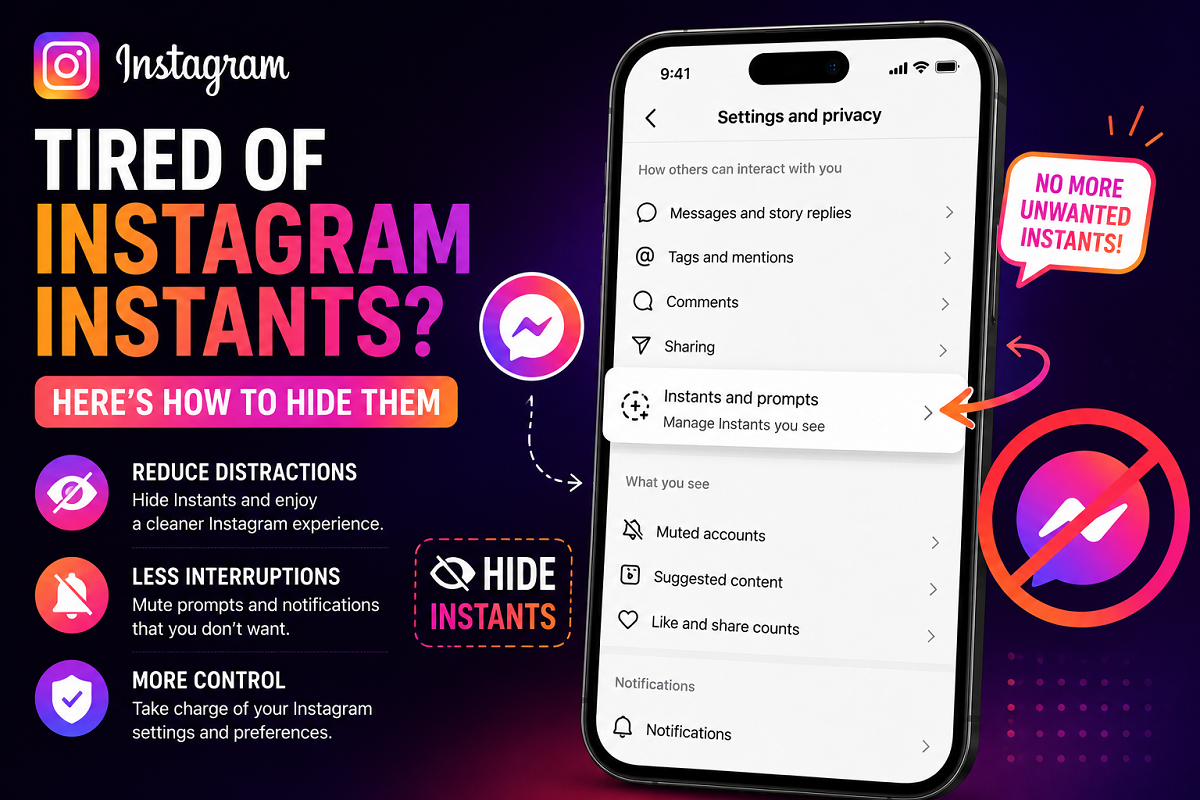
Instagram’s new “Instants” feature has started appearing on many users’ feeds, but not everyone is happy about it. While Meta introduced the feature to make conversations quicker and more interactive, several users say the constant appearance of Instants is becoming distracting and overwhelming.
If you are among those who want a cleaner Instagram experience, the good news is that there are ways to reduce, mute, or completely hide Instagram Instants from your app experience.
Here’s everything you need to know about Instagram Instants and how you can stop them from interrupting your scrolling.
What Are Instagram Instants?
Instagram Instants is a recently introduced feature designed to encourage quick interactions between users. The feature works similarly to spontaneous chat prompts or instant social updates that appear inside the app.
Meta appears to be positioning Instants as a faster and more casual communication tool, especially for younger users who prefer real-time engagement instead of traditional posts or stories.
The feature may include:
- Quick prompts from friends
- Instant reaction suggestions
- Fast interaction cards
- Conversation nudges
- Temporary engagement notifications
Although some users enjoy the feature, others feel it adds unnecessary clutter to the app.
Why Many Users Want to Hide Instagram Instants
Several Instagram users have complained that Instants can make the app feel too busy. Since Instagram already includes reels, stories, notes, broadcasts, ads, and suggested posts, many people believe Instants add another layer of distractions.
Common complaints include:
- Too many pop-ups and prompts
- Disruptions while scrolling reels
- Increased notifications
- Unwanted suggestions from contacts
- Cluttered messaging experience
Some users also prefer using Instagram only for content viewing rather than continuous social interactions.
As a result, searches related to “How to disable Instagram Instants” have started increasing online.
Can You Completely Turn Off Instagram Instants?
At the moment, Instagram does not appear to offer a dedicated single-button option that completely disables Instants for every user.
However, there are several settings adjustments that can significantly reduce how often the feature appears.
Depending on your app version and region, some controls may vary slightly.
How to Hide or Reduce Instagram Instants
1. Mute Notifications Related to Instants
One of the easiest ways to reduce interruptions is by disabling Instagram notifications connected to messaging and activity prompts.
Follow these steps:
- Open Instagram
- Go to your Profile
- Tap the three-line menu in the top-right corner
- Open “Settings and Privacy”
- Tap “Notifications”
- Reduce or mute messaging-related alerts
This can help prevent instant prompts from constantly appearing on your phone.
2. Restrict Activity Status
Instagram’s activity status settings may also affect how interactive features behave.
To turn it off:
- Open Instagram Settings
- Go to “Messages and Story Replies”
- Tap “Show Activity Status”
- Disable the option
This reduces real-time interaction visibility and may limit certain Instant suggestions.
3. Mute Specific Chats or Users
If Instants are mostly appearing from particular users or group conversations, muting those chats can help clean up your experience.
To mute a chat:
- Open Instagram DMs
- Select the conversation
- Tap the user or group name
- Choose “Mute Messages” or “Mute Notifications”
This prevents repeated interaction prompts from specific accounts.
4. Update or Reinstall the App
Instagram frequently changes features during testing phases. Some users may see more Instants than others because of beta updates or experimental rollouts.
Updating the app or reinstalling it can sometimes reset temporary feature settings.
Visit:
Meta Continues Expanding Interactive Features
Instagram Instants is part of Meta’s broader strategy to make its platforms feel more interactive and conversation-focused.
Over the past year, Meta has introduced:
- AI-generated tools
- Broadcast channels
- Notes
- Real-time prompts
- Interactive stickers
- AI chat integrations
The company is increasingly focusing on boosting engagement and keeping users active inside the app for longer periods.
However, not every feature receives a positive reaction from users.
Users Continue Asking for More Control
One major criticism surrounding modern social media apps is the lack of customization options. Many users want more control over which features they see and how frequently they appear.
As complaints about Instants grow, Meta may eventually introduce stronger controls that allow users to disable the feature entirely.
Until then, adjusting notification settings and muting interaction prompts remain the best available solutions.
Should You Disable Instagram Instants?
Whether you keep or hide Instants depends entirely on how you use Instagram.
If you enjoy quick conversations and spontaneous interactions, the feature may improve your social experience.
But if you prefer a cleaner feed focused mainly on reels, stories, and posts, reducing Instants can make Instagram feel less crowded and more relaxing to use.
As Instagram continues evolving into a more AI-driven and engagement-heavy platform, users are likely to see even more interactive features in the future.