NEWS
WhatsApp Block Check: New Trick Claims to Reveal If Someone Has Blocked You Without Sending a Message
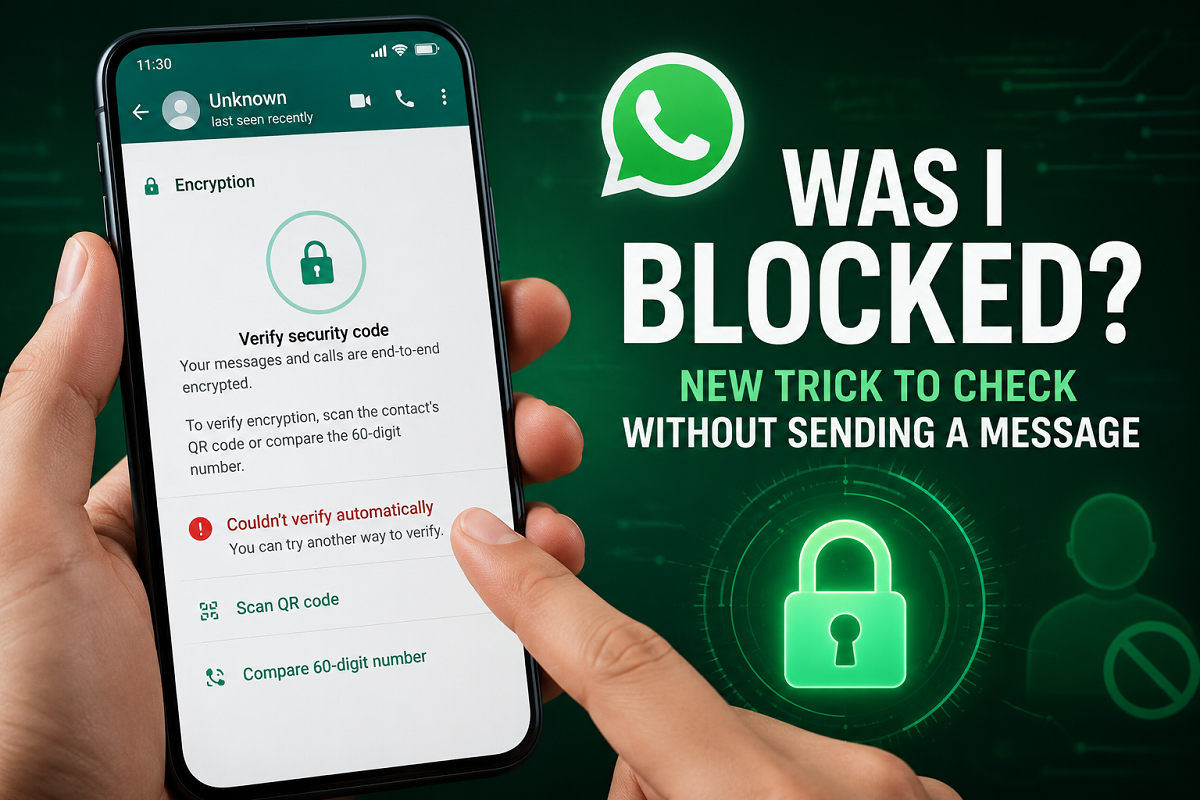
WhatsApp Tips: Wondering whether someone has blocked you on WhatsApp? While most users rely on profile pictures, online status, or message delivery indicators, a lesser-known method involving WhatsApp’s encryption verification feature is now gaining attention.
According to recent reports, Android and iPhone users may be able to use WhatsApp’s end-to-end encryption verification system to identify possible blocks without sending a message or making a call.
Traditional Signs Are Not Always Reliable
Most people try to determine whether they have been blocked by checking:
- Profile picture visibility
- Last seen or online status
- Status updates
- Message delivery ticks
- Call connectivity
However, these indicators are not always accurate. A user may have changed privacy settings, switched devices, removed their profile photo, or limited visibility without actually blocking anyone.
Because of this, users often look for more dependable ways to confirm whether they have been blocked.
The New Encryption Verification Method
A new approach involves WhatsApp's built-in encryption verification feature.
Reports suggest that when a user blocks someone, WhatsApp’s automatic encryption verification process for that specific chat may stop functioning normally. While the end-to-end encryption itself remains secure, the automatic verification process may repeatedly fail.
This behavior has led some users to believe it could be a potential indicator of a block.
How WhatsApp Encryption Verification Works
Every WhatsApp chat is protected by a unique encryption key. WhatsApp may update these keys in certain situations, including:
- Reinstalling WhatsApp
- Changing to a new smartphone
- Linking the account to another device
- Restoring a backup
Users can manually verify encryption through the contact information section of any chat.
How to Check Using Encryption Verification
If you want to try this method, follow these steps:
Step 1
Open the WhatsApp chat of the person you want to check.
Step 2
Tap the contact’s name at the top of the chat screen to open the Contact Info page.
Step 3
Scroll down and tap the Encryption option.
Step 4
Wait a few seconds while WhatsApp attempts to automatically verify the encryption status.
Step 5
Review the result.
If WhatsApp cannot automatically verify the end-to-end encryption and instead asks you to use another verification method, some users believe this may indicate that something has changed in the connection between both accounts.
Does Verification Failure Mean You Are Blocked?
Not necessarily.
Even if automatic verification fails, it does not automatically confirm that you have been blocked. The issue could be related to:
- Device changes
- Account reinstallation
- Linked devices
- Technical synchronization issues
- Temporary WhatsApp server problems
Therefore, encryption verification should be considered only as an additional clue rather than definitive proof.
Important Disclaimer
WhatsApp has never officially confirmed that encryption verification failures can be used to determine whether a user has been blocked.
As a result, this method should not be treated as a guaranteed way to identify blocks. The most reliable approach is still to look at multiple indicators together rather than relying on a single sign.
Final Takeaway
The encryption verification trick offers an interesting alternative for users curious about whether someone has blocked them on WhatsApp. While it may provide additional clues, it is not an officially supported block-detection feature.
For now, users should combine traditional indicators such as message delivery status, profile visibility, calls, and privacy settings with this new method before drawing any conclusions.
Disclaimer: WhatsApp has not officially endorsed this technique as a block-detection tool. Results may vary depending on account settings, device changes, and app updates.