Mobile Camera Cleaning Tips: If you often wipe your phone camera with your T-shirt, jeans, or towel, it’s time to stop. While these fabrics may feel soft, they can actually damage your smartphone lens over time. Improper cleaning methods can lead to scratches, blurry photos, and permanent loss of image quality.
In today’s world, where smartphones are used to capture everyday memories, maintaining the camera lens properly is more important than ever. Here’s a complete guide on what you should avoid and the correct way to clean your phone camera safely.
Why Cleaning Your Camera with Clothes Is Risky
Many people unknowingly clean their phone lenses using clothes like shirts or handkerchiefs. However, this habit can do more harm than good.
Even soft fabrics contain tiny dust particles trapped in their fibers. When you rub the lens with such materials, these particles act like sandpaper and create micro-scratches on the surface.
Over time:
- The protective coating on the lens starts wearing off
- Photos begin to look dull or hazy
- Image clarity permanently reduces
Using tissue paper is also not recommended, as it can leave lint particles stuck on the lens.
Correct Way to Clean Your Phone Camera
To keep your camera lens in perfect condition, follow these safe and effective steps:
1. Use a Microfiber Cloth
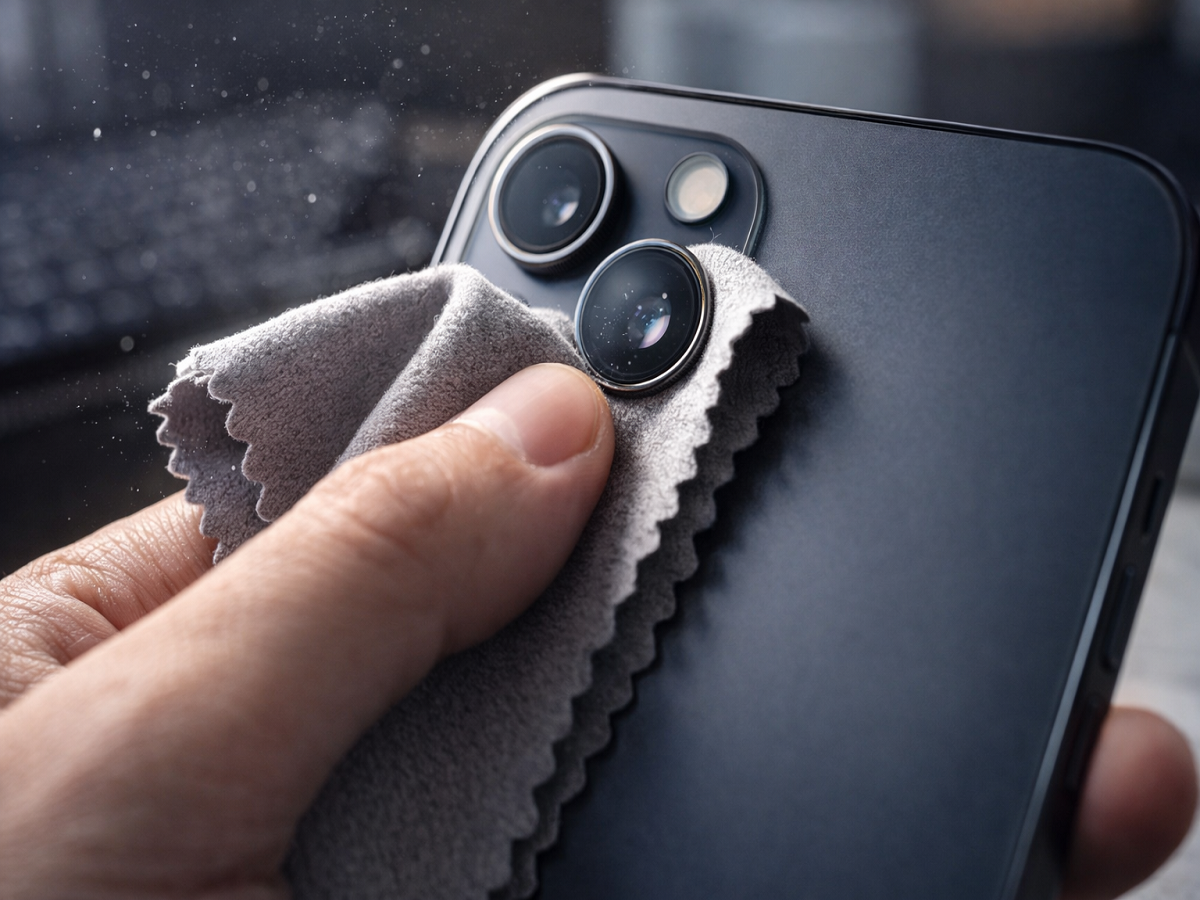
Always clean your lens with a microfiber cloth, similar to the one used for eyeglasses or laptop screens. It is soft, lint-free, and designed to remove dust without scratching.
2. Remove Dust Before Wiping
Before touching the lens, gently blow air on it to remove loose dust particles. This prevents scratches during cleaning.
3. Lightly Damp the Cloth (If Needed)
If there are stubborn smudges, slightly dampen one corner of the microfiber cloth. Avoid using excessive moisture.
4. Clean in Circular Motion
Instead of rubbing harshly, move the cloth in gentle circular motions. This helps clean evenly without putting pressure on the lens.
Common Mistakes to Avoid
Cleaning your phone camera incorrectly can cause irreversible damage. Avoid these common mistakes:
- ❌ Using clothes, jeans, or towels
- ❌ Cleaning with tissue paper
- ❌ Applying saliva (spit) on the lens
- ❌ Using household cleaners or sanitizers
Saliva contains enzymes and acids that can damage the lens coating, while chemical cleaners can be too harsh for delicate camera surfaces.
Extra Tips to Protect Your Camera
To keep your smartphone camera safe for the long term:
- Use a camera lens protector if you frequently travel or work in dusty environments
- Avoid placing your phone lens-down on rough surfaces
- Clean the lens regularly but gently
- Store your phone in a clean pocket or case
Why Proper Cleaning Matters
A clean lens directly impacts photo quality. Even a small smudge or scratch can reduce sharpness, affect focus, and distort colors.
By following the correct cleaning method, you can:
- Maintain crystal-clear image quality
- Extend the life of your phone camera
- Avoid unnecessary repair costs
Conclusion
Cleaning your phone camera might seem like a small task, but doing it the wrong way can lead to long-term damage. Avoid using clothes or tissues, and switch to a microfiber cloth for safe cleaning.
A few careful steps can ensure your smartphone camera continues to capture sharp and beautiful photos for years to come.