Getting a passport in India is now far simpler, faster, and more affordable than it was a few years ago. In the past, many applicants relied on agents to complete the process, often paying thousands of rupees for services such as filling out forms, booking appointments, and submitting documents.
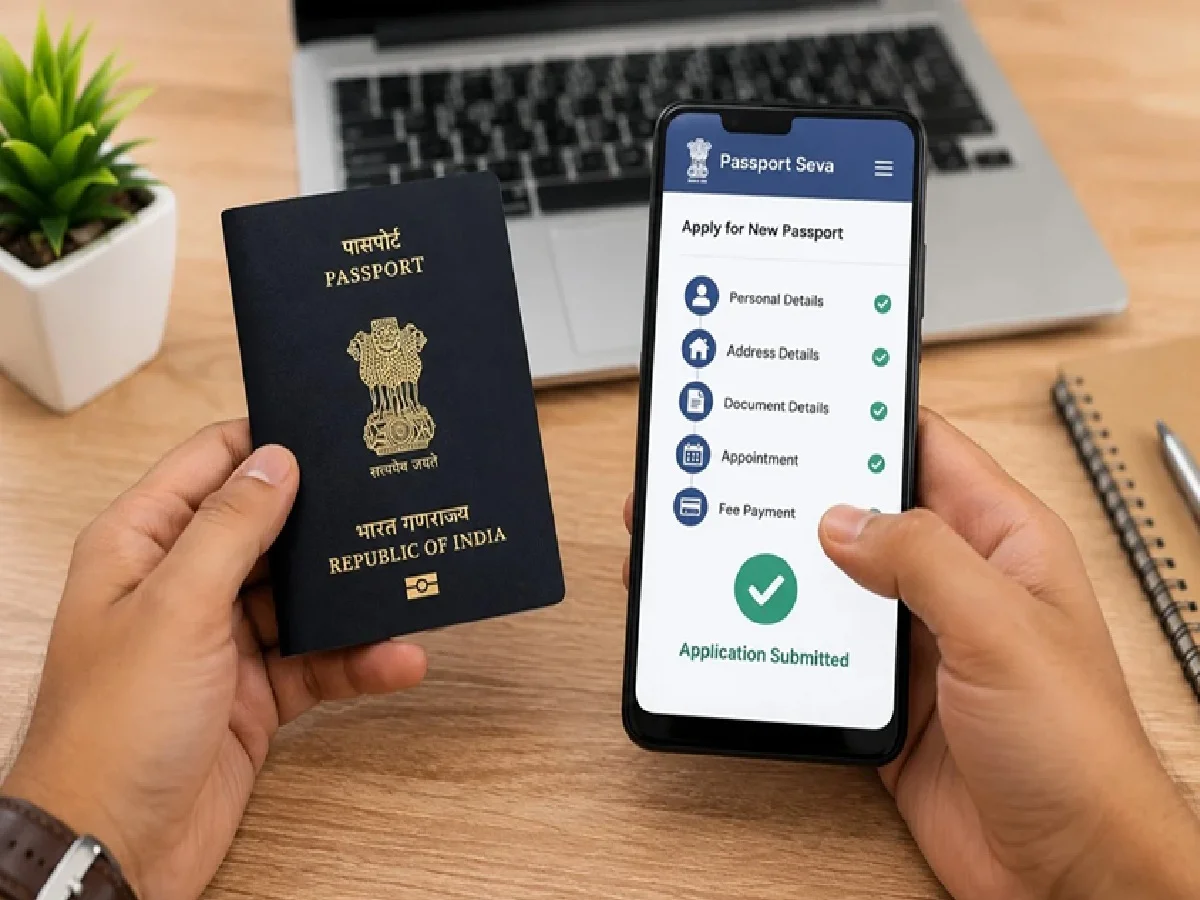
Today, thanks to digital initiatives by the government, most of the passport application process can be completed directly from a smartphone. With the MPassport Seva app, applicants can register, submit forms, pay fees, schedule appointments, and track their application status without needing any middleman.
If you're planning to apply for a new passport or renew an existing one, here's everything you need to know.
Why People Earlier Relied on Passport Agents
For many years, passport applicants turned to agents because the process appeared complicated and time-consuming. Common concerns included:
- Difficulty getting appointment slots.
- Fear of making mistakes while filling out forms.
- Lack of information about the nearest Passport Seva Kendra (PSK).
- Limited time to visit passport offices.
- Confusion regarding required documents.
Taking advantage of these concerns, many agents charged anywhere between ₹2,000 and ₹10,000 for assistance.
With digital services now available, applicants can complete the process themselves and avoid unnecessary expenses.
What Is the MPassport Seva App?
The MPassport Seva app is the official mobile application designed to help citizens access passport-related services from anywhere.
The app allows users to:
- Apply for a fresh passport.
- Renew an existing passport.
- Book appointments online.
- Check application status.
- Locate nearby passport centers.
- Access passport-related information and guidelines.
The service is available through both Android and iOS devices.
Step-by-Step Guide to Apply for a Passport Online
Step 1: Download the Official App
Visit the Google Play Store or Apple App Store and search for "Passport Seva" or "MPassport Seva."
Download and install the official application on your smartphone.
Step 2: Create an Account
Register using:
- Mobile number
- Email address
- Basic personal details
Once registration is completed, log in to access passport services.
Step 3: Fill Out the Application Form
Select whether you are applying for:
- A new passport
- Passport renewal
- Reissue of a passport
The app provides a user-friendly step-by-step process to help applicants enter all required details correctly.
Step 4: Pay the Application Fee
After completing the form, applicants can make payments directly through the app using:
- UPI
- Debit cards
- Credit cards
- Net banking
Online payment makes the process faster and helps secure appointment booking immediately.
Step 5: Schedule an Appointment
Choose the nearest:
- Passport Seva Kendra (PSK)
- Post Office Passport Seva Kendra (POPSK)
The system displays available dates and time slots, allowing applicants to select a convenient appointment.
Additional Features Available in the App
The MPassport Seva app offers several useful tools, including:
Application Status Tracking
Users can monitor their passport application progress in real time.
Passport Office Locator
The app helps applicants find nearby passport service centers quickly.
Information and Guidance
Important instructions, document requirements, and service-related updates are available directly through the platform.
Benefits of Applying Online
The digital passport system offers several advantages:
Complete the Process From Home
Most application-related tasks can be finished without visiting multiple offices.
No Need for Agents
Applicants can save thousands of rupees by handling the process independently.
Transparent and Secure
Official government systems reduce the chances of misinformation and unauthorized charges.
Real-Time Updates
Users receive timely notifications regarding appointments and application progress.
Faster Appointment Booking
Available slots can be viewed instantly, making scheduling easier.
Important Tips Before Applying
To ensure a smooth application process, keep the following points in mind:
- Keep scanned copies of required documents ready.
- Verify that all information matches official records.
- Ensure your name, date of birth, and address are entered correctly.
- Carry original documents when visiting the passport center.
- Review the application carefully before final submission.
Common documents may include:
- Aadhaar Card
- PAN Card
- Address proof
- Date of birth proof
- Passport-size photographs (if required)
You Can Also Apply Through the Official Website
Applicants who prefer using a computer can complete the same process through the official passport portal.
The website provides access to application forms, appointment booking, payment services, and status tracking facilities.
Final Takeaway
The passport application process has become significantly more user-friendly with the introduction of digital services. With the MPassport Seva app, citizens can complete most formalities directly from their smartphones without depending on agents or paying extra fees.
By keeping the required documents ready and following the official process carefully, applicants can save both time and money while obtaining their passport in a hassle-free manner. For anyone planning international travel, applying for a passport is now easier than ever before.