Friends, in today's modern era, smartphones have become an integral part of our lives. From calls and messages to banking apps, social media accounts, photos, and important documents—almost everything we own is stored right on our phones. Consequently, if a phone gets stolen, it becomes a major source of distress, and the situation can quickly escalate. In such instances, taking immediate action and following the correct procedure is absolutely crucial. If the right steps are taken promptly, the chances of safeguarding your data and recovering the stolen device increase significantly. Let's find out what to do if your phone is stolen:
1. Lock Your Phone Immediately
The first and most critical step is to remotely lock your phone as quickly as possible.
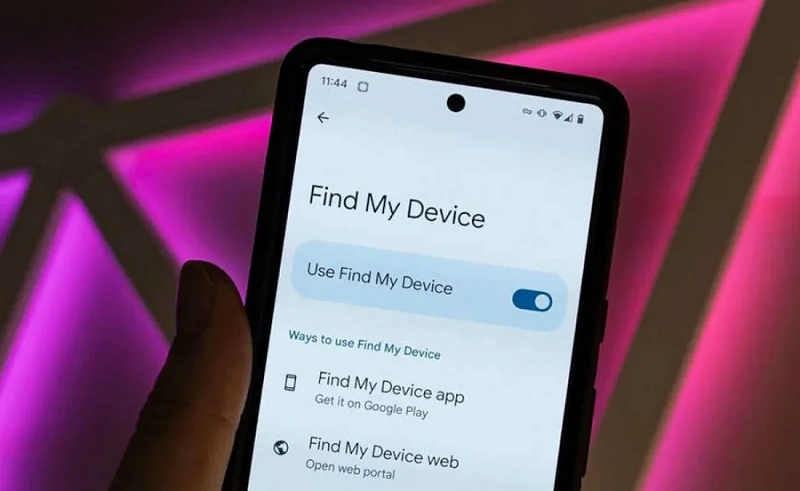
Android users can locate their phone, track its live location, and lock it remotely using Google's 'Find My Device' feature (via the app or website).
iPhone users can track their device, display a message on the screen, or prevent any unauthorized access by locking the phone using 'Find My iPhone'.
Locking the device immediately ensures that the thief cannot gain access to your personal data.
2. Block Your SIM Card Immediately
As soon as you realize that your phone has been stolen, immediately contact your mobile network service provider and request that they block your SIM card.
Most telecom companies offer you the facility to block your SIM card instantly via customer care, SMS services, or their dedicated mobile apps.
3. File a Police Report (FIR)
Filing an FIR (First Information Report) at the nearest police station is a vital step. When filing the report, do not forget to provide complete details about your phone, such as:
The phone's model and brand
The device's color
The IMEI number
The date, time, and location where the phone was stolen
This report can assist authorities in tracking the device and increase the likelihood of its recovery.
4. Change all your passwords
If your stolen phone had any important accounts logged in—such as email, banking apps, social media platforms, or digital wallets—you should change their passwords immediately. Use another device, such as a laptop or computer, to log in and update your passwords.