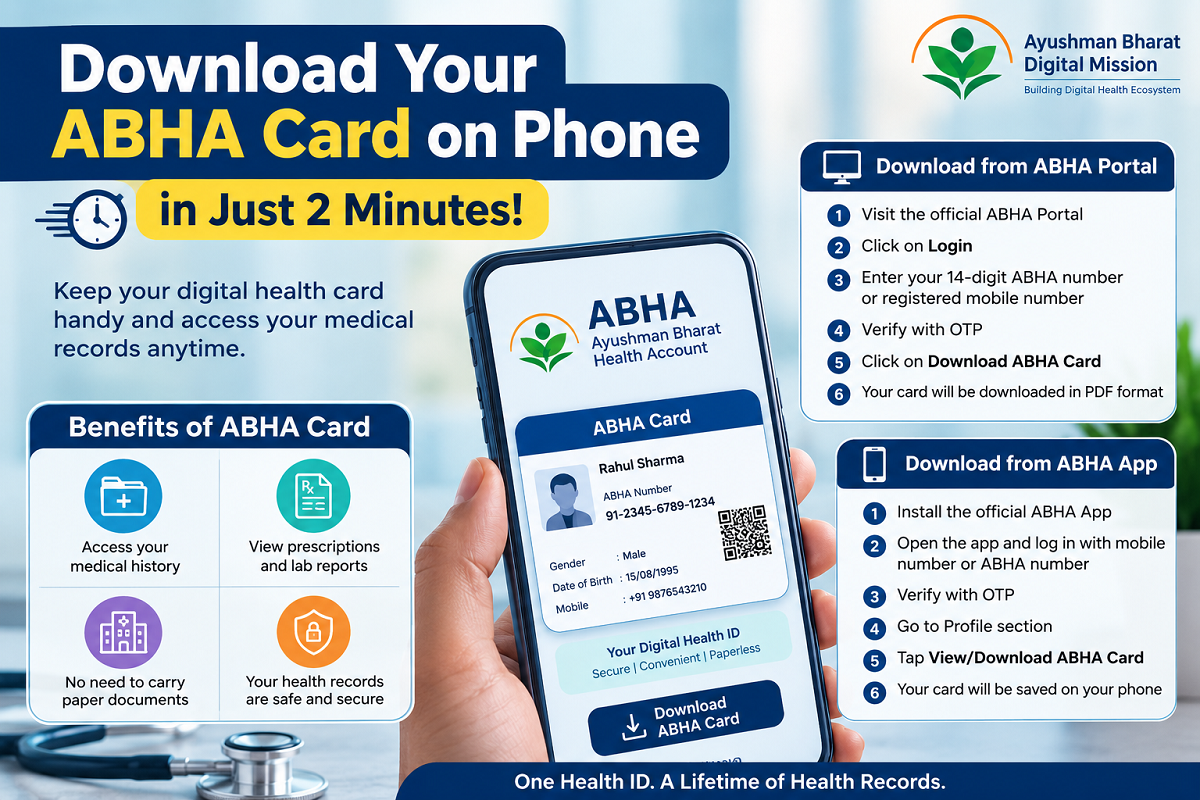
Keep Your Digital Health Card Handy by Downloading It on Your Smartphone Through the Official Portal or ABHA App
The Ayushman Bharat Health Account (ABHA) Card makes it easier to access your medical records anytime, anywhere. Instead of carrying physical documents to hospitals or clinics, you can store your ABHA card on your smartphone and quickly share it whenever required.
The digital health card securely links your health information, including prescriptions, laboratory reports, medical history, and other healthcare records. If you haven't downloaded your ABHA card yet, the process is simple and takes only a few minutes.
Here's a complete guide to downloading your ABHA card using the official website or the mobile app.
What Is an ABHA Card?
The Ayushman Bharat Health Account (ABHA) is a unique 14-digit health identification number introduced under the Ayushman Bharat Digital Mission (ABDM). It helps individuals securely manage and access their digital health records across participating hospitals, clinics, laboratories, and healthcare providers.
With an ABHA account, your medical information remains digitally stored and can be accessed whenever you authorize healthcare professionals to view it.
How to Download Your ABHA Card Through the Official Portal
If you prefer using a web browser, follow these steps:
- Visit the official ABHA Portal.
- Click on the Login option.
- Enter your 14-digit ABHA number or your registered mobile number.
- Complete OTP verification.
- After logging in, open your dashboard.
- Click on Download ABHA Card.
- Your digital ABHA card will be downloaded in PDF format, which you can save on your phone or computer.
The downloaded file can also be printed whenever a physical copy is needed.
How to Download the ABHA Card Using the Mobile App
You can also access your digital health card through the official ABHA mobile application.
Follow these simple steps:
- Install the official ABHA App on your smartphone.
- Open the application.
- Log in using your registered mobile number or ABHA number.
- Complete the OTP verification process.
- Go to the Profile section.
- Tap View/Download ABHA Card.
- Your ABHA card will be downloaded and stored on your device within seconds.
This method allows quick access to your health card directly from your mobile phone.
Benefits of Keeping Your ABHA Card on Your Phone
Downloading your ABHA card offers several practical advantages, including:
- Instant access to your digital health ID.
- Easy availability of medical history whenever required.
- Quick access to doctors' prescriptions and laboratory reports.
- Reduced need to carry physical medical files during hospital visits.
- Faster sharing of health records with healthcare providers.
- Convenient option to print or share the card digitally whenever needed.
- Secure storage of your health information in digital format.
Why a Digital ABHA Card Is Useful
Carrying your ABHA card on your smartphone can simplify healthcare visits, especially during emergencies. Instead of searching through paper documents, you can instantly present your digital health ID and access linked medical records, helping doctors understand your treatment history more efficiently.
As India's digital healthcare ecosystem continues to expand, keeping your ABHA card readily available on your mobile device can make managing your medical information more convenient and organized.
Note: Always download your ABHA card only through the official ABHA Portal or the official ABHA mobile application. Avoid using third-party websites or apps to protect your personal health information and ensure your data remains secure.