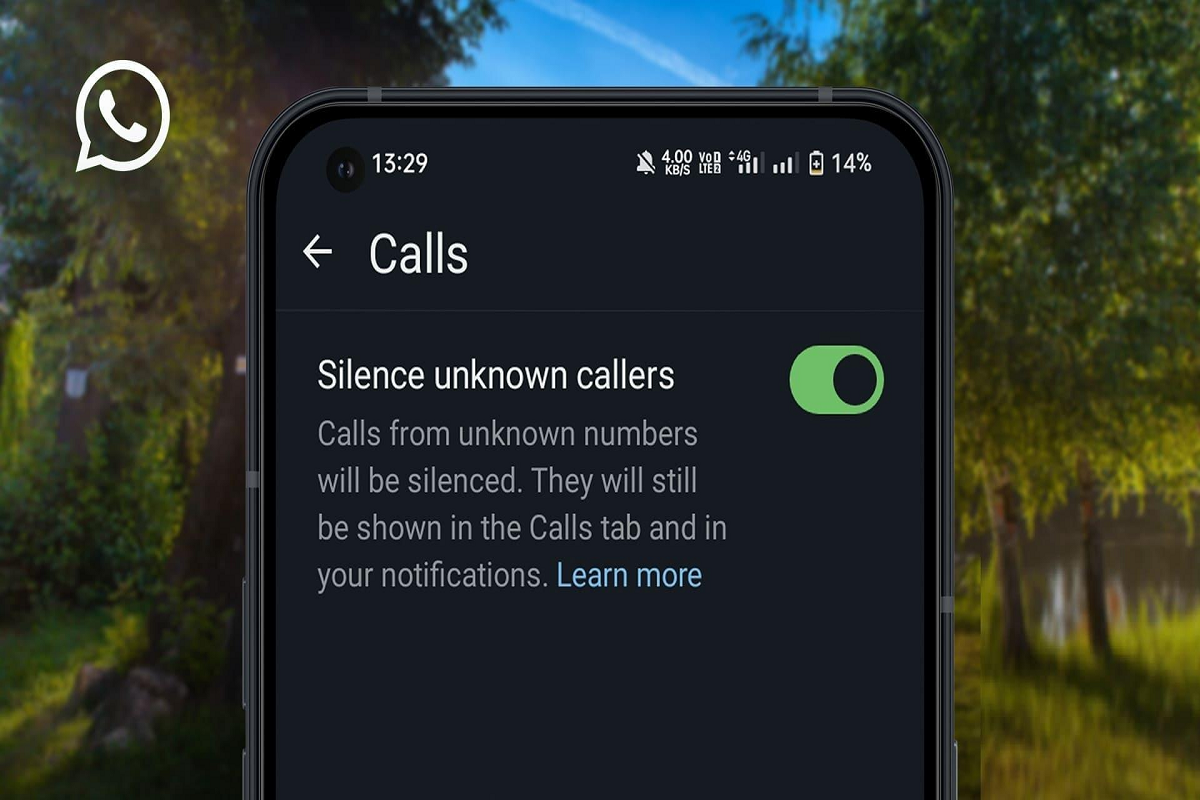
WhatsApp Silence Unknown Callers: If you're constantly receiving WhatsApp calls from unknown numbers, there's a built-in privacy feature that can help. WhatsApp's Silence Unknown Callers option automatically mutes incoming calls from numbers that aren't saved in your contacts, helping users avoid spam, scam, and unwanted calls without blocking them completely.
Why You Should Enable Silence Unknown Callers
WhatsApp has introduced several privacy and security tools to improve user safety, and Silence Unknown Callers is one of the most useful among them.
Many users receive unexpected voice or video calls from unknown numbers, some of which may be spam or scam attempts. Although these calls can be disruptive, answering them may also expose users to fraudulent schemes.
Once enabled, the feature automatically silences calls from numbers that are not saved in your contact list. While the phone won't ring, the missed call will still appear in your Calls tab, allowing you to review it later if necessary.
How the Feature Works
The Silence Unknown Callers feature does not reject or block calls. Instead, it quietly mutes them while continuing to log the call in your WhatsApp call history.
This approach helps users:
- Avoid interruptions from unknown callers.
- Reduce spam and scam call disturbances.
- Review missed calls later if required.
- Stay protected without completely blocking unknown numbers.
It's particularly useful for users who frequently receive unsolicited calls through WhatsApp.
How to Turn On Silence Unknown Callers
The feature is available on both Android and iPhone (iOS) devices.
Follow these steps:
- Open the WhatsApp application.
- Tap the three-dot menu (Android) or open Settings (iPhone).
- Select Settings.
- Go to Privacy.
- Scroll down to the Calls section.
- Tap Silence Unknown Callers.
- Turn the feature On.
Once activated, WhatsApp will automatically mute incoming calls from numbers that are not stored in your contacts.
Why This Feature Matters
Cybersecurity experts frequently warn that scammers use WhatsApp voice calls to target users through phishing attempts, impersonation scams, fake customer support calls, and financial fraud.
Although simply receiving a call does not compromise your account, answering suspicious calls can sometimes expose users to social engineering tactics designed to steal personal or financial information.
Keeping unknown calls silent adds an extra layer of protection by reducing unnecessary interactions with potential scammers.
You'll Still Be Able to See Missed Calls
Enabling this feature does not remove calls entirely.
Users can still:
- View missed calls in the Calls tab.
- Identify the calling number.
- Decide later whether to return the call.
- Report or block suspicious numbers if necessary.
This balance between privacy and accessibility makes the feature useful for both personal and professional users.
Additional WhatsApp Safety Tips
To further improve account security:
- Enable Two-Step Verification.
- Never share OTPs or verification codes.
- Avoid answering repeated calls from suspicious international numbers.
- Block and report spam contacts.
- Keep WhatsApp updated to the latest version.
These simple precautions can significantly reduce the risk of online scams.
Final Takeaway
WhatsApp's Silence Unknown Callers feature is an effective way to reduce interruptions from unfamiliar numbers while helping users stay protected against spam and scam calls. Instead of blocking unknown callers outright, the feature quietly silences incoming calls and records them in your call history for later review.
If you regularly receive unwanted WhatsApp calls, enabling this privacy setting can provide a safer and more distraction-free messaging experience.