NEWS
7 Hidden WhatsApp Features Every User Should Know to Improve Privacy, Security, and Daily Messaging
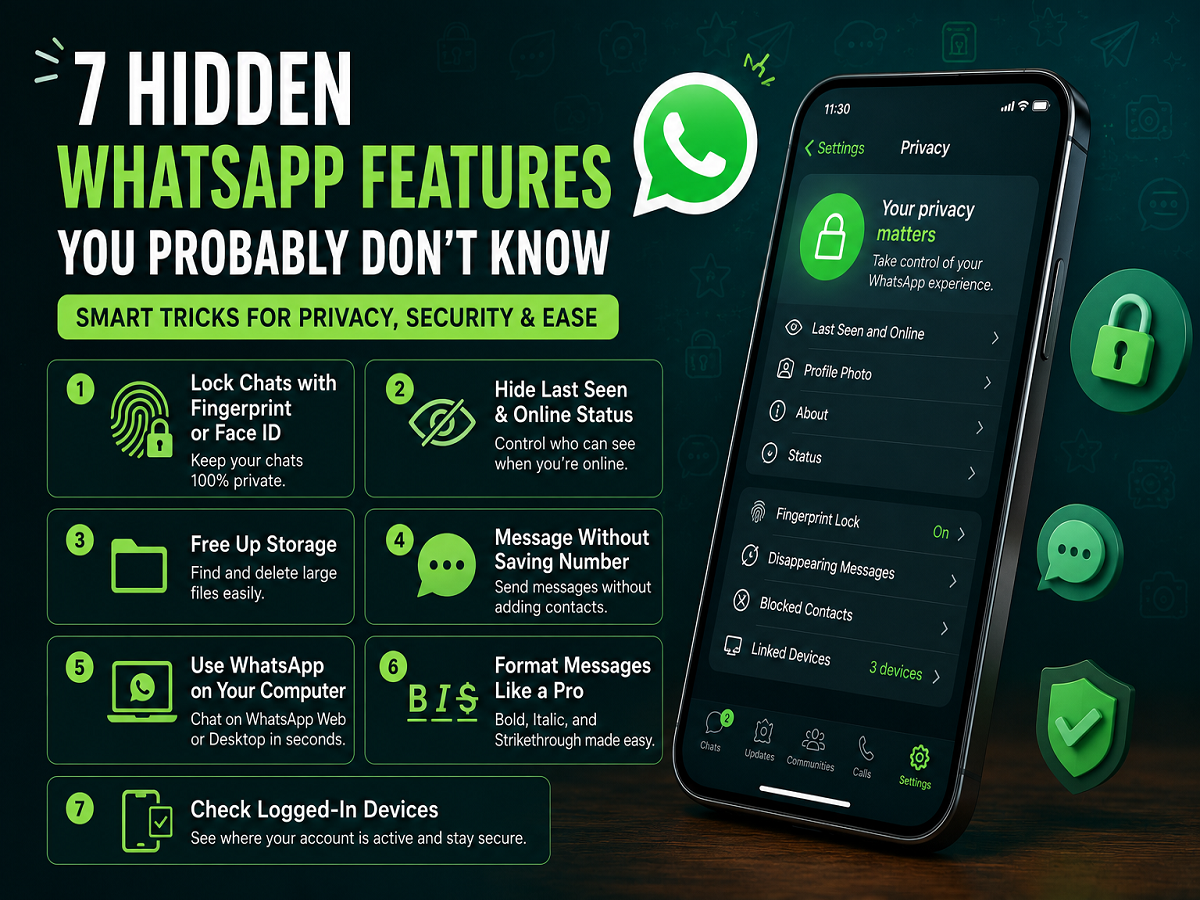
WhatsApp has become one of the world's most widely used messaging platforms, allowing billions of users to exchange text messages, photos, videos, documents, and make voice and video calls. While most people use the app every day, many are unaware of several built-in features that can make conversations more secure, improve privacy, and simplify everyday tasks.
Whether you use WhatsApp for personal communication, work, or staying connected with family, learning these lesser-known features can help you get much more from the app. Here are seven useful WhatsApp tricks that can enhance both convenience and account security.
1. Lock WhatsApp with Fingerprint or Face Authentication
Protecting private conversations is one of the easiest ways to improve your digital privacy.
WhatsApp allows users to secure the app using fingerprint authentication, Face ID, or their device's screen lock. Once enabled, the app cannot be opened without successful biometric verification or device authentication.
How to enable it
Android
- Open Settings
- Go to Privacy
- Select Fingerprint Lock
iPhone
- Open Settings
- Tap Privacy
- Enable Screen Lock using Face ID or Touch ID
This extra layer of protection helps prevent unauthorized access if someone picks up your phone.
2. Control Who Can See Your Last Seen and Online Status
Not everyone needs to know when you're active on WhatsApp.
The app provides several privacy controls that let users decide who can view their Last Seen and Online status.
Steps
- Open Settings
- Tap Privacy
- Select Last Seen and Online
You can choose from options such as:
- Everyone
- My Contacts
- My Contacts Except...
- Nobody
These settings offer greater control over your online visibility.
3. Free Up Phone Storage Without Leaving WhatsApp
Photos, videos, voice notes, and forwarded files can quickly consume smartphone storage.
WhatsApp includes a built-in storage management tool that helps identify large files and chats using the most space.
How to access it
- Go to Settings
- Tap Storage and Data
- Select Manage Storage
From there, users can review and delete unnecessary media files without affecting important conversations.
4. Send Messages Without Saving a Contact
Sometimes you only need to message someone once, making it unnecessary to save their phone number.
WhatsApp offers a simple way to start a conversation directly through your web browser.
Type the following format:
wa.me/CountryCodePhoneNumber
For example:
wa.me/91XXXXXXXXXX
Replace the Xs with the recipient's mobile number, including the country code. Opening the link launches a direct WhatsApp chat with that number.
5. Use WhatsApp on Your Computer
Typing long messages or managing office conversations is often easier on a keyboard.
WhatsApp can be linked to your desktop or laptop through WhatsApp Web or the desktop application.
Setup process
- Open WhatsApp Web on your computer
- On your phone, open Settings
- Tap Linked Devices
- Select Link a Device
- Scan the QR code displayed on the computer
Within seconds, your chats become available across devices while remaining synchronized.
6. Format Your Messages for Better Readability
WhatsApp supports several text formatting options that make messages easier to read and highlight important information.
Some useful formatting shortcuts include:
- Bold: Place asterisks before and after the text.
- Italic: Add underscores before and after the text.
- Strikethrough: Use ~tildes~ around the words.
These formatting tools are especially useful when sharing instructions, reminders, or work-related information.
7. Check Which Devices Are Logged Into Your Account
If you've used WhatsApp Web or linked your account to another device, it's a good practice to review active sessions regularly.
This helps ensure that no unknown device continues to access your conversations.
To review linked devices
- Open Settings
- Tap Linked Devices
You'll see a list of every device currently connected to your account.
If you notice a device you don't recognize, simply select it and choose Log Out to remove access immediately.
Make the Most of WhatsApp's Built-In Features
Many of WhatsApp's most useful tools are already built into the app but often go unnoticed by everyday users. Features such as biometric app locks, privacy controls, storage management, multi-device access, message formatting, and linked-device monitoring can significantly improve both security and user experience.
Regularly reviewing your privacy settings and taking advantage of these built-in options can help keep your conversations safer while making everyday communication faster and more efficient.
Note: Feature availability may vary depending on your smartphone model, operating system version, and the latest version of the WhatsApp application. Keeping the app updated ensures access to the newest security improvements and features.